
Hello there everyone,
Today we will play Nintendo Wii U games on PC via an emulator called CEMU.
Pre-requisites :
- 8 GB RAM
- 2 GB NVIDIA / AMD RADEON Graphics
- i5 or above Processor
Step 1 : Download CEMU emulator from http://cemu.info/#download
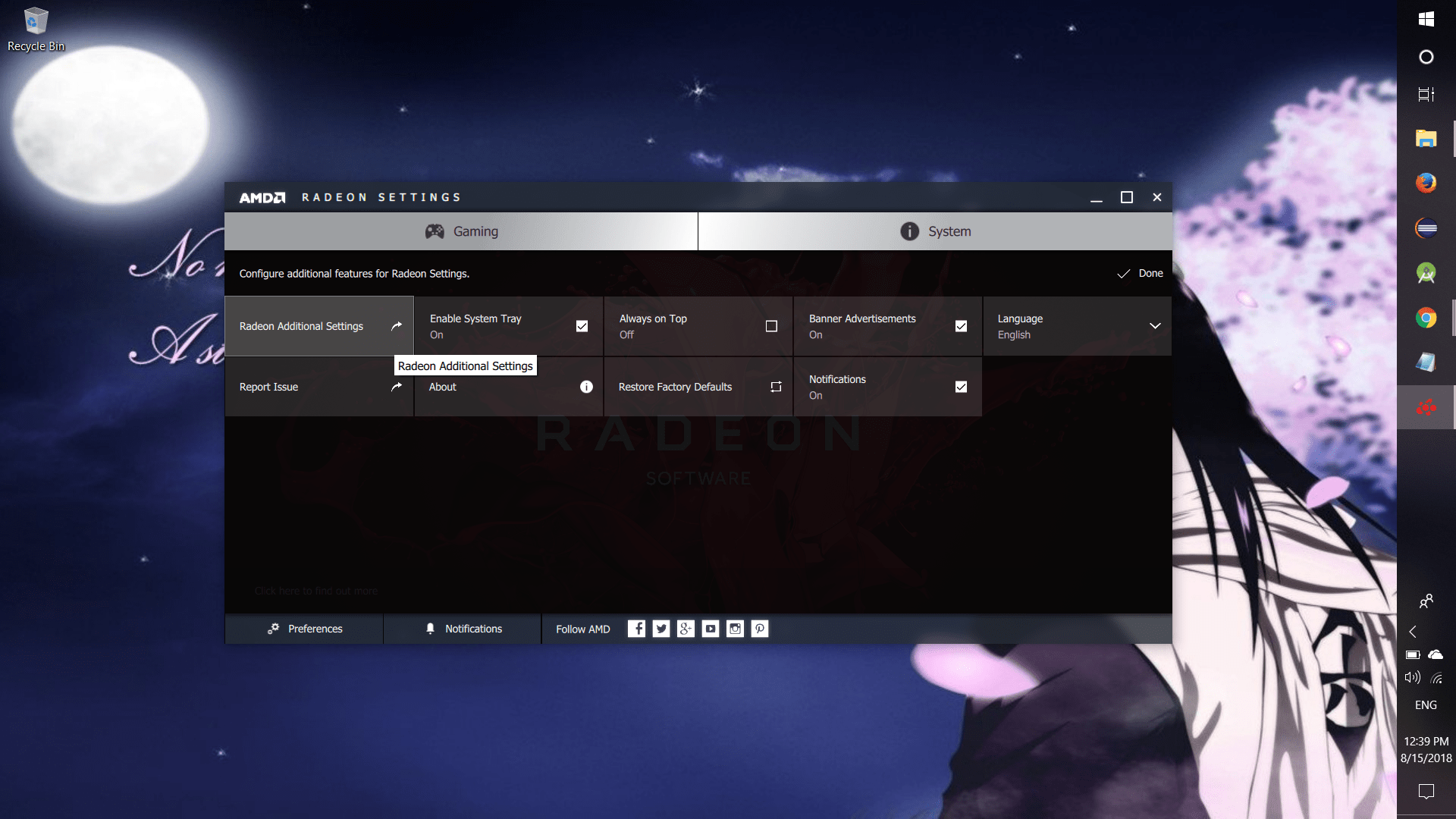
Step 2 : Install CEMU and open AMD / NVIDIA contorl panel in your PC (I’ll show you AMD settings in this tutorial)
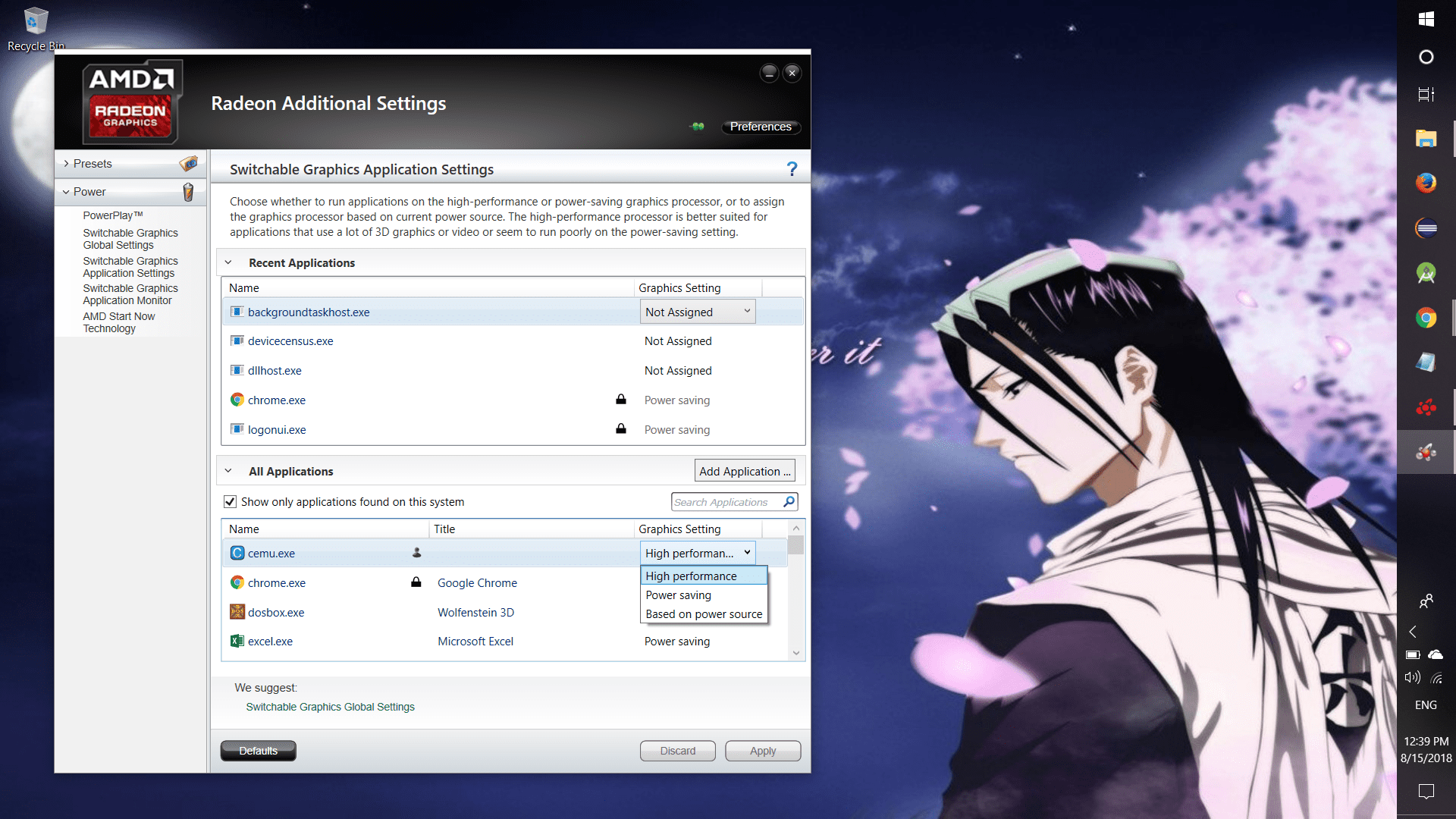
Step 3 : Chagne the dropdown to “High Performance” and click APPLY
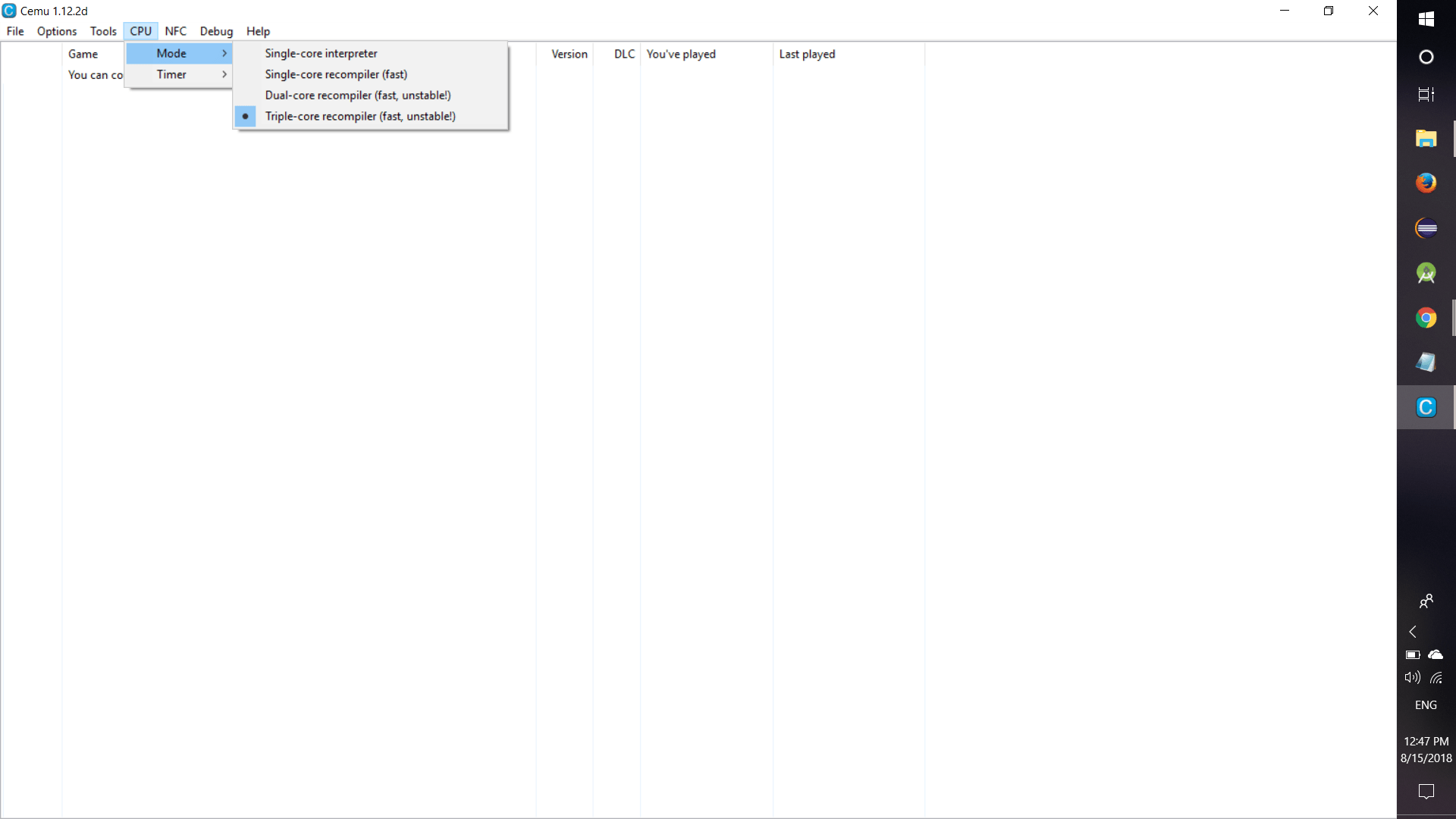
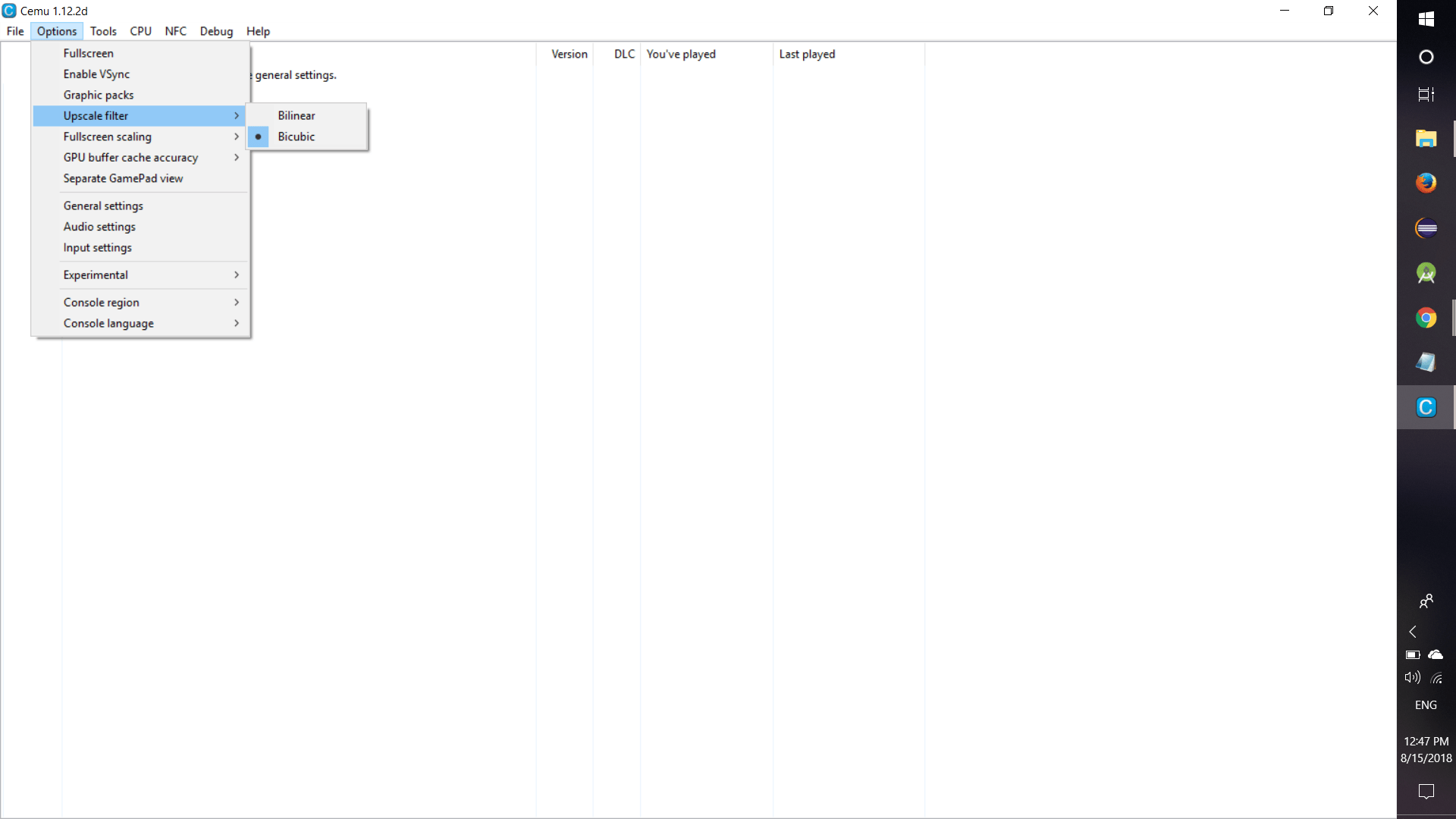
Step 4 : Now open your CEMU emulator change the following setting…
- CPU -> Mode -> Triple-core
- Options -> Upscale filter -> Bicubic
- Optional -> Experimental
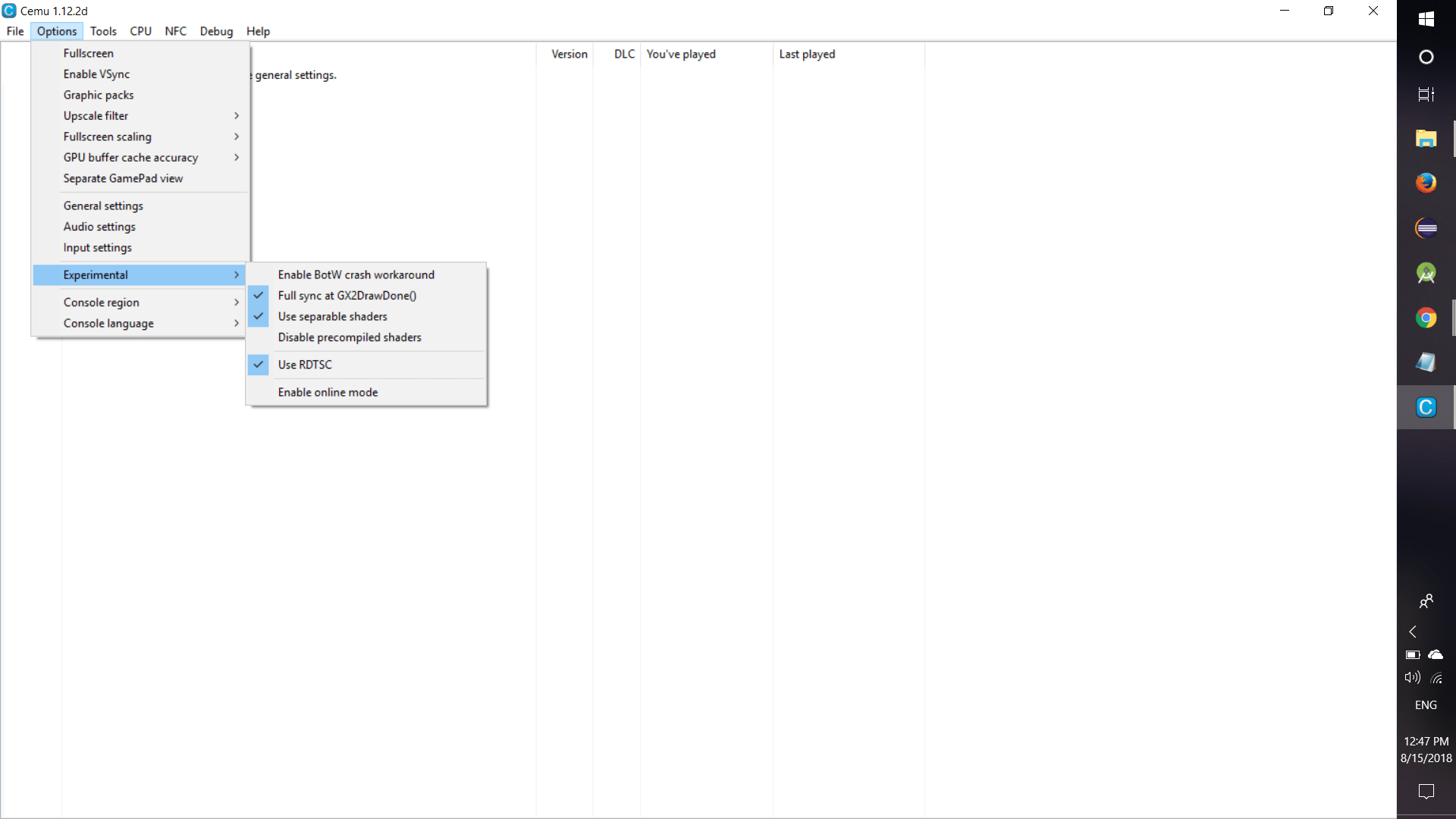
Step 5 : Having done all the configuration, download Wii U games from this site http://www.portalroms.com/isos/wii-u
(NOTE: legally Nintendo inflicted copyright infrigements over sites for making their roms available online, so hurry up and download before it becomes unavailable)
Step 6 : Now open the the iso and run .rpx and enjoy the game !!!
NOTE :
LET’S POKEMON
 Why Surf Swim
Leave a comment