
Hello everyone,
This week we will see, where the missing files downloaded using IDM is located inside our computer
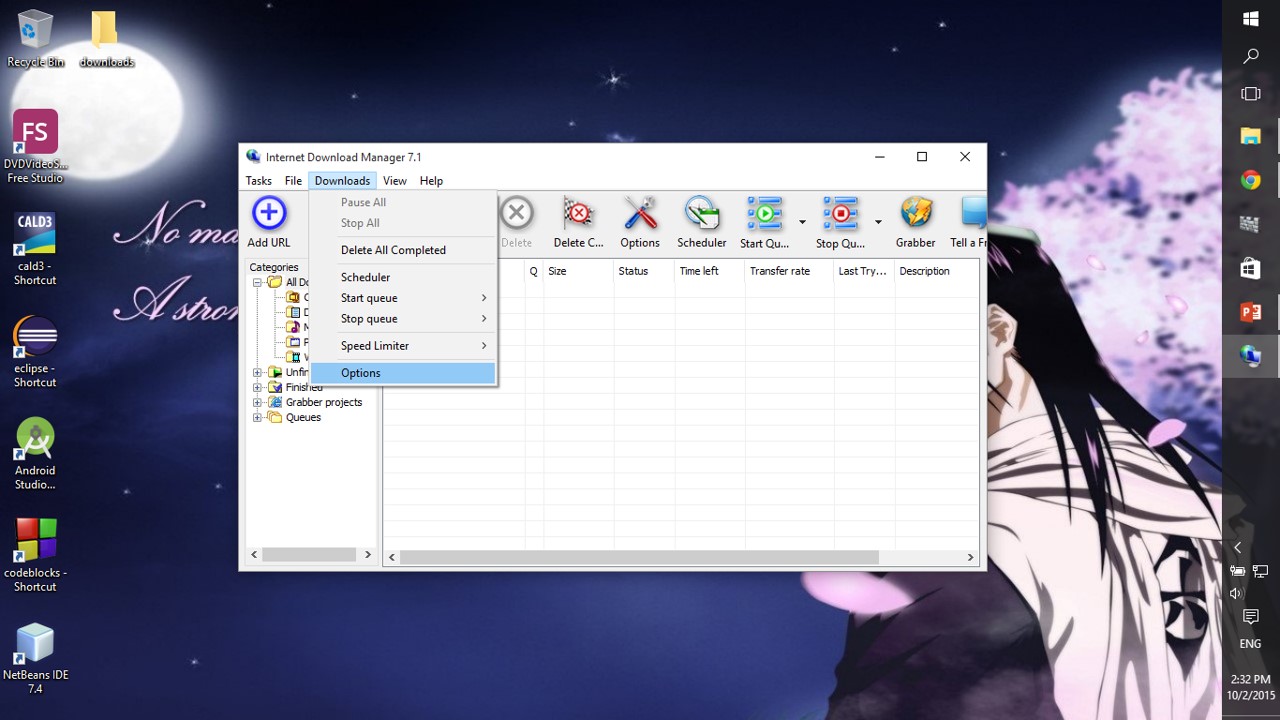
Step 1: Go to the “downloads” tab and then select “options” in the IDM
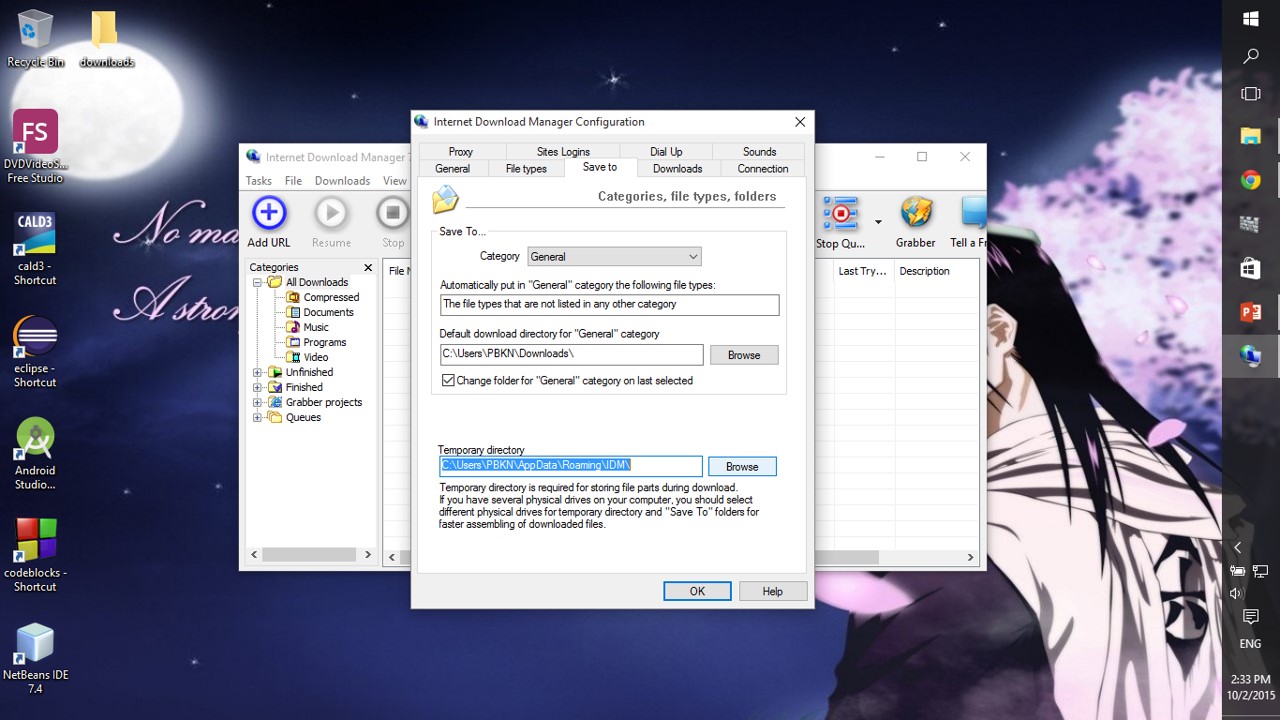
Step 2: Go to the “save to” tab in the pop-up menu and copy the address of temporary directory
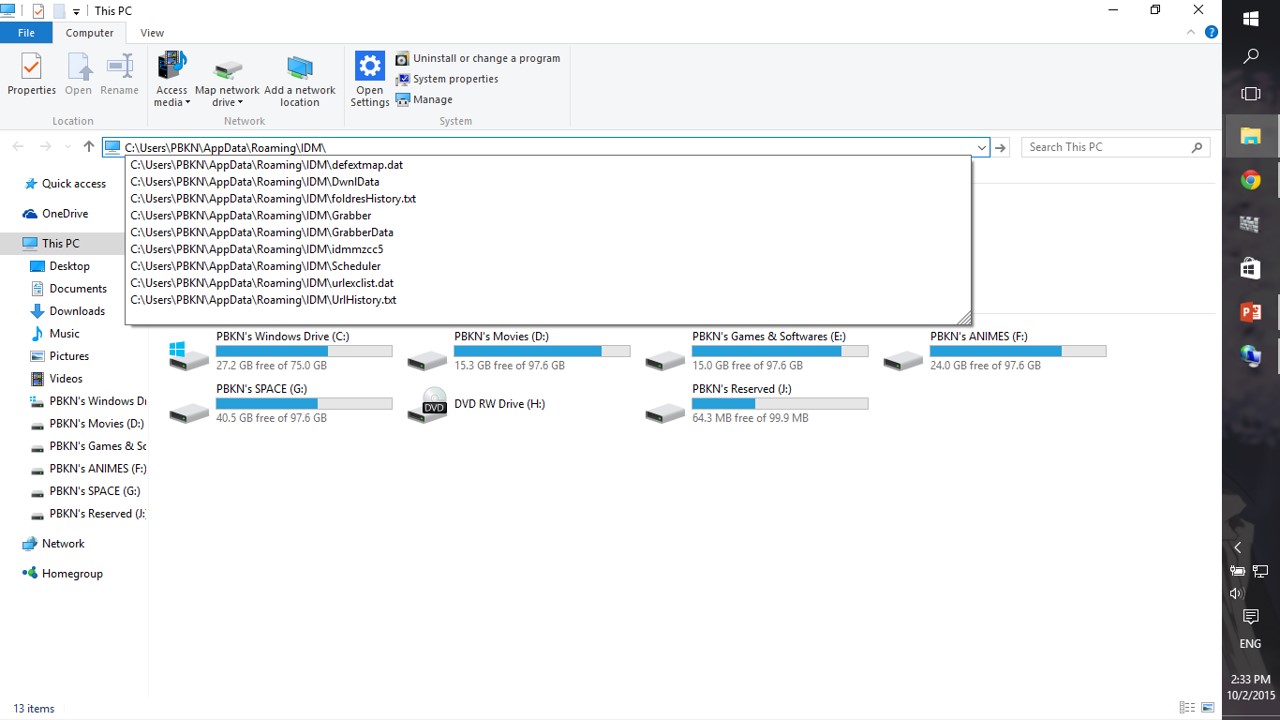
Step 3: Now, paste the address in the file explorer
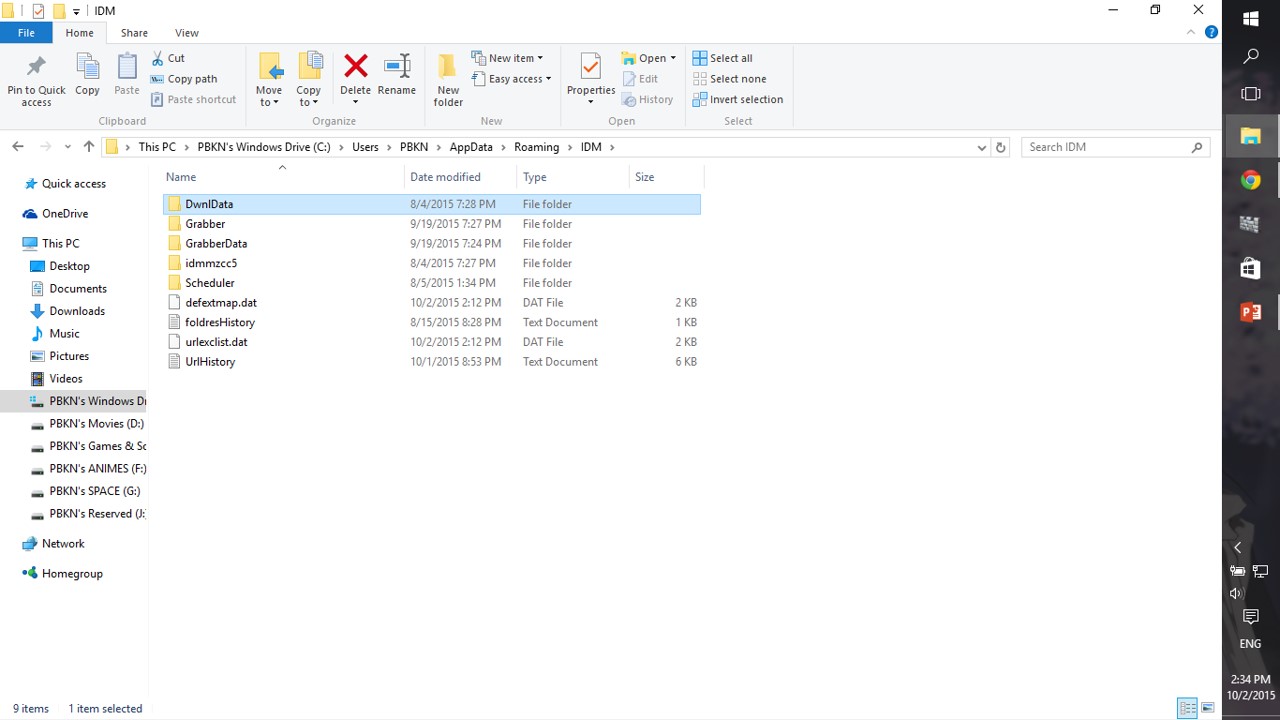
Step 4: Click the “DwnlData” data folder and click on the (username) folder too
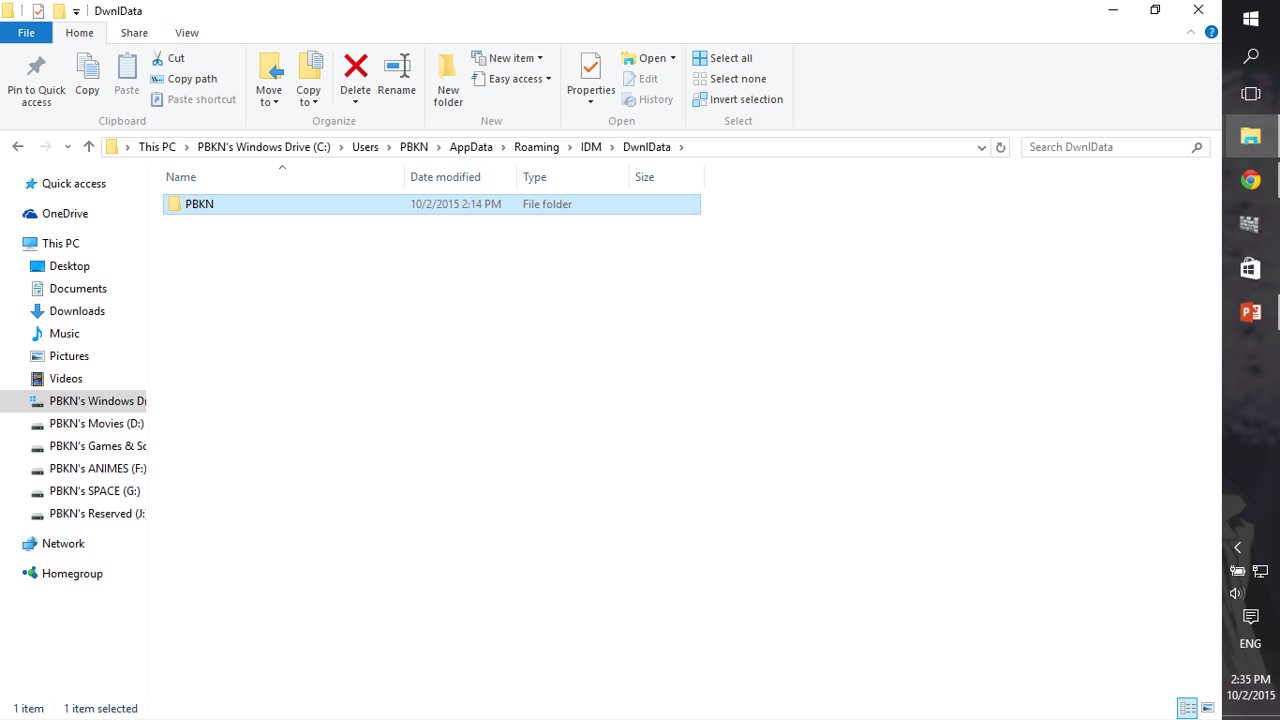
Step 5: Now search for the file you are missing, in my case it’s a video file
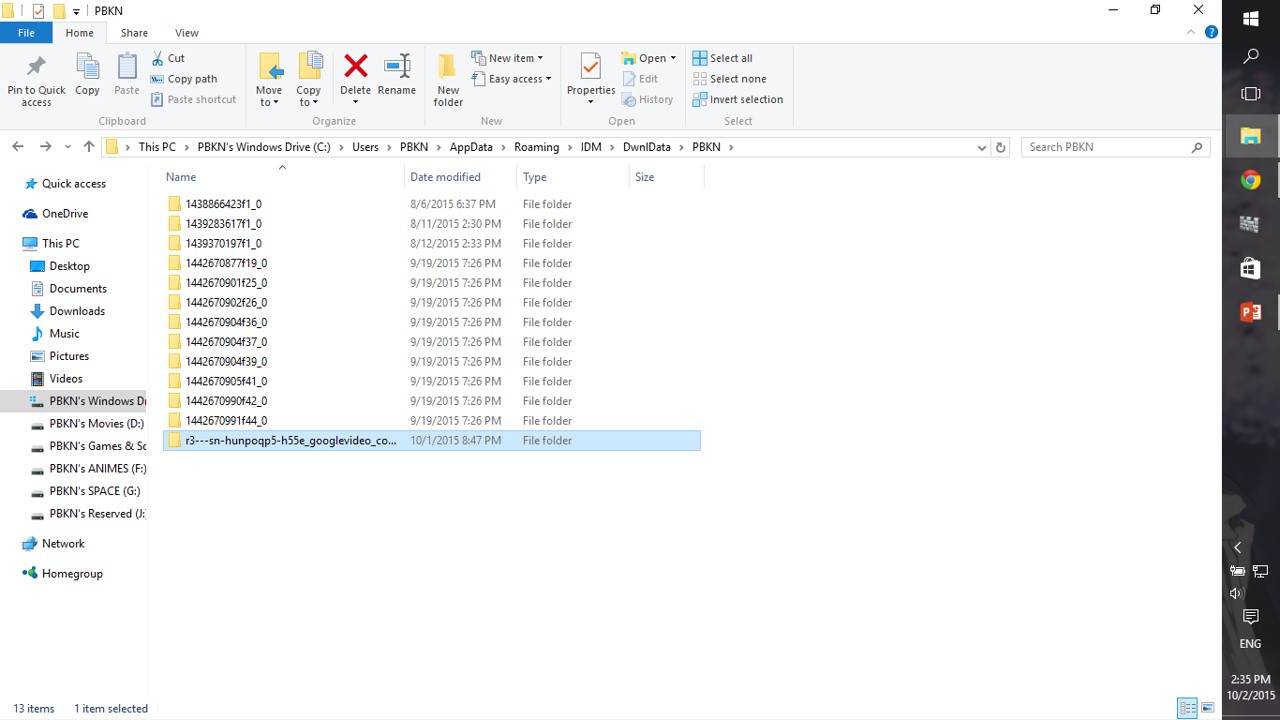
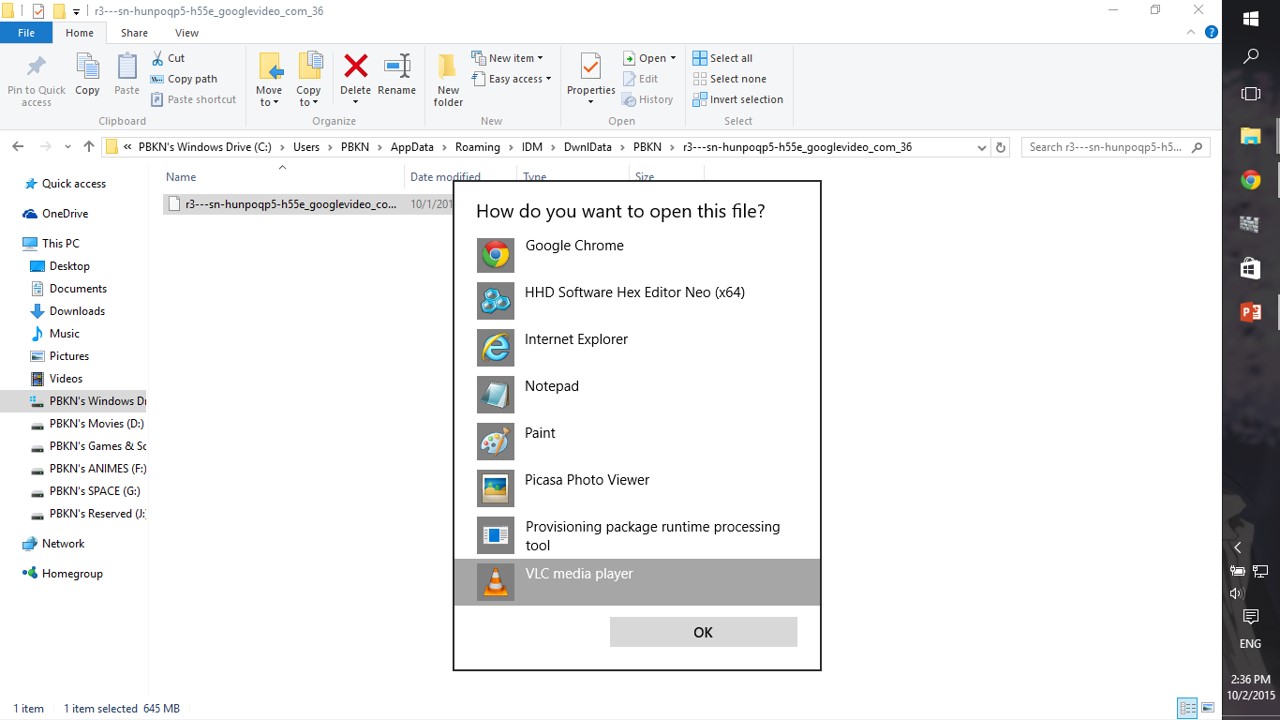
Step 6: Now open the file accordingly, in my case i’ll use VLC player
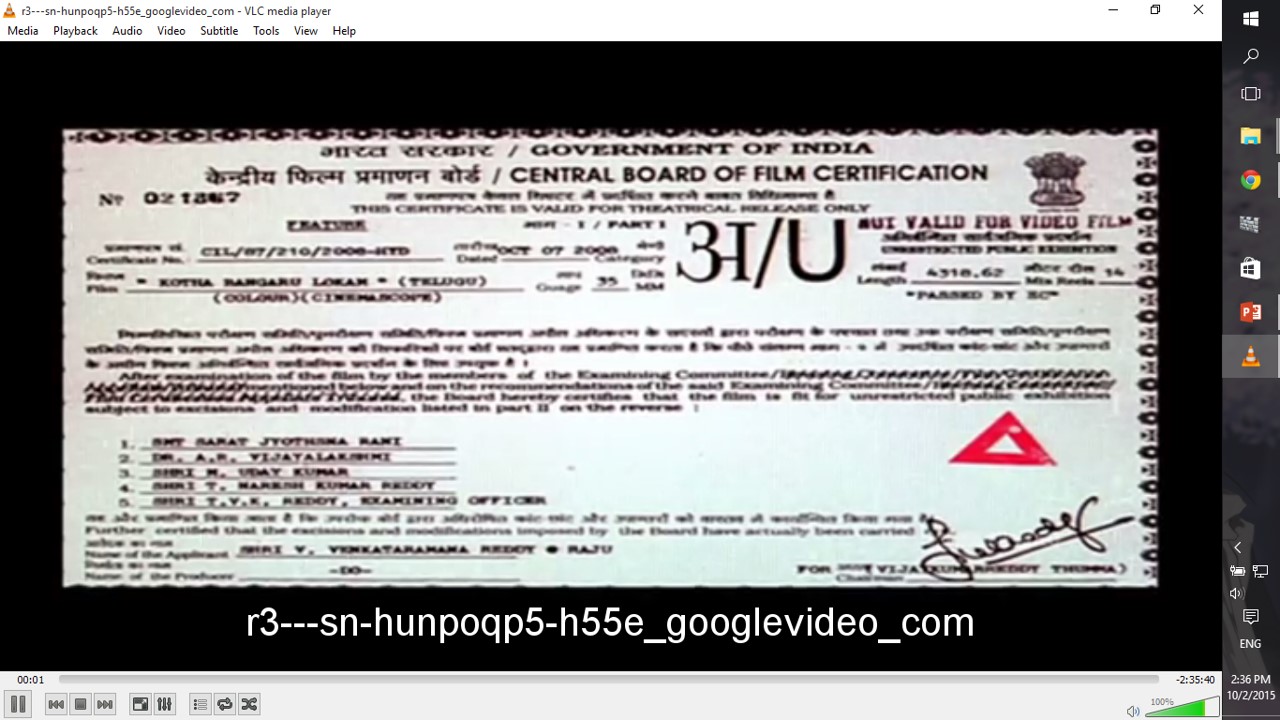
Step 7: Ta – da, the missing file is now located and can be re-located
NOTE:
EVERY DATA WE DOWNLOAD IS VALUED HIGH,
SO DON’T MAKE A RE-DOWNLOAD JUST LIKE THAT!!!


 Why Surf Swim
Leave a reply to PBKN Cancel reply