
- The Problem: The Ticking Clock of SQS DLQs
- The Solution: An Automated, CloudWatch-Powered Redrive Mechanism
- A Peek into the Process
- Benefits of this Auto-Redrive Approach
- Get Started with the Project!
In the world of microservices and asynchronous processing, Amazon Simple Queue Service (SQS) is a cornerstone. It provides reliable, scalable, and fully managed message queuing. But what happens when messages fail to process and end up in a Dead Letter Queue (DLQ)? While DLQs are fantastic for debugging, they come with a hidden danger: the default 14-day message retention period. After this, your valuable messages are gone forever.
This was a challenge I recently tackled, and I’m excited to share my solution: a serverless, automated way to redrive messages from a DLQ back to the main queue before they expire, preventing permanent data loss. I’ve open-sourced the project on GitHub, and in this post, I’ll walk you through the problem, the architecture of the solution, and how you can implement it in your own AWS environment.
The Problem: The Ticking Clock of SQS DLQs
Dead Letter Queues are a powerful feature for handling message failures. When a message in your primary SQS queue fails to be processed a specified number of times, it’s moved to a DLQ. This isolates problematic messages and allows you to inspect them later without blocking the main queue.
However, the MaximumMessageRetentionPeriod for an SQS queue is 14 days. If you don’t manually redrive these messages back to the source queue within that timeframe, they are permanently deleted. This can be a critical issue, especially in production environments where every message could represent a customer order, a vital piece of data, or an important event. Manual intervention is prone to human error and isn’t a scalable solution.
The Solution: An Automated, CloudWatch-Powered Redrive Mechanism
To solve this, I built a simple yet effective serverless application that automatically redrives messages from the DLQ when they are approaching the 14-day limit. Here’s a look at the overall architecture:

The workflow is straightforward:
- CloudWatch Alarm on the DLQ: A CloudWatch Alarm is set up to monitor the
ApproximateAgeOfOldestMessagemetric of the DLQ. This metric tells us the age of the oldest message in the queue. - Alarm Trigger: We configure the alarm to trigger when this age exceeds a certain threshold, for instance, 12 days. This gives us a buffer before the 14-day expiration.
- Lambda Function Invocation: The CloudWatch alarm is configured to trigger a Lambda function when it enters the
ALARMstate. - Message Redrive: The Lambda function is responsible for moving the messages from the DLQ back to the primary queue. It does this by consuming messages from the DLQ and resending them to the source queue.
- Logging and Monitoring: The Lambda function logs its actions to CloudWatch Logs, so you have a clear audit trail of the redrive process.
This setup is entirely serverless, meaning you don’t have to manage any servers, and it’s incredibly cost-effective as you only pay for the Lambda invocations and CloudWatch alarm evaluations.
A Peek into the Process
Let’s visualize how this works with a few snapshots from my AWS environment.
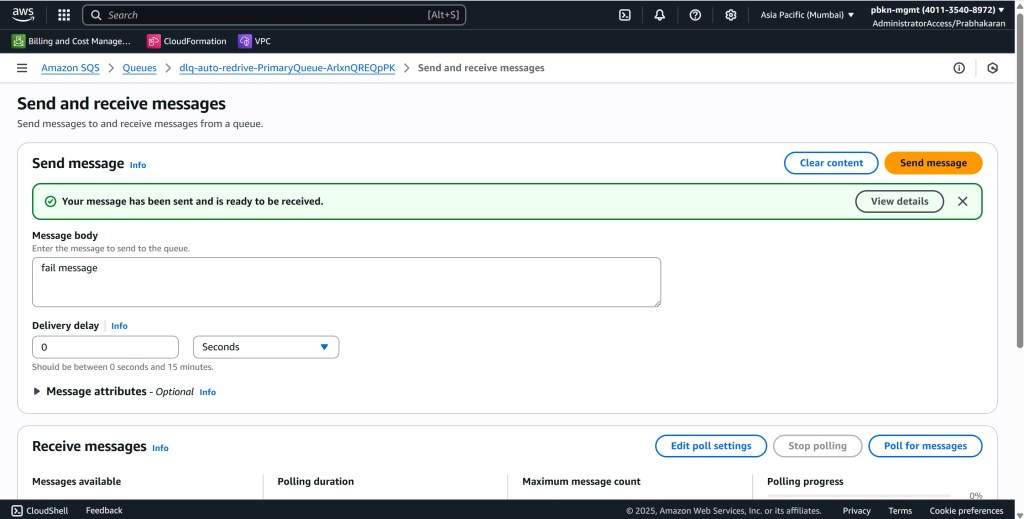
First, we send a “Fail Message” to our primary queue to simulate a message that will eventually end up in the DLQ.
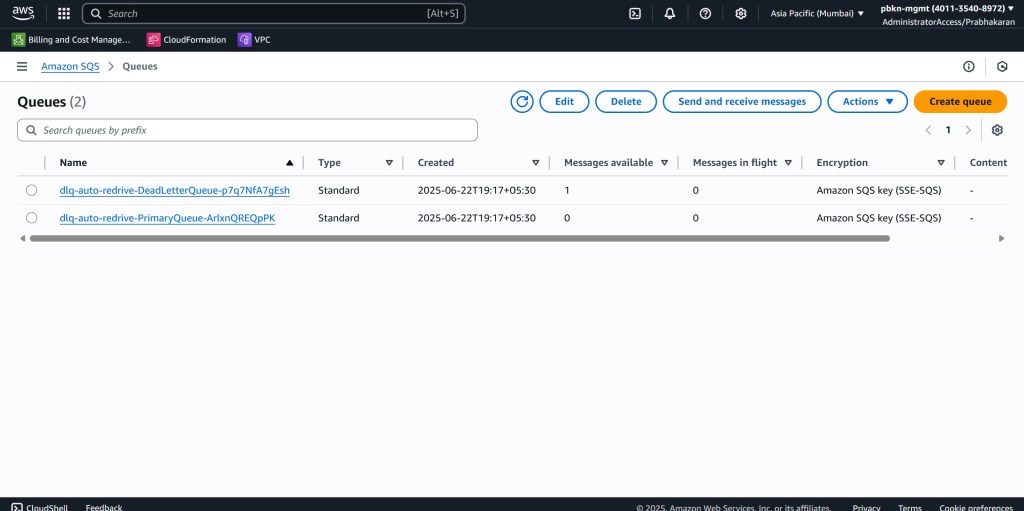
After the message fails processing multiple times, it lands in our DLQ. The SQS dashboard clearly shows one message in the dlq-for-primary-queue.
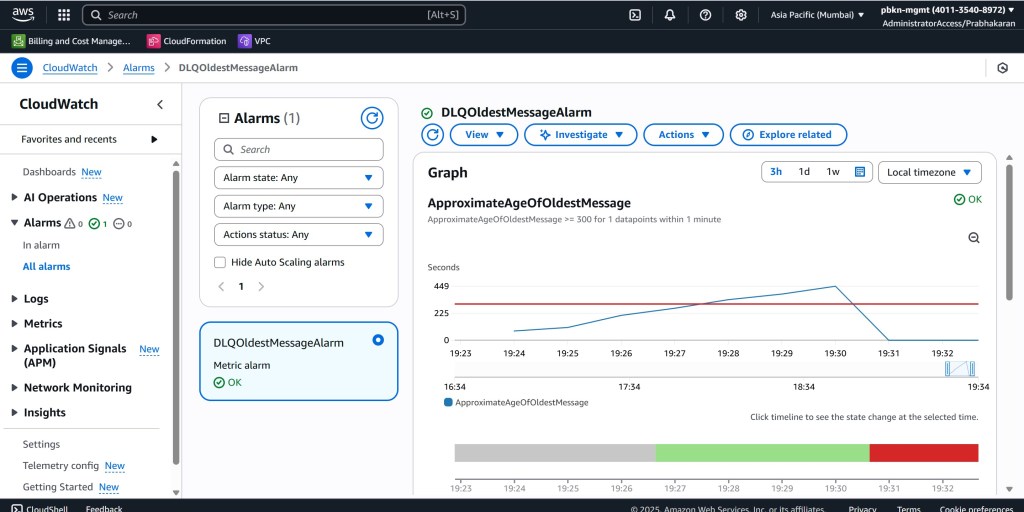
As the message ages, our CloudWatch alarm keeps a close watch. Once the age of the message crosses our defined threshold, the alarm state changes from OK to ALARM.
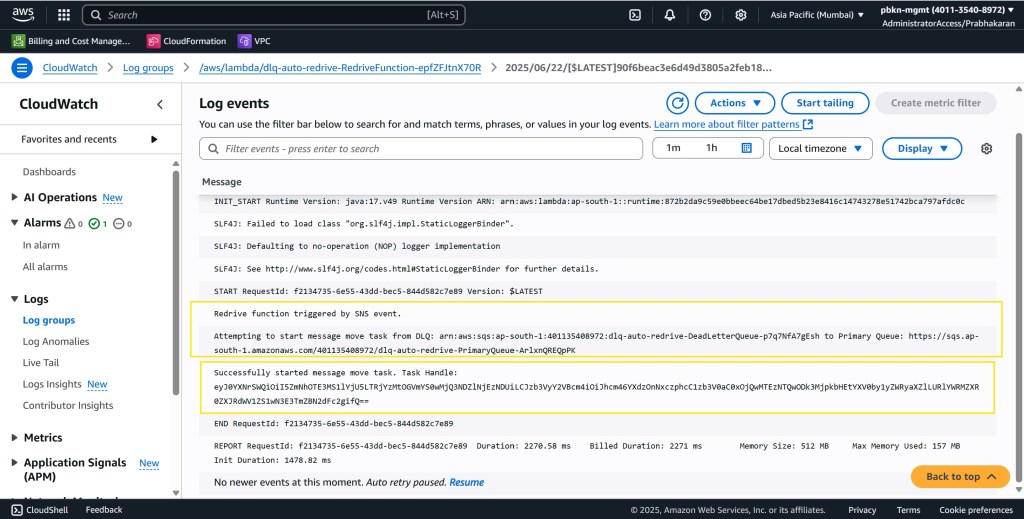
This state change triggers our redrive Lambda function. The function’s logs provide clear confirmation that the message has been successfully moved back to the primary queue.
With the message successfully redriven, the ApproximateAgeOfOldestMessage in the DLQ drops, and the CloudWatch alarm returns to the OK state, ready to catch the next aging message.
Benefits of this Auto-Redrive Approach
- Prevents Data Loss: The most significant benefit is the prevention of permanent message loss from your DLQs.
- Automated and Reliable: By removing the need for manual intervention, you reduce the risk of human error and ensure messages are consistently redriven.
- Cost-Effective: The serverless nature of the solution means you only pay for what you use, which is often very little.
- Easy to Deploy and Manage: The entire setup can be deployed using the AWS Serverless Application Model (SAM) or the Serverless Framework, making it easy to integrate into your existing infrastructure-as-code practices.
Get Started with the Project!
I believe this is a crucial pattern for any team using SQS and DLQs to build resilient and reliable systems. You can find all the code, deployment instructions, and more details on the GitHub repository:
https://github.com/pbkn/dlq-auto-redrive-by-cloudwatch
Feel free to clone the repository, try it out, and contribute if you have ideas for improvements. Let’s work together to make our asynchronous systems more robust and prevent message loss, one automated redrive at a time!
 Why Surf Swim
Leave a comment