
Automate your feature management by integrating AppConfig with your AWS SAM application. Follow this guide to deploy your AppConfig using CloudFormation and start toggling features with ease.
Before You Begin:
- Clone the GitHub Repo: [GitHub Repo Link]
- Prerequisites:
- IntelliJ IDEA with AWS ToolKit plugin
- SAM CLI installed
- NPM installed
- ESbuild installed
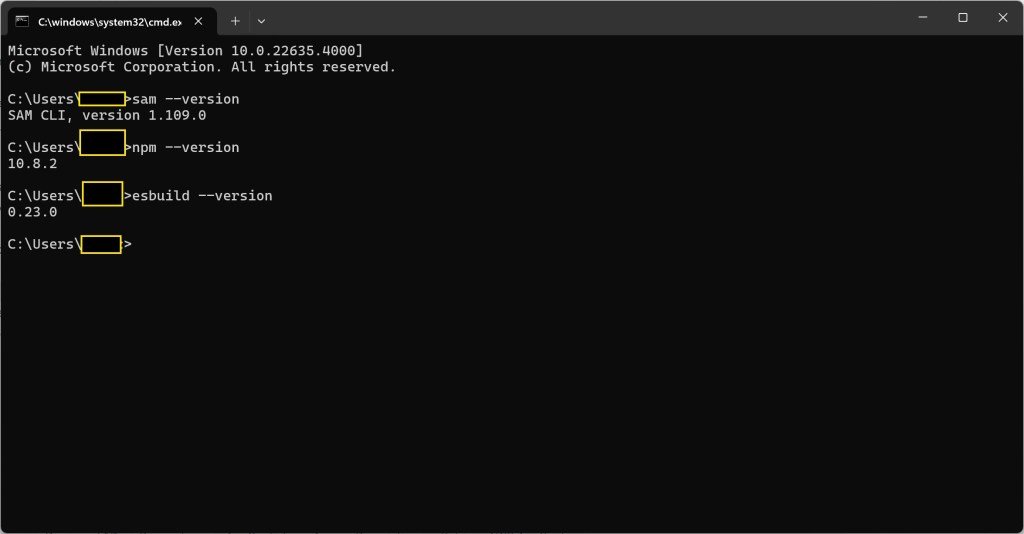
Step-by-Step Guide:
Define the Lambda Layer:
Modify your CloudFormation template to include the Lambda layer for your specific region.

View the Response Code:
Check app.ts to see the logic that returns the feature flag status.

Deploy the SAM Template:
Deploy your SAM template to AWS and retrieve the API endpoint from the CloudFormation stack output.
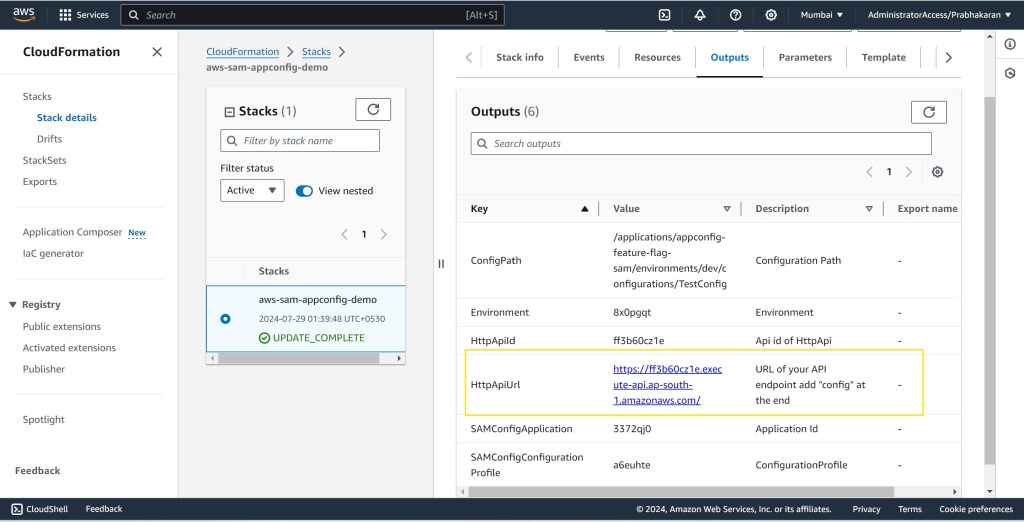
Check Feature Flag Status:
Hit the API endpoint with the “/config” URL to view the current status of the feature flags.

Toggle Feature Flags:
Navigate to AppConfig in the AWS Console, locate the feature flags, and toggle them as needed.
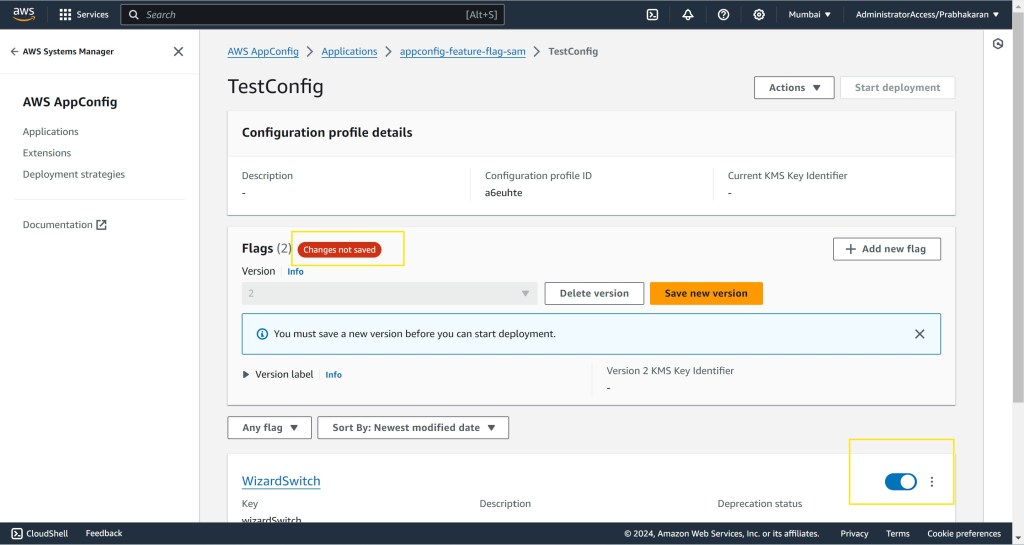
Save and Deploy Changes:
Save your changes and start the deployment of a new AppConfig version.

Confirm Deployment:
On the deployment page, confirm the environment, version, and deployment strategy, then hit deploy.

Verify Deployment:
Ensure the deployment is successful.
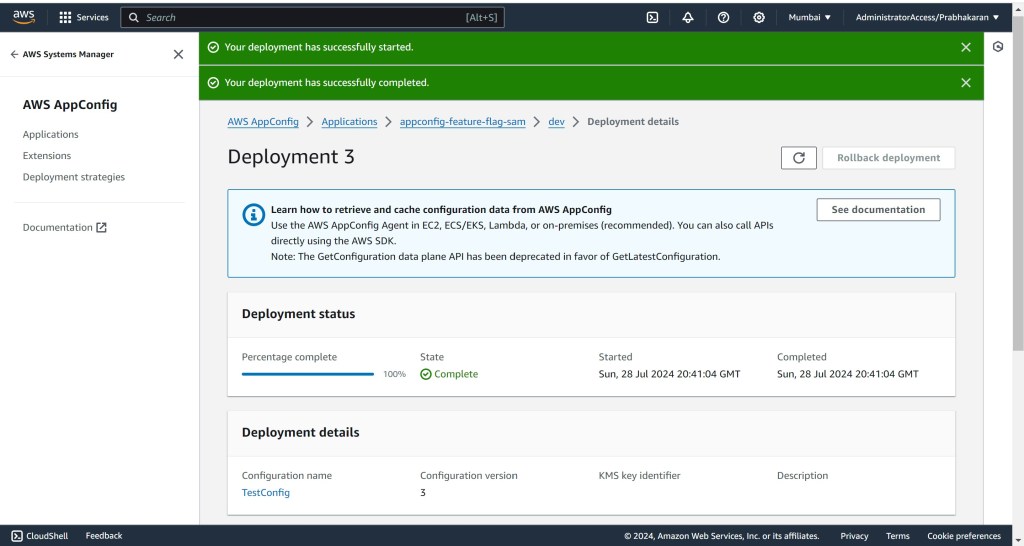
Re-check Feature Flag Status:
Hit the API endpoint again with the “/config” URL to verify the updated status of the feature flags.

By following these steps, you’ll have a fully automated AppConfig setup with AWS SAM, making feature management straightforward and efficient. Happy toggling! 🚀
Demo Video:
Conclusion:
AWS AppConfig empowers you to manage features with precision and agility. By incorporating it into your SAM workflow, you’ll enhance your development process and deliver a more flexible and responsive application to your users.
 Why Surf Swim
Leave a comment