
- The Serverless Symphony: Our 4-Part Demo
- Part 1: Server-1 Takes the Stage
- Part 2: Enter the Cloud Map Maestro
- Part 3: The Client Joins the Dance
- Part 4: Server-2 Steals the Spotlight
- Part 5: The Curtain Call (and Proof!)
- Video Demo
- The Serverless Serenade: Your Conclusion
Ever felt the dread of coordinating API upgrades across multiple teams, each with their own release cycles? Or watched your AWS bill skyrocket due to the sheer volume of Route 53 lookups between microservices? Maybe you’ve wished for a way to seamlessly switch API endpoints without touching millions of lines of code.
If any of these scenarios ring a bell, meet your new best friend: AWS Cloud Map. This powerful service discovery tool isn’t just for your EC2 instances – it can be your serverless superhero too!
In this hands-on guide, we’ll walk you through the magic of AWS Cloud Map by integrating it with SAM templates. You’ll see how it effortlessly handles the complexities of modern architectures, all while keeping your cloud bill under control.
The Serverless Symphony: Our 4-Part Demo
We’ll be orchestrating a serverless ballet with four distinct SAM templates:
- Server-1: The original API endpoint, humming along smoothly.
- Cloud Map: The conductor of our orchestra, mapping names to services and handling the behind-the-scenes magic.
- Client: The eager consumer of our API, blissfully unaware of any changes happening under the hood.
- Server-2: The upgraded API endpoint, waiting in the wings for its grand entrance.
Part 1: Server-1 Takes the Stage
We’ll kick things off by deploying Server-1, a simple Lambda function backed by an API Gateway. The secret sauce here is adding Cloud Map discovery permissions to our Lambda’s role and exporting the API endpoint with a unique identifier. Think of it as giving our server a backstage pass to the Cloud Map world.

Checkout GitHub Repo for entire codebase
Part 2: Enter the Cloud Map Maestro
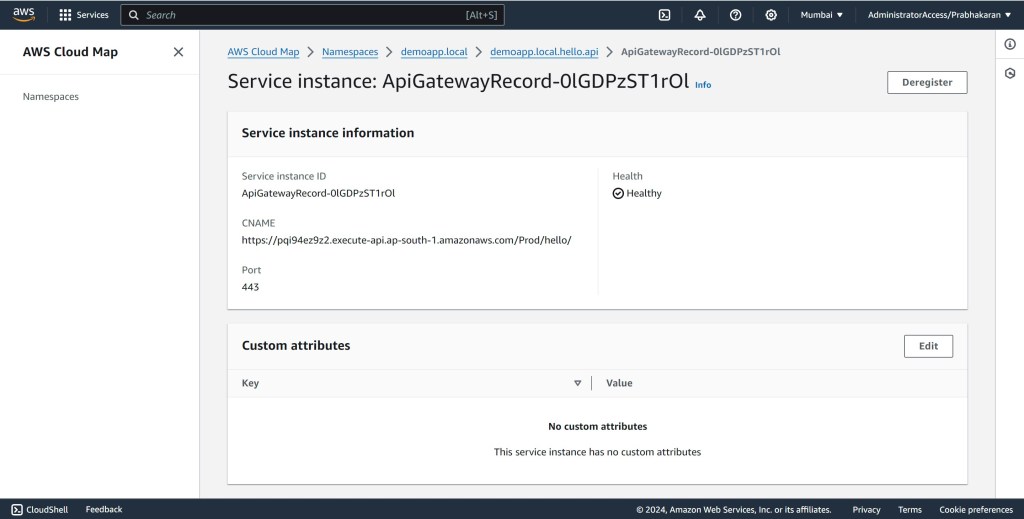
Next, we’ll bring in our Cloud Map application, a SAM template dedicated to creating and managing our Cloud Map namespace and service. The key takeaway here is that for serverless applications, we need to leverage AWS_INSTANCE_CNAME and AWS_INSTANCE_PORT attributes to map our service URL.

Checkout GitHub Repo for entire codebase
Part 3: The Client Joins the Dance
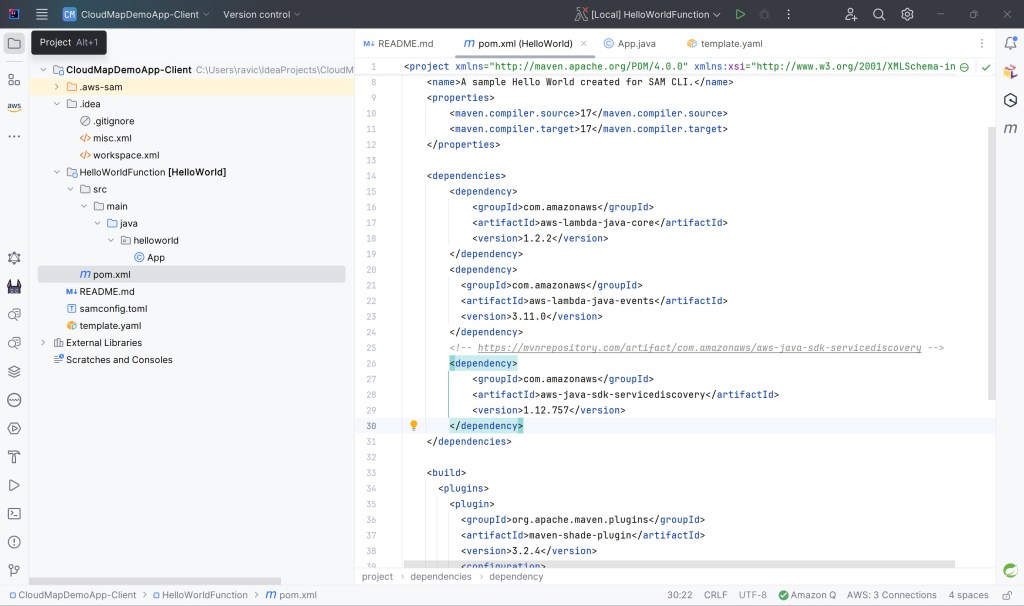
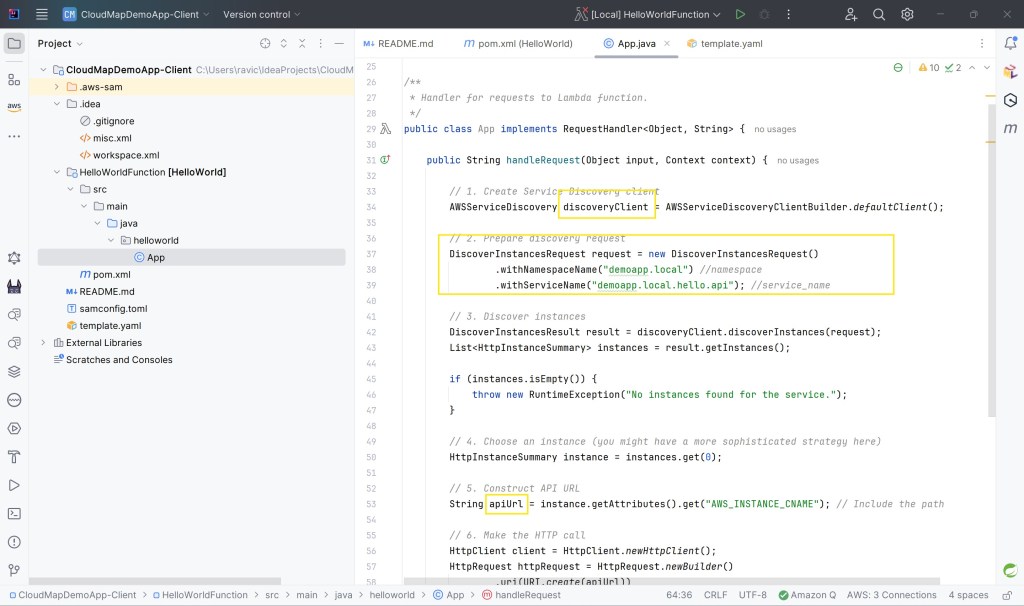
To see the Cloud Map magic in action, let’s deploy our Client Lambda. Its code uses the AWS SDK for Java’s “servicediscovery” library to effortlessly discover and invoke our API Gateway endpoint through Cloud Map. No hardcoded URLs, no worries!

Checkout GitHub Repo for entire codebase
Part 4: Server-2 Steals the Spotlight
Now for the grand finale! We’ll deploy Server-2, another Lambda-API Gateway combo, but with a different path than Server-1. The real magic happens when we update our Cloud Map configuration to point to Server-2 and redeploy. Seamlessly, the Client application now retrieves data from the new endpoint without a single code change.
Checkout GitHub Repo for entire codebase
Part 5: The Curtain Call (and Proof!)
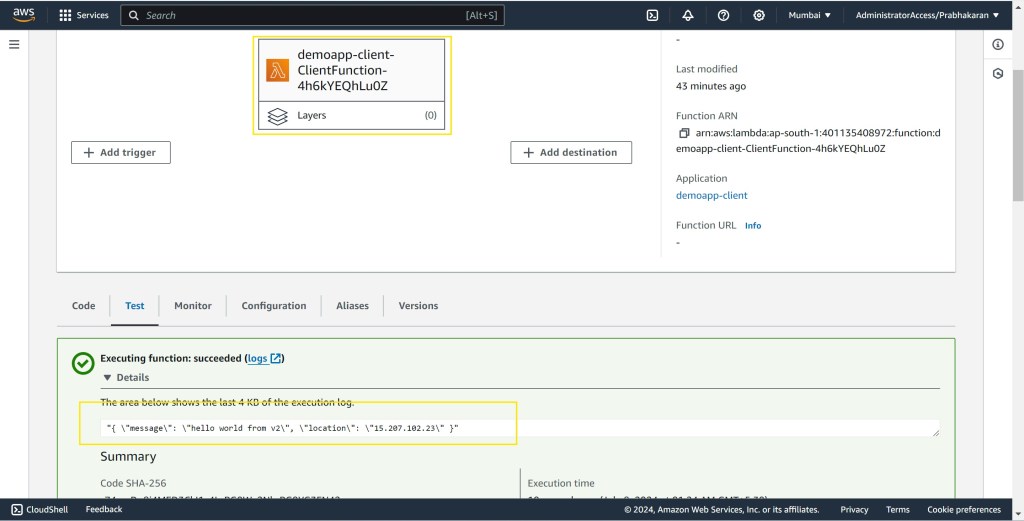
We’ll peek behind the curtain to see the CNAME update in Cloud Map and witness the Client effortlessly fetching data from Server-2. Zero downtime, zero code changes, pure serverless bliss!


Video Demo
The Serverless Serenade: Your Conclusion
AWS Cloud Map isn’t just a handy tool – it’s a game-changer for managing complex, distributed systems. Whether you’re dealing with serverless, containers, or classic EC2 instances, Cloud Map simplifies service discovery and makes your applications more resilient and scalable.
So, the next time you’re facing the daunting task of upgrading APIs or managing a web of interconnected services, remember the power of AWS Cloud Map. It’s your secret weapon for zero-downtime deployments and a symphony of seamless service discovery.
 Why Surf Swim
Leave a comment