
After rectifying the major exploit of Log4j (JNDI: LDAP) in 2021-12, it is better to have Log4j to be implemented in a Hello World JAVA application for a better understanding
Since we are not going to involve Maven/Gradle we need to first download the jar files from their official sites and set them up in the Hello World project
Step 1: Download Log4j jar files
It can be downloaded on the official Apache website https://logging.apache.org/log4j/2.x/download.html and download “Apache Log4j 2 binary (zip)” file and extract it on your desired path
Step 2: Remove Slf4j jar components from the “Apache Log4j 2 binary (zip)”
Remove .jar files containing “log4j-slf4j”, “log4j-to-slf4j” basically remove all the files with “slf4j” in it
Step 3: Add the jar files in your project classpath
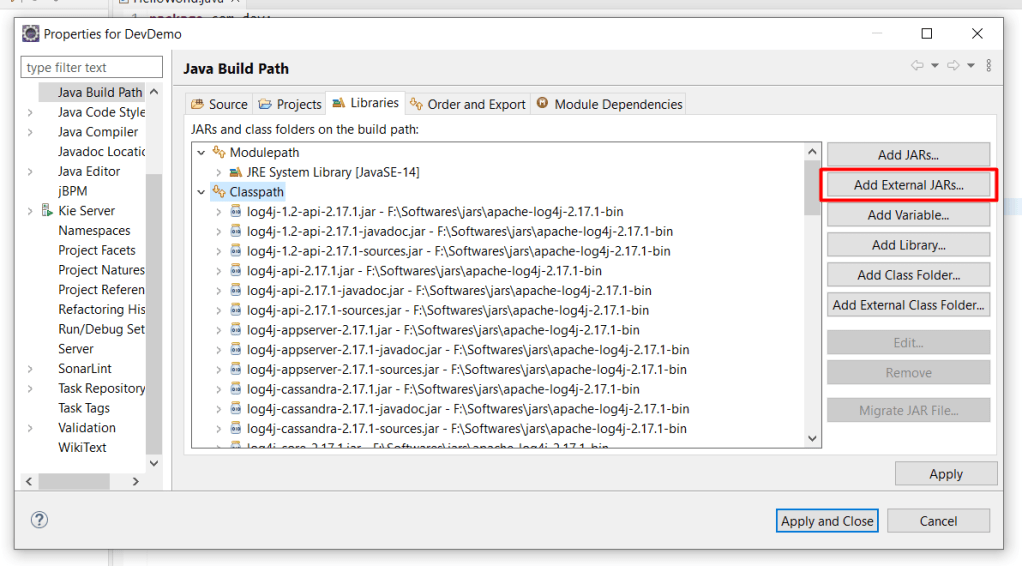
Right Click Project folder -> Properties -> Java Build Path -> Libraries (Tab) :click Classpath: Add External JARs
Step 4: Download & Add Slf4j jar files in your project classpath
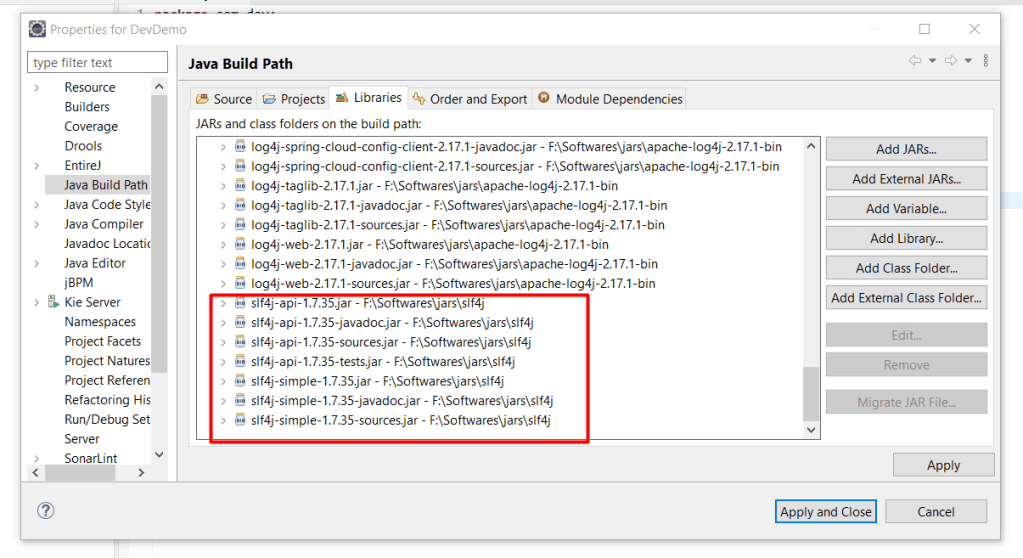
It can be downloaded on the official website https://www.slf4j.org/download.html and download “slf4j-api”, “slf4j-simple” with “javadoc”, “sources”, “jar” files in its subdirectory and add them to the project classpath
Step 5: Write your HelloWorld class
After adding all the classpath, just Clean and Build the project and your HelloWorld program with the correct imports
package com.dev;

import org.slf4j.Logger;
import org.slf4j.LoggerFactory;

public class HelloWorld {
	static Logger logger = LoggerFactory.getLogger(HelloWorld.class);

	public static void main(String[] args) {
		logger.info("Hello World!");
	}
}
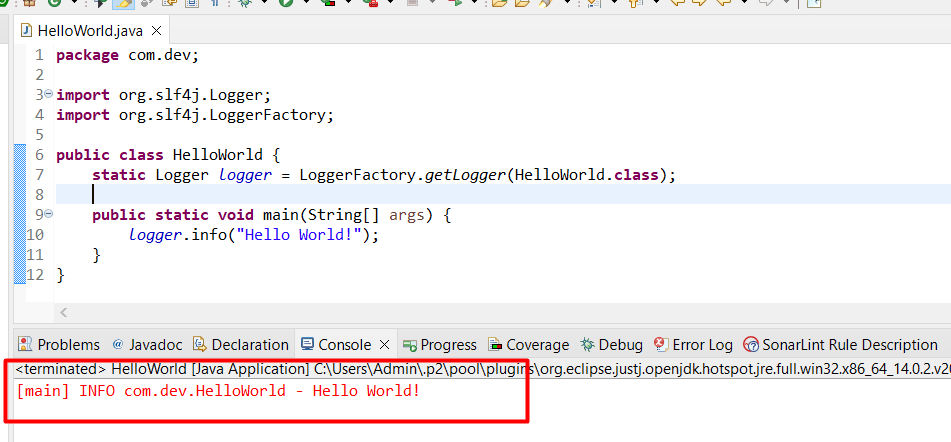
Step 6: Run your Log4j Hello World
Note:
SonarLint coding standards dictate Sysout to be replaced by log4j
 Why Surf Swim
Leave a comment