
Hi everyone,
This week we are going to see, how to increase the size of your C: drive
Step 1: Open Disk Management
Step 2: Copy files from D: to some other directory (say E:)
Step 3: Delete partition D:
Step 4: Now you’ll have C: drive and unallocated space as shown
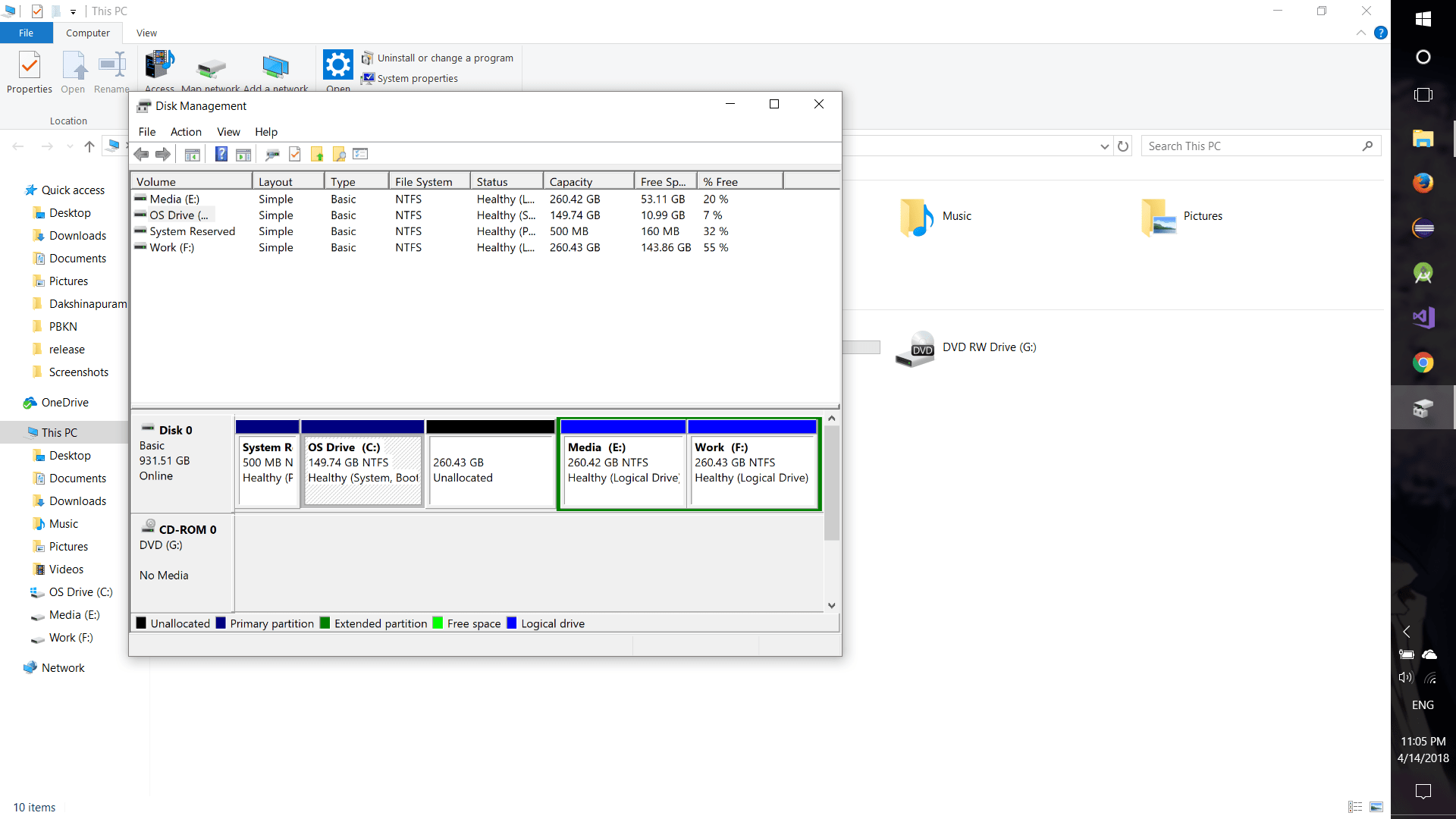
Step 5: Now right click on C: drive and click Extend Volume
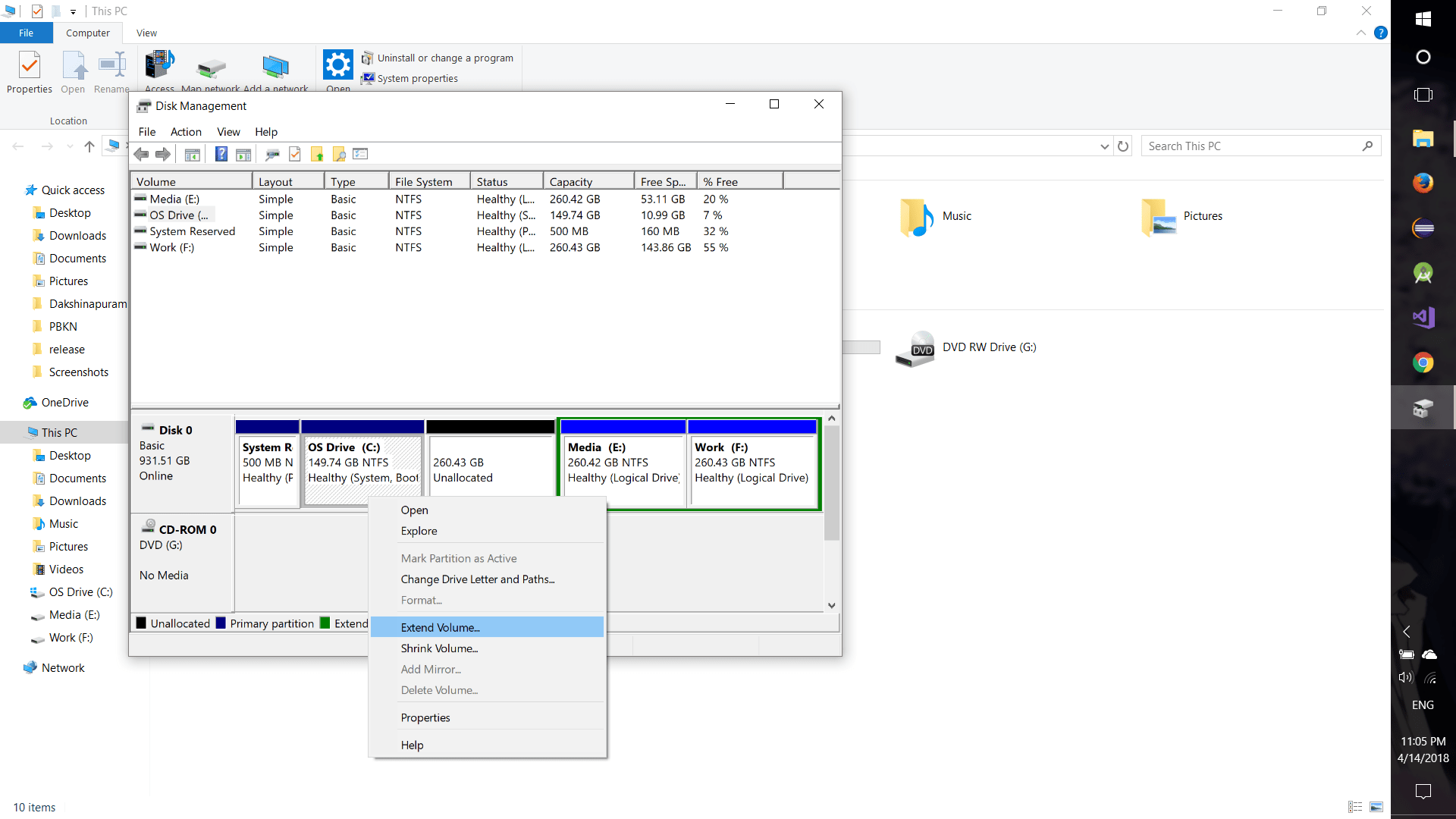
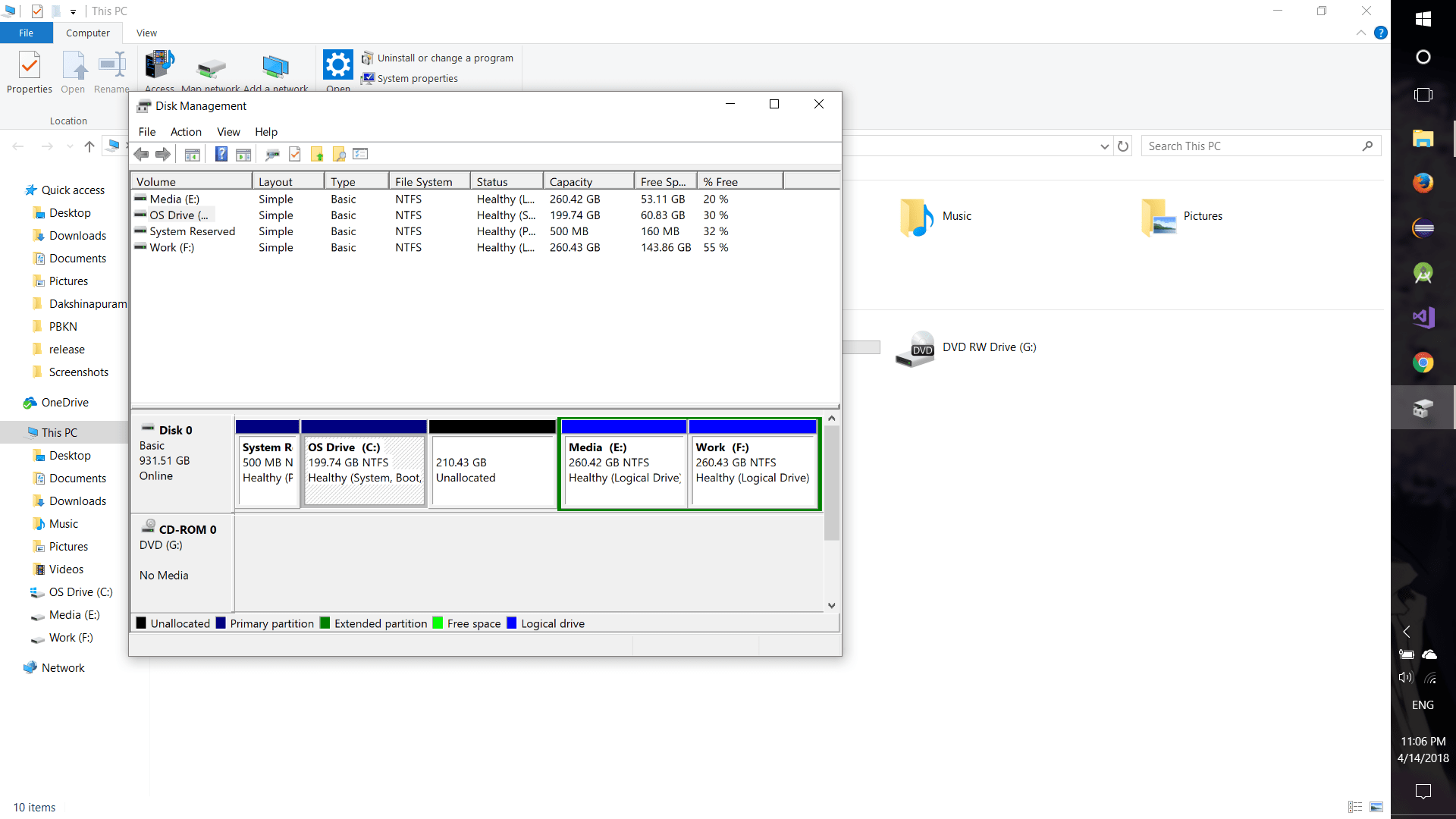
Step 6: In the new dialog box, click NEXT -> 51200 (it’ll add 50 GB) -> NEXT -> FINISH


Step 7: Now recreate directory D: with the remaining space
Step 8: Move back the files from (say E:) to D: drive again
NOTE :
EXPAND C: DRIVE ONLY WHEN YOU USE TOO MANY IDE’s,
OR USING IT AS A LOCAL SERVER.
 Why Surf Swim
Leave a comment