
Hello there everyone,
In recent weeks, we’ve been discussing and learning a lot about Android Application development. But I’ve almost forgot the most important thing to tell you guys before that.
Enabling Developer mode in your Android phone.
Step 1 : Go to Settings – > About in your phone.

Step 2 : Search for build number in the list.
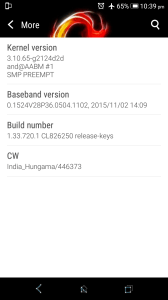
Step 3 : Tap on it for 7 times continuously, to enable developer mode.
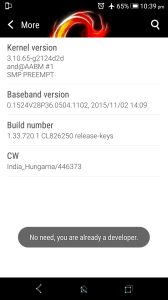
Step 4 : Now, go to Settings – > Developer options in your phone.
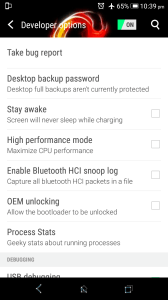
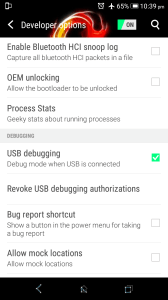
Step 5 : Now check USB debugging mode.
NOTE:
WHEN YOU DO THINGS STEP BY STEP,
YOU’D MORE LIKELY DO A LOT !!!
 Why Surf Swim
Leave a comment