
Hello there everyone,
This week we are going to see, how to change your DEFAULT shortcuts in Android Studio to ECLIPSE shortcuts..
Step 1 : Change your view – > Project and select Android from drop-down as shown below.


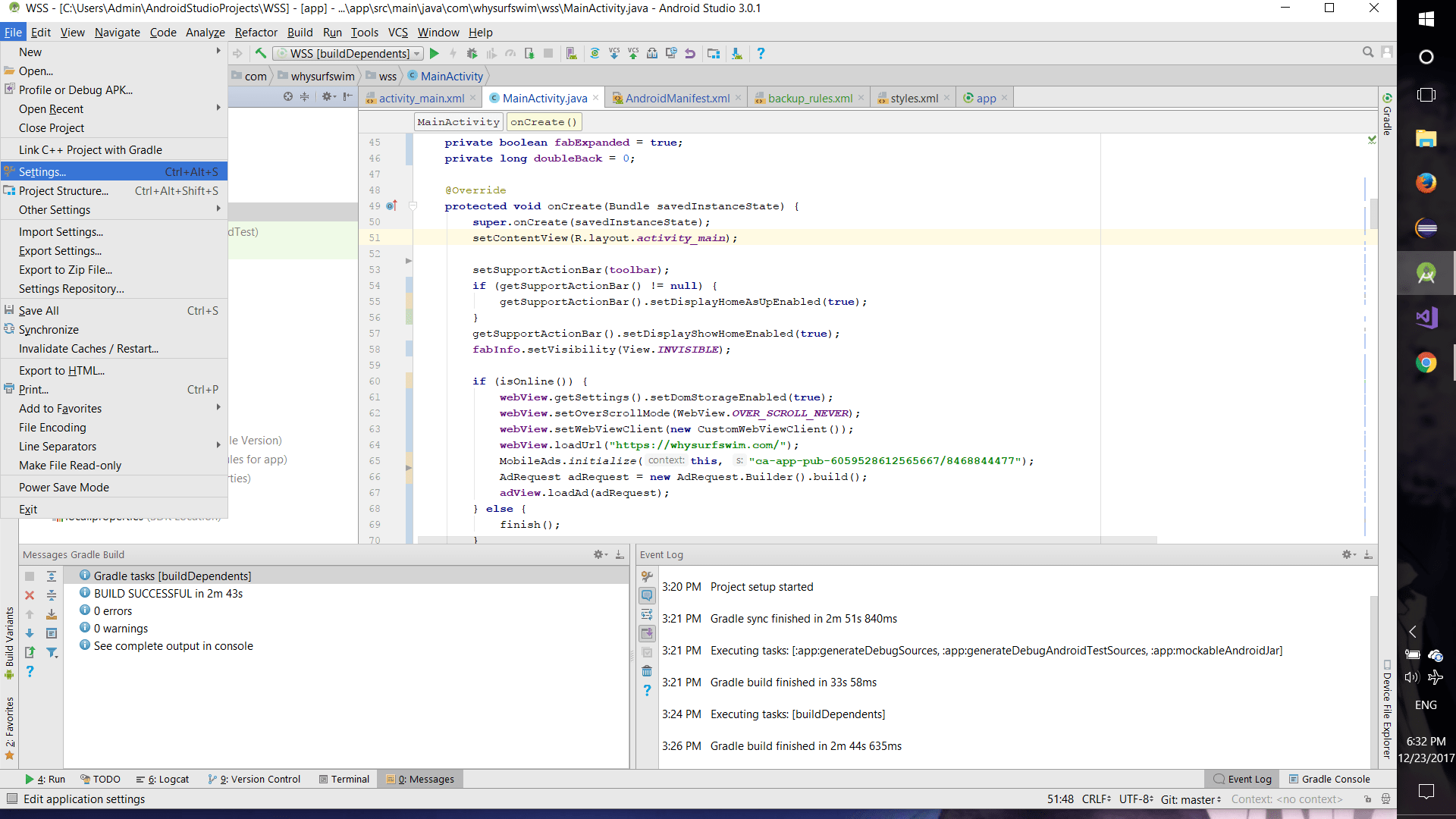
Step 2 : Go to File – > Settings as shown below.
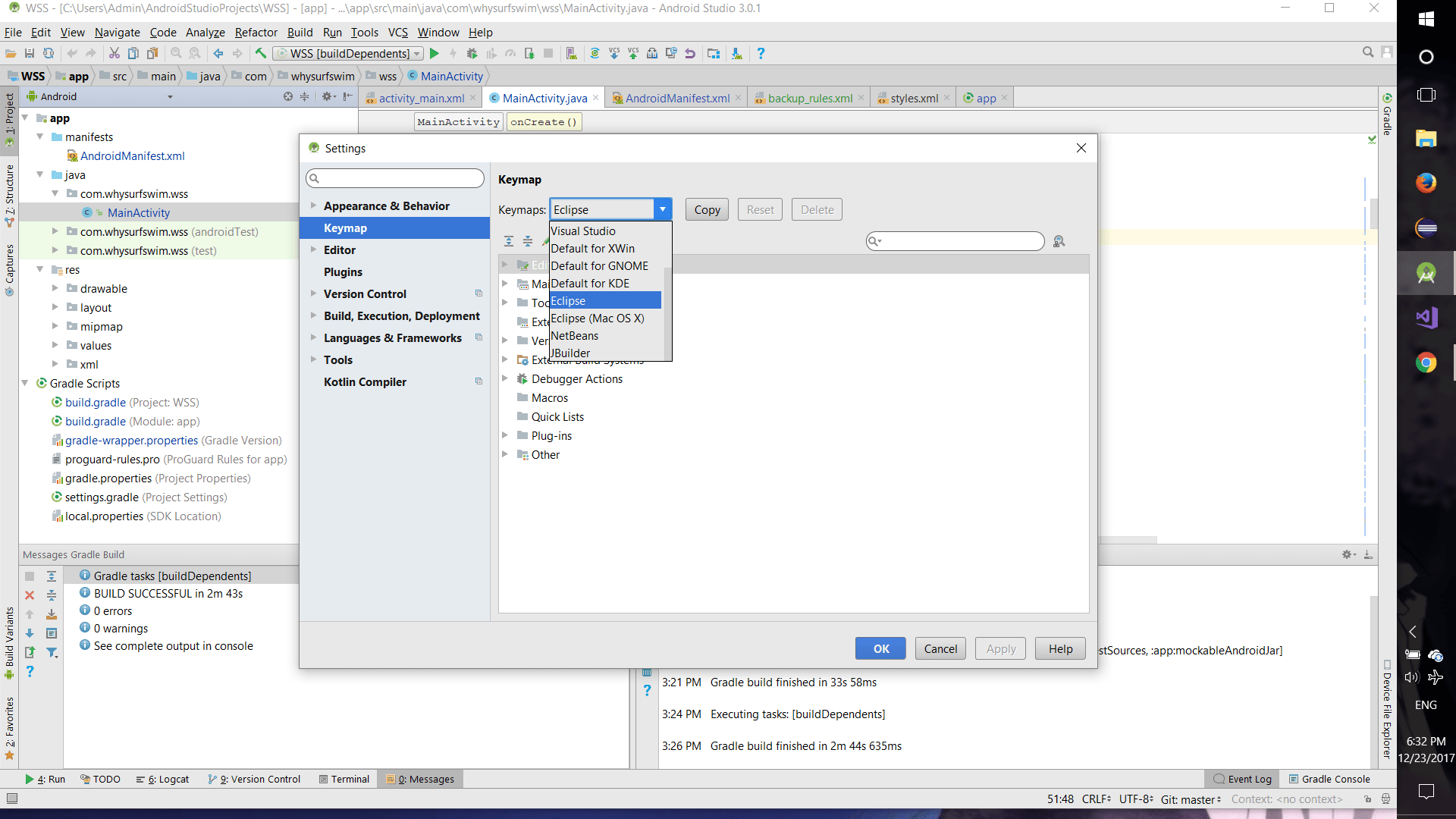
Step 3 : Select Keymap and choose Eclipse from drop-down and click OK as shown below.
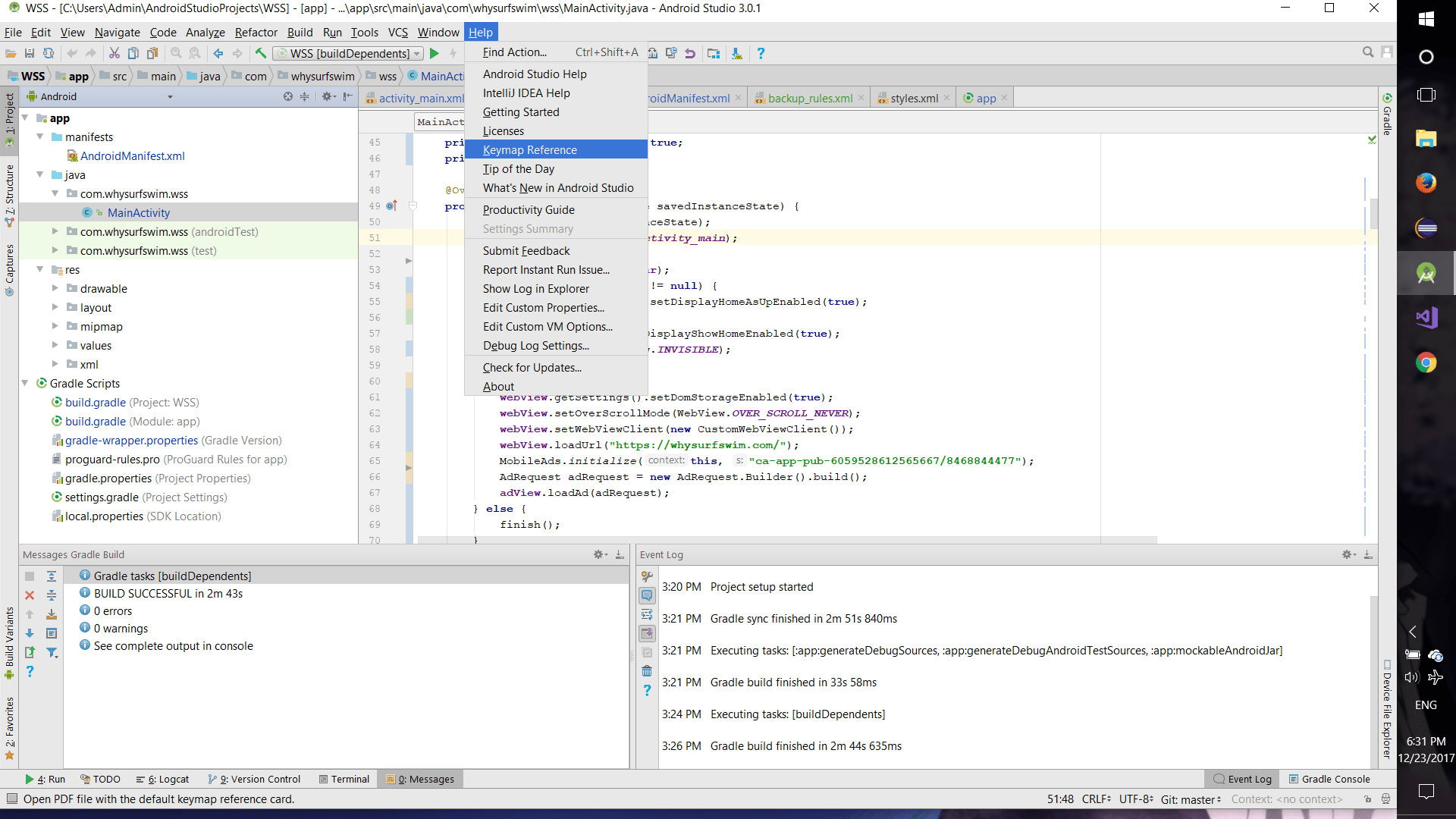
Step 4 : Wow, you’ve changed your shortcuts to Eclipse in Android Studio. Now go to Help – > Keymap Reference to view the available shortcuts.
NOTE:
CONCENTRATE ON LOGIC’S & BUSINESS,
THERE’S ALWAYS A WAY TO ADAPT A TECHNOLOGY.
 Why Surf Swim
Leave a comment