
Hello everyone,
This week we are going to see how to fix the access denied error, while you transfer your C drive from Old PC to a new PC…
Personally, I’ve change my PC and took the hard-drive of OLD PC to transfer the file in C Drive
Step 1 : The scenario of error


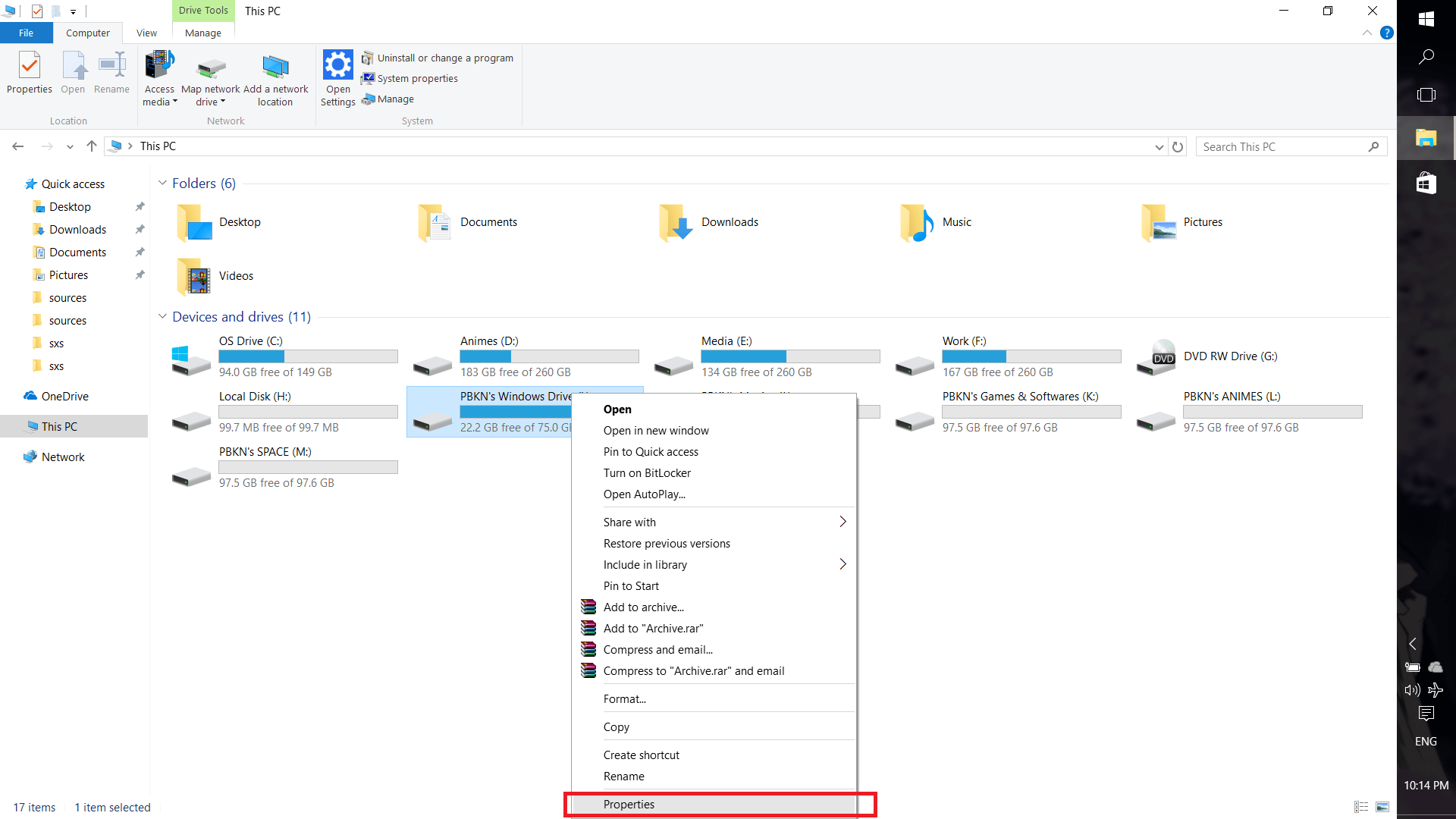
Step 2 : Right-click and select PROPERTIES
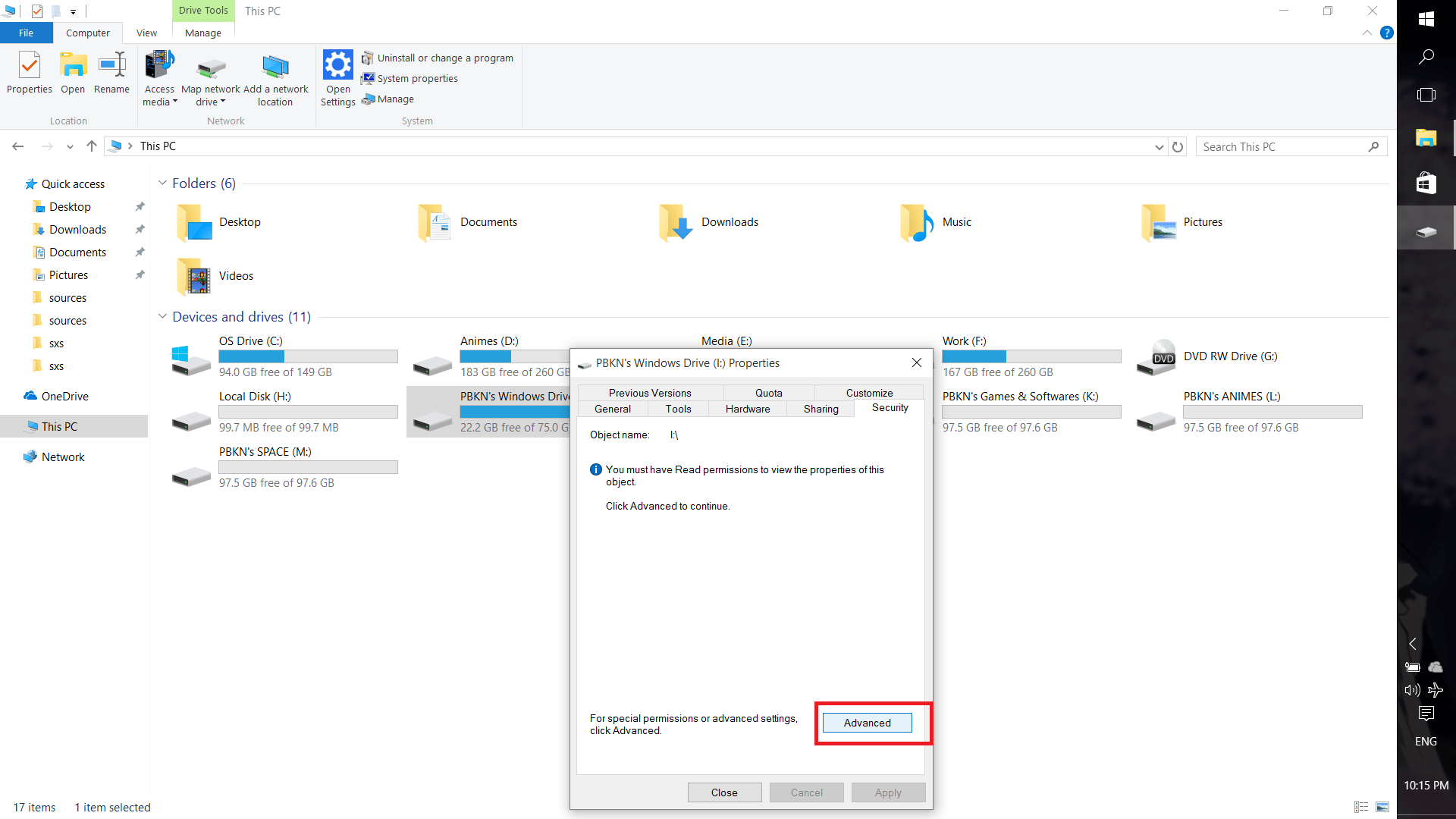
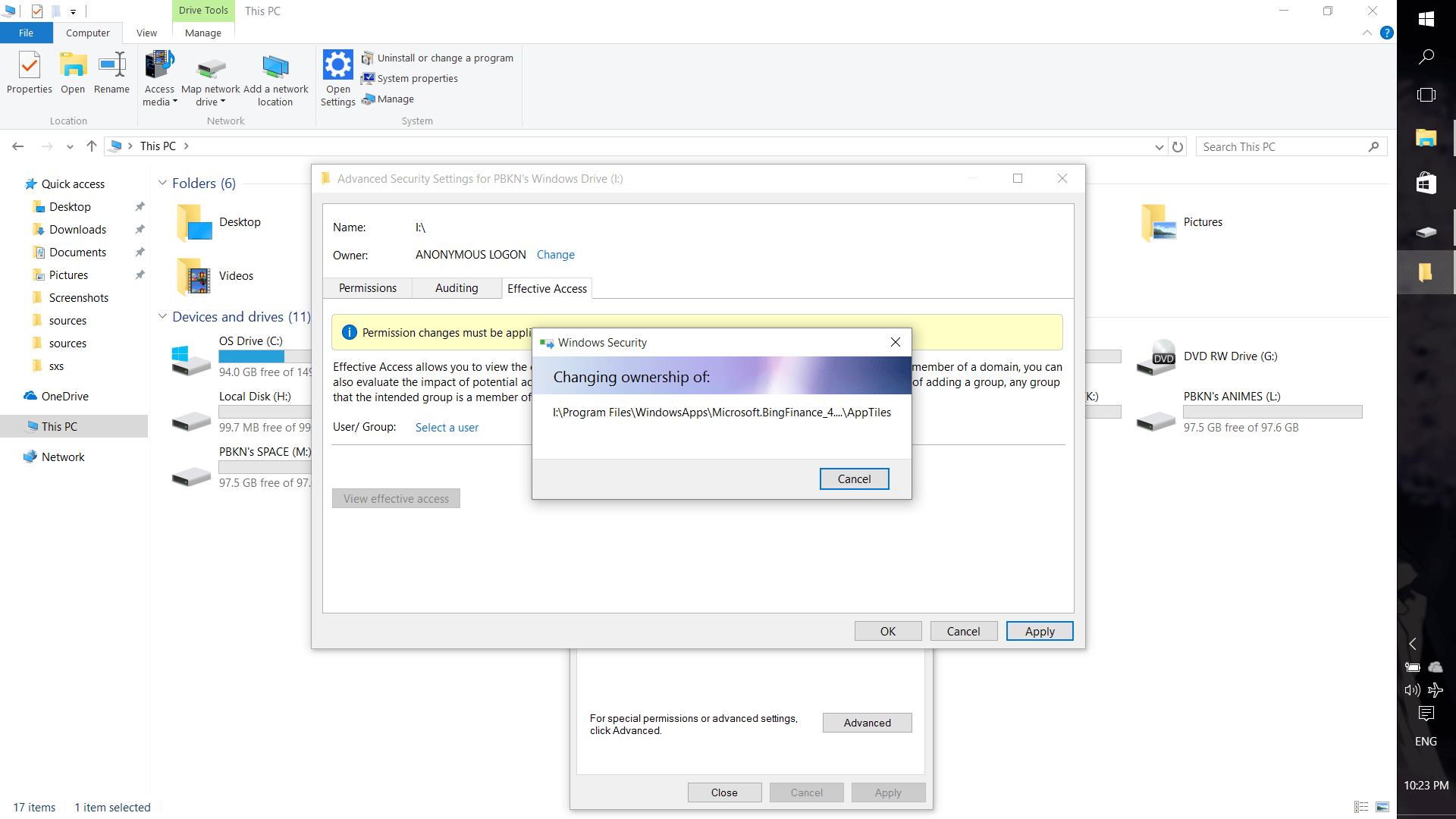
Step 3 : Go to SECURITY tab & click advanced
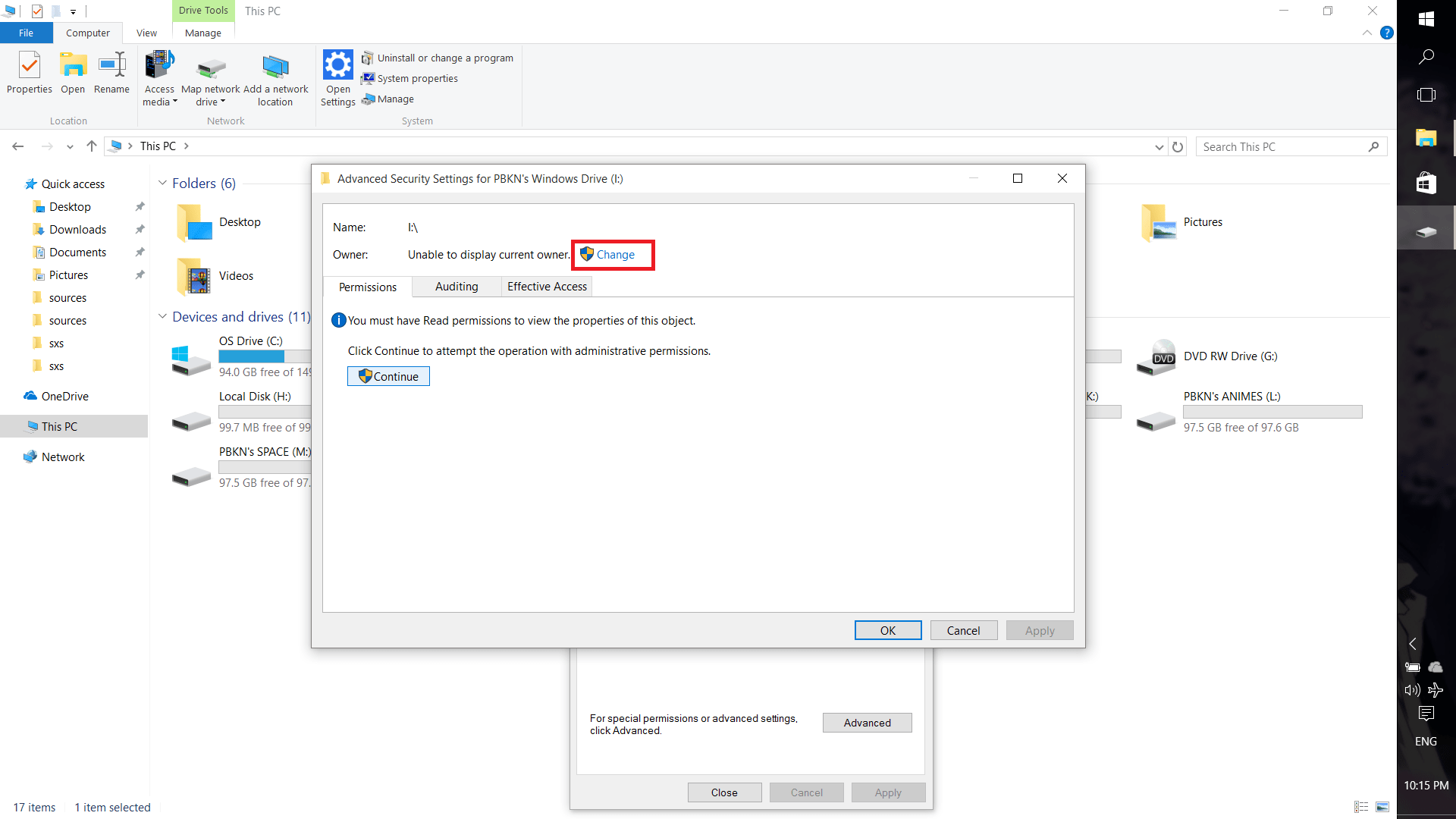
Step 4 : Click CHANGE as shown below
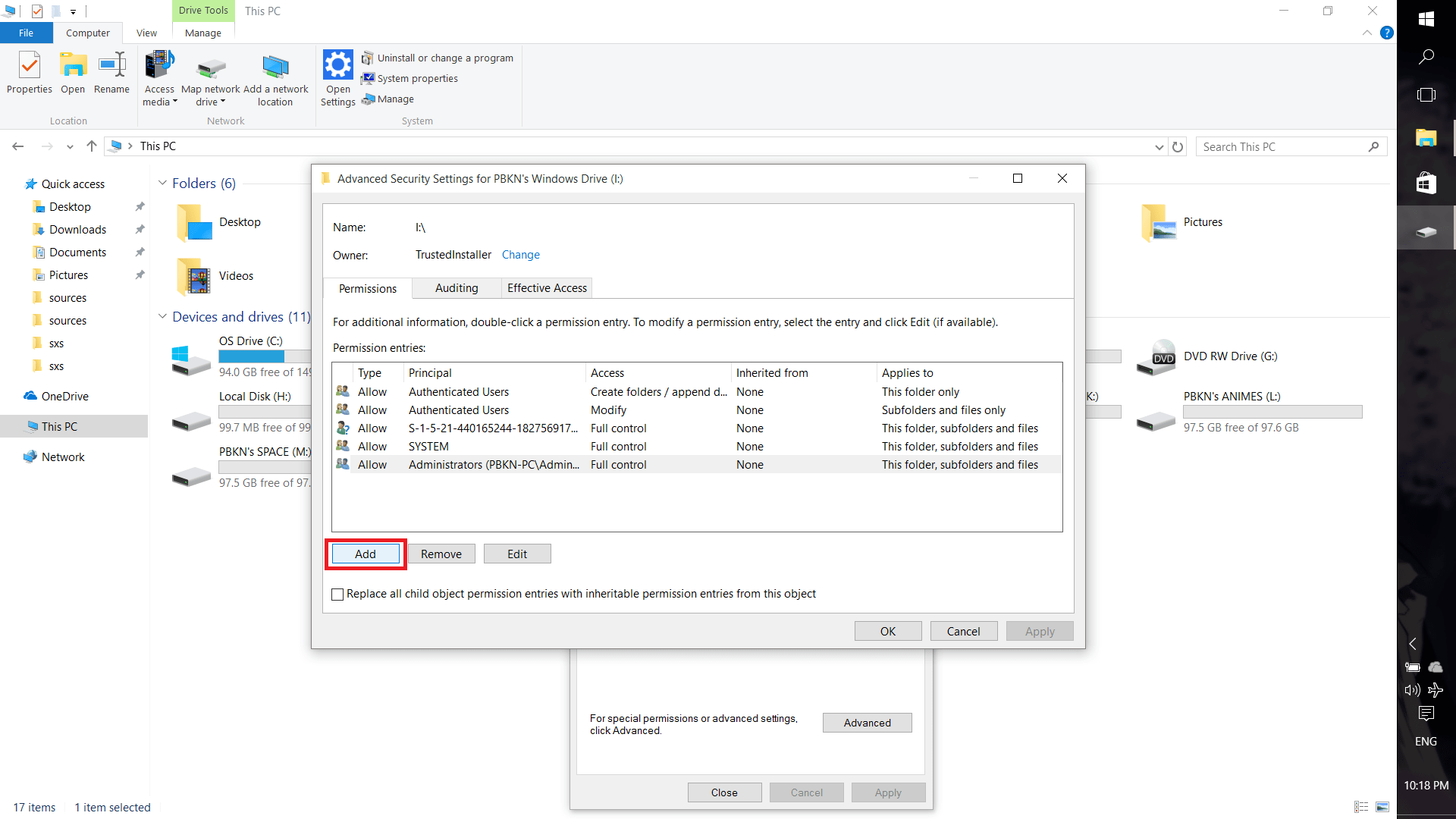
Step 5 : Click ADD and create new Owner
Step 6 : Click YES as shown below


Step 7 : Ta-da, now you can access the drive files
NOTE :
CHANGING YOUR PC
&
MIGRATING DATA… IS SOME WHAT TIRESOME
 Why Surf Swim
Leave a comment