
Using App Cloner you can create and install multiple copies of your existing apps.
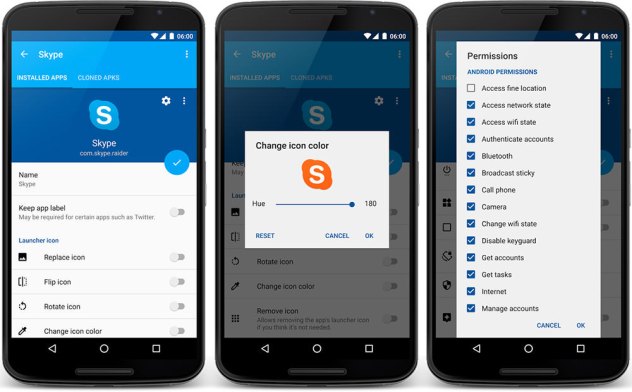
You can change the app name and icon. You can remove permissions or allow a cloned app to be installed on the external SD-card. You can disable auto-start, app backups or intrusive app defaults. Or convert your app into a floating window app.
App Cloner can extend a cloned app to add functionality such as password protection, incognito mode, hiding the Android ID or spoofing locations. You can also force the app to consume data over Wi-Fi only. Each update will add more options.
Warning
Not all apps can be cloned. Cloned apps may crash, show errors or work incorrectly.
To install the clones from your device you need to enable Settings > Security > Unknown sources.
 Why Surf Swim
Leave a comment