
Hello everyone,
This week… i thought, i’ll give you guys the CLEAN step-by-step guide to monetize your YouTube channel
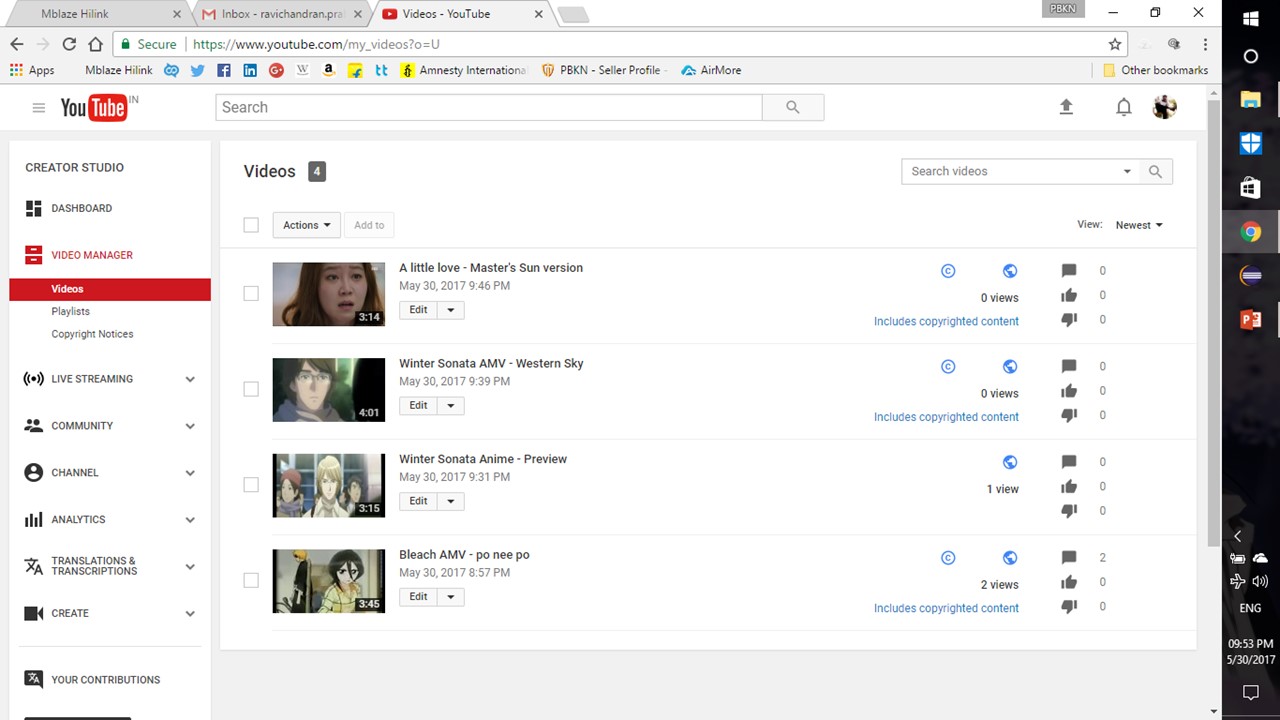
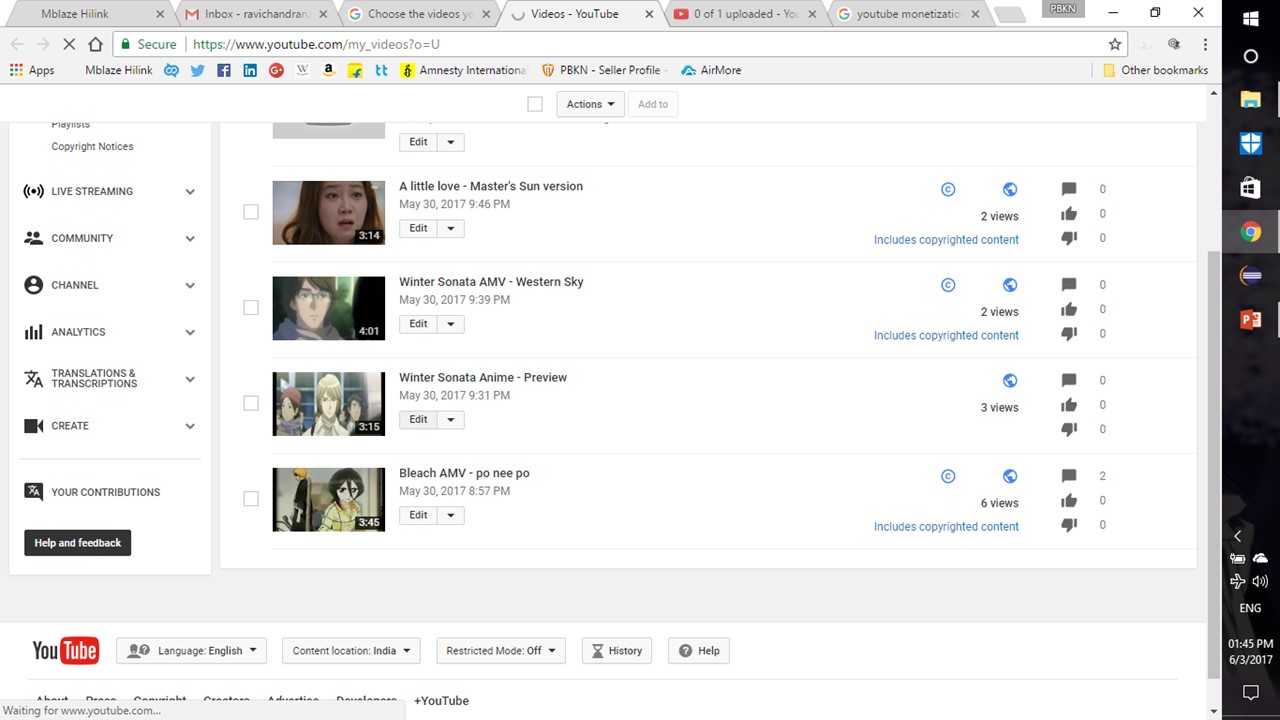
Step 1 : Upload some videos into YouTube
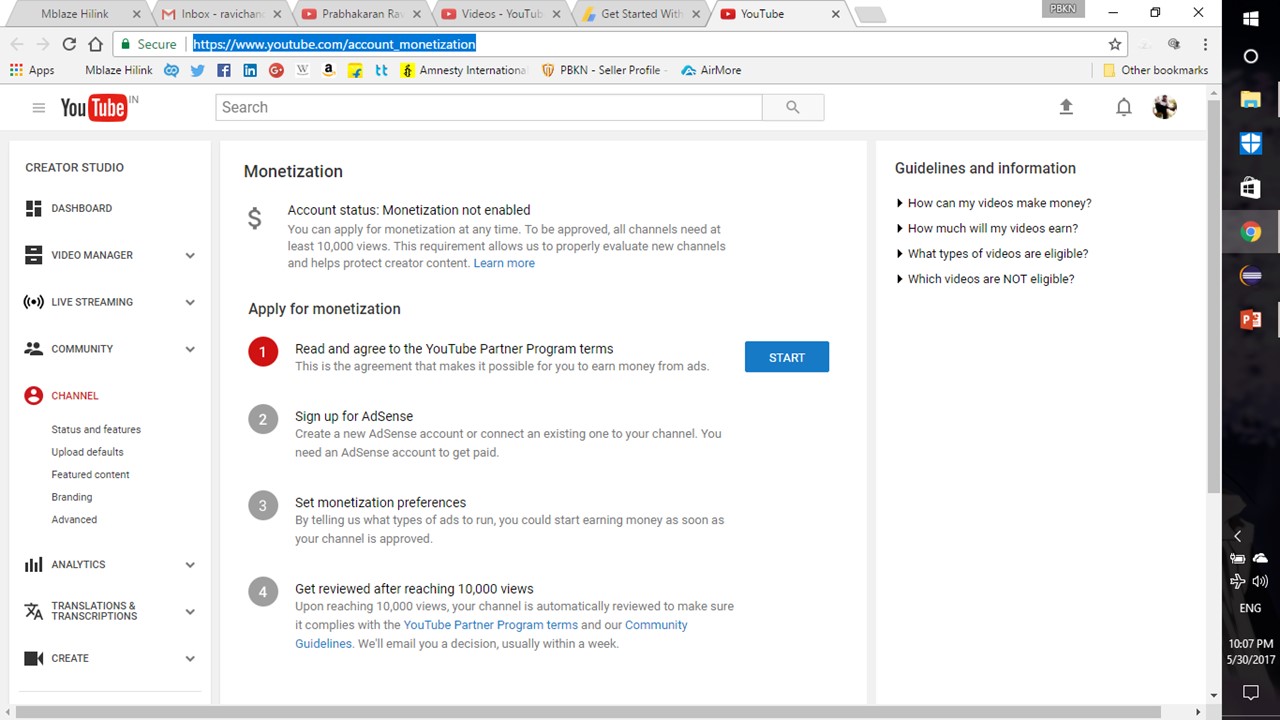
Step 2 : Go to https://www.youtube.com/account_monetization
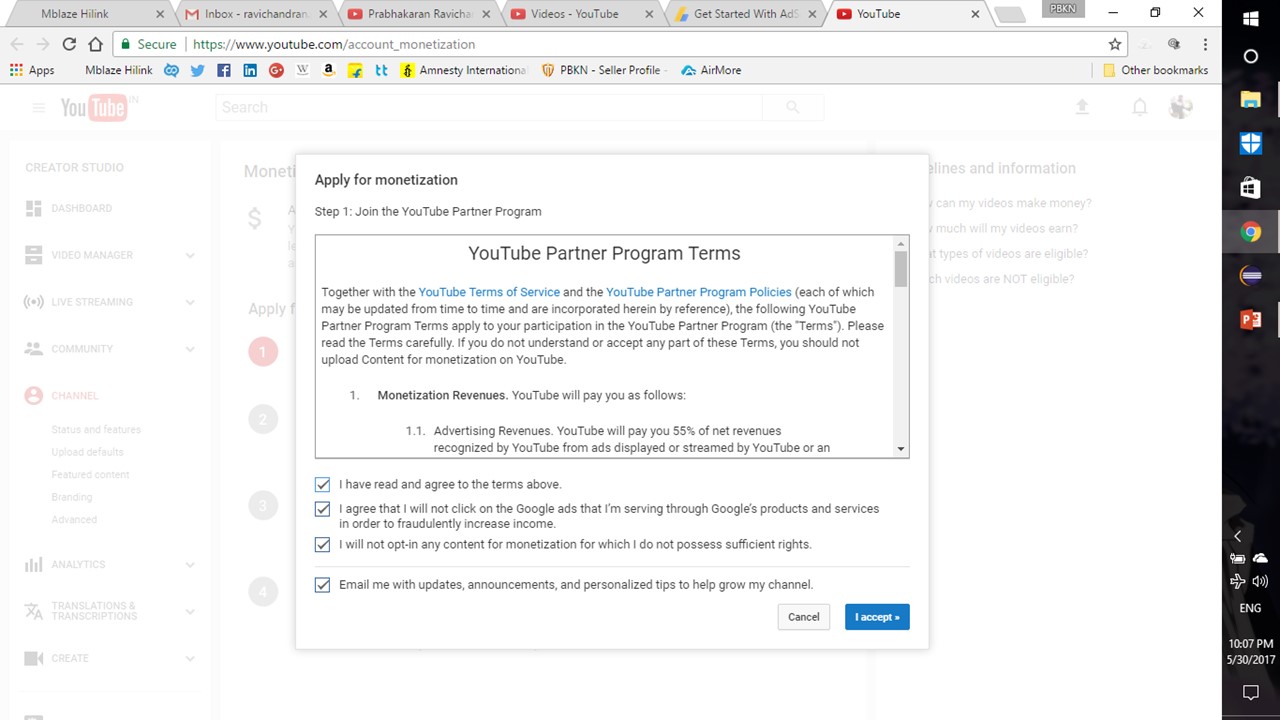
Step 3 : Agree with YouTube Partner’s policy
Step 4 : Link your Adsense account, if you don’t have an Adsense account… the page will auto-create your account as shown below
Step 5 : Set MONETIZATION preference as shown
Step 6 : Wait till you get 10,000 views… so that your account can be verified in YouTube
Step 7 : Set your “upload defaults” from Channel menu as shown below
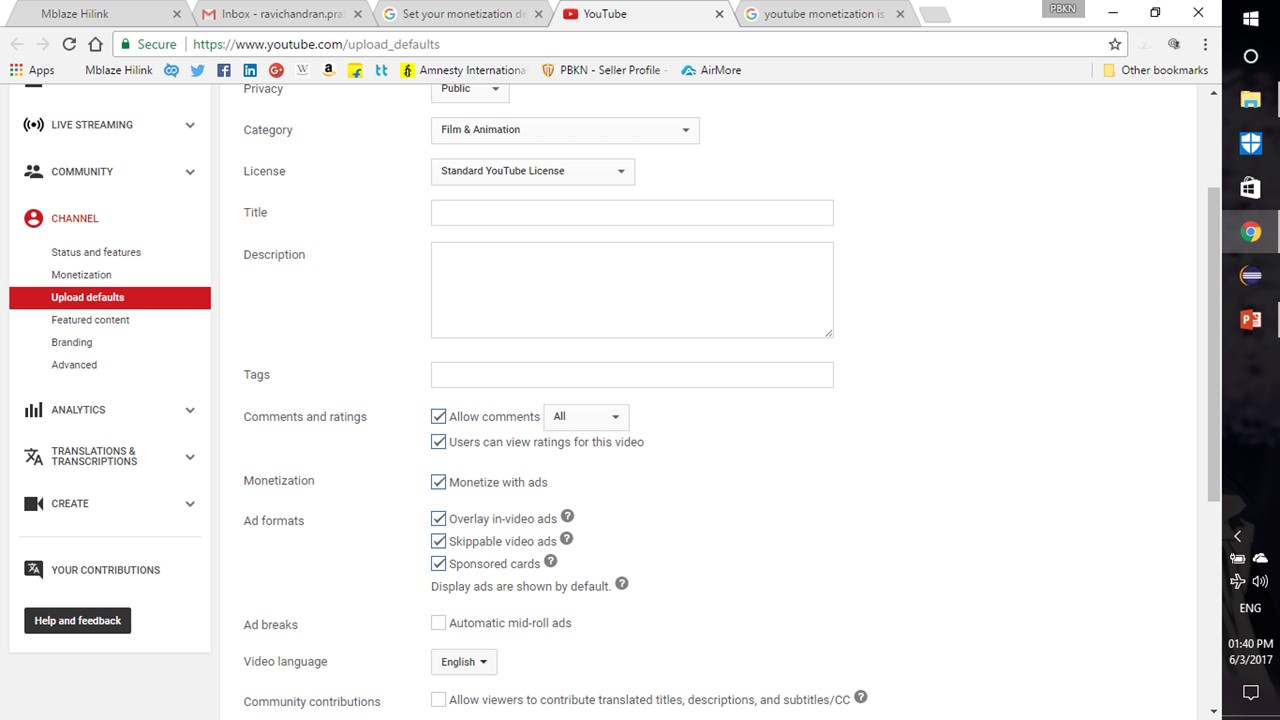
Step 8 : Upload unique contents, already COPYRIGHTED videos can’t be monetized
NOTE :
I BET YOU CAN’T GET A CLEAR STEP-BY-STEP PROCEDURE THAN THIS…
IF YOU FIND ANYTHING, WRITE IT ON COMMENT BOX !!!

 Why Surf Swim
Leave a comment