
Hello everyone,
It’s been a while and you guys might be surprised by the new posts which keeps popping everyday, and you’ll also be surprised to see tomorrow’s special post… (if you are impatient to wait till tomorrow, read through about page to know)
This week, we are going to see… how to schedule your Facebook, Twitter, Instagram & many other social media using your Android and iPhone…
Download these FREE apps:
Android users – Do It Later
iPhone users – Everypost for Social Media Scheduling
I’ll add the proof by guiding you guys through “Do It Later” app in my Android phone by posting it in my Facebook profile
Step 1: Open the app
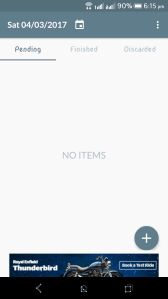
Step 2: Click the “+” icon and choose the social media ( I choose Facebook)
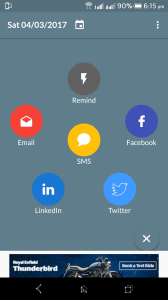
Step 3: Login and type the message and then schedule it


Step 4: Now, get back to your business and wait for the scheduled time…

Step 5: Ta-da, Your very own scheduled message launched successfully

There’s a catch, the iPhone app has all the social media apps to share, but the Android is in it’s development to add additional social medias… So, let’s make use of the available feature and I personally envy iPhone users for the first time…
Also, small scale business can use these apps for online marketing
NOTE :
IF YOU CAN SCHEDULE, YOU’LL NEVER RUN OUT OF TIME…
AND YES, THIS POST TOO IS SCHEDULED BY WORDPRESS 🙂 🙂 🙂
 Why Surf Swim
Leave a comment