
Hello everyone,
This week we are going to see, how to shutdown the computers connected inside a LAN remotely using your own system…
This trick will be great fun in workplace, especially when you are working in IT and your colleague knows only a little…
Step 1: Open command prompt in your system
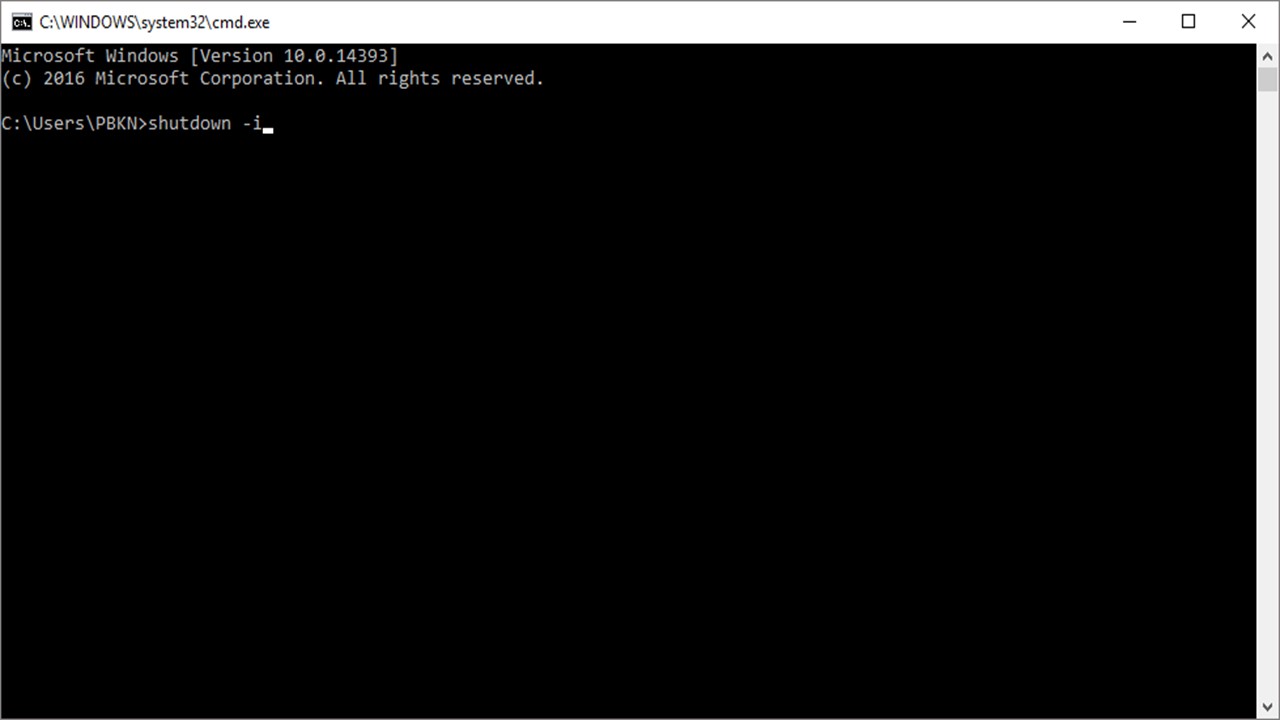
Step 2: Type “shutdown -i” without any quotations and then press ENTER key
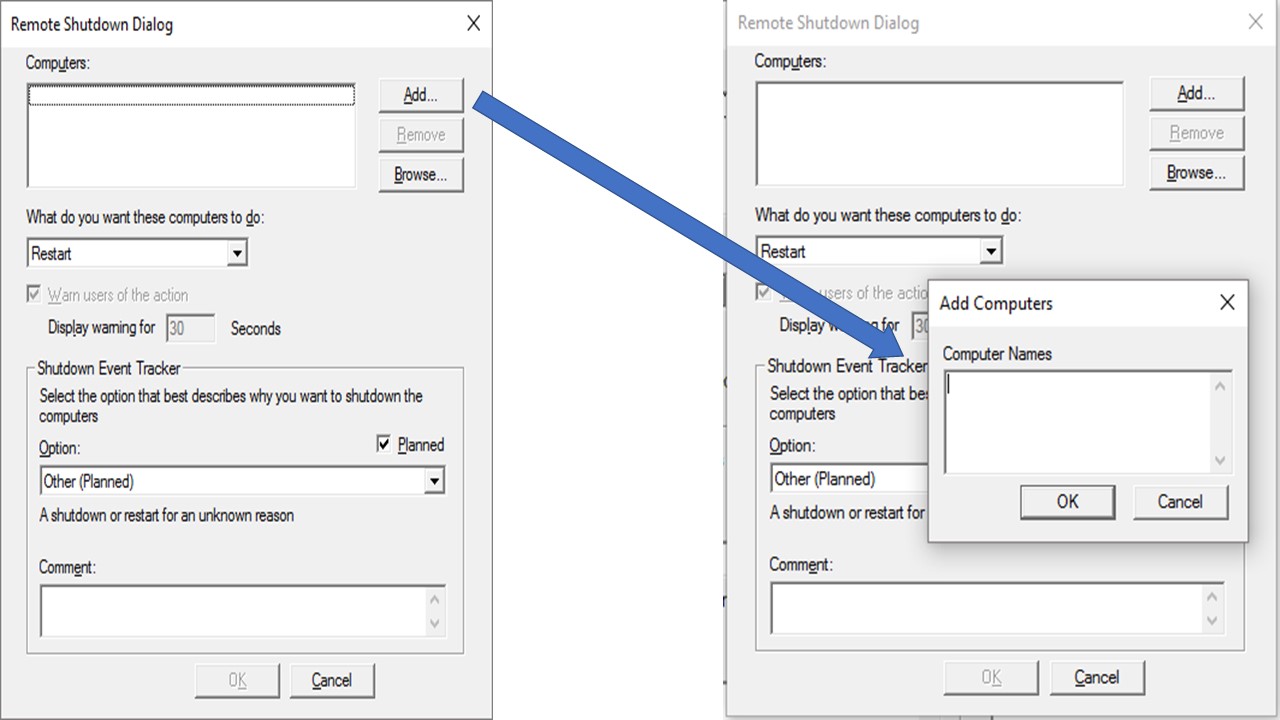
Step 3: You’ll get a window as shown below, now just click ADD and give the target computer’s name or IP address and then, set the warning if you want and press OK
CONGRATULATIONS !!! you made your colleague go insane…
But there’s a catch, you need to have administration rights to perform this… Or else, you can make your system as admin (If you are very familiar with command prompt, you can do this)…
NOTE:
ON A BORING OFFICE DAY… THIS TRICK WILL BE FUN
 Why Surf Swim
Leave a comment