

Hello everyone,
This week we are gonna see, how to rename the extension/type of any file in your PC.
Step 1: First locate the file… and note down it’s address
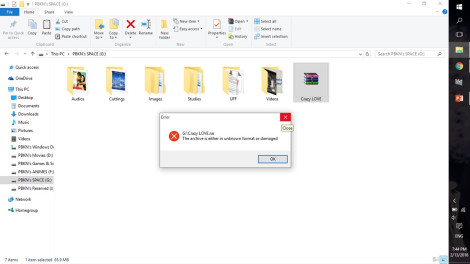
Step 2: Rename it continuously (Eg: Crazylove)
Step 3: Open command prompt and write down the address of the file (in my case “g:” )
Step 4: Now type the command “rename Crazylove.rar Crazylove.mp4“
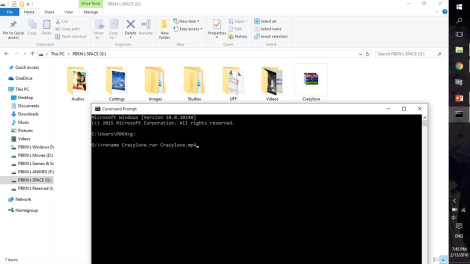
Step 5: Press Enter key and that’s it, the file is successfully changed it’s type
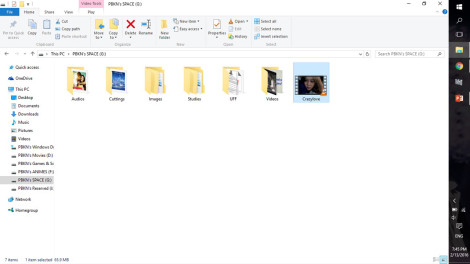
NOTE:
YOU CAN ALSO USE THIS TECHNIQUE TO CHANGE FILE TYPES OF YOUR FILES IN YOUR WORKPLACE
TO PROTECT IT FROM OTHERS OPENING YOUR PROJECT

 Why Surf Swim
Leave a comment