
Good day everyone,
This week we are going to see, how to create a folder name starting with special characters, (Eg: .pbkn, $akura,etc..,)
Step 1: Open command prompt
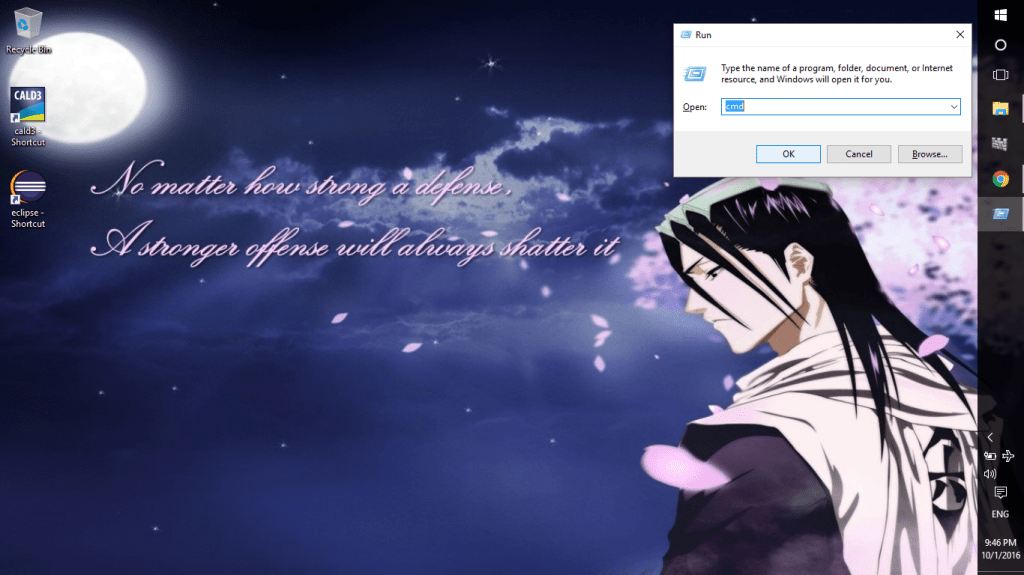
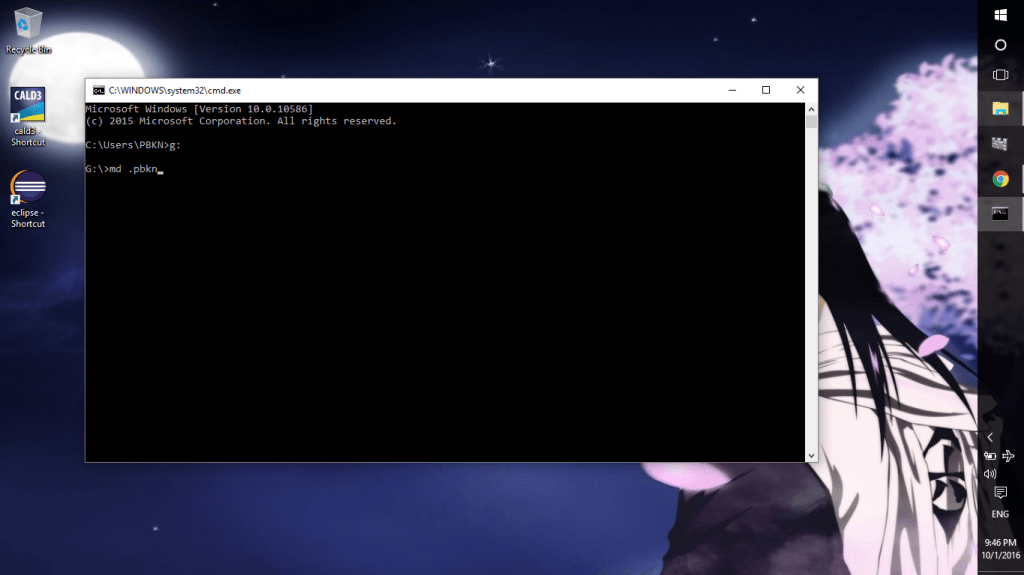
Step 2: Go to the directory where you wish to create the folder (just see the screenshot below to see the command and type “md (special character)name” for creating the folder
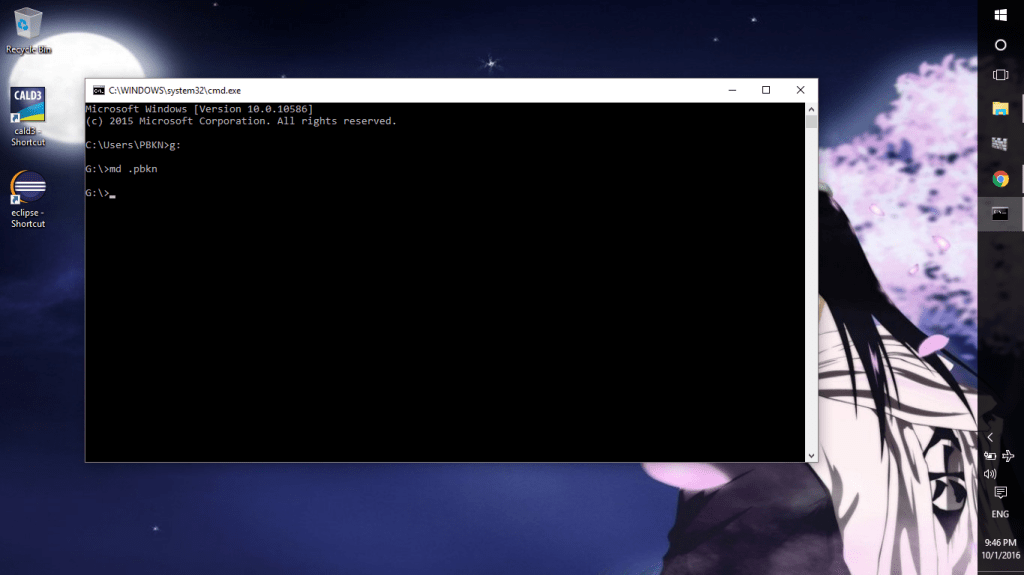
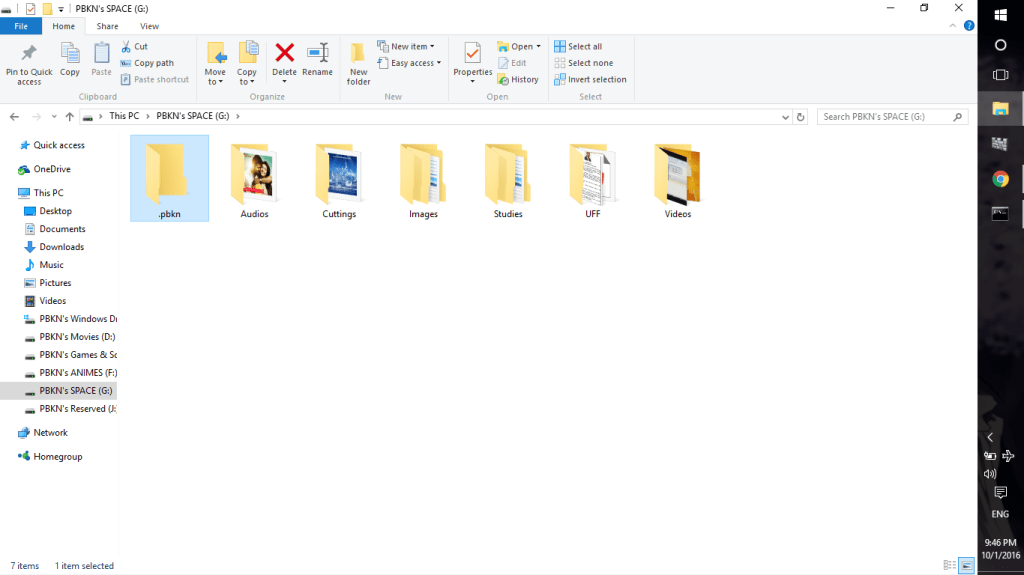
Step 3: Just see the folder created in file explorer
NOTE:
CREATING A FOLDER STARTING WITH .(DOT)
MAKES IT APPEAR IN TOP OF THE LIST
 Why Surf Swim
Leave a comment