
Hello everyone…
This week, we are gonna see the most repeated issue on windows 10…
DIRECTX PROBLEM
To solve this issue… you could have already, taken so much efforts in changing the registry files and so on,
But, we’ll see a easy and working solution to solve this issue
Step 1: First, make sure you see “hidden files” in your computer…
you can do so, by checking out the below post
https://whysurfswim.wordpress.com/2014/03/17/see-hidden-files-in-a-computer/
Step 2: Then, go to either one of the location
C:\Windows\SysWOW64\directx
or
C:\Windows\System32\directx
Step 3: Now, you could find the “websetup” folder as below
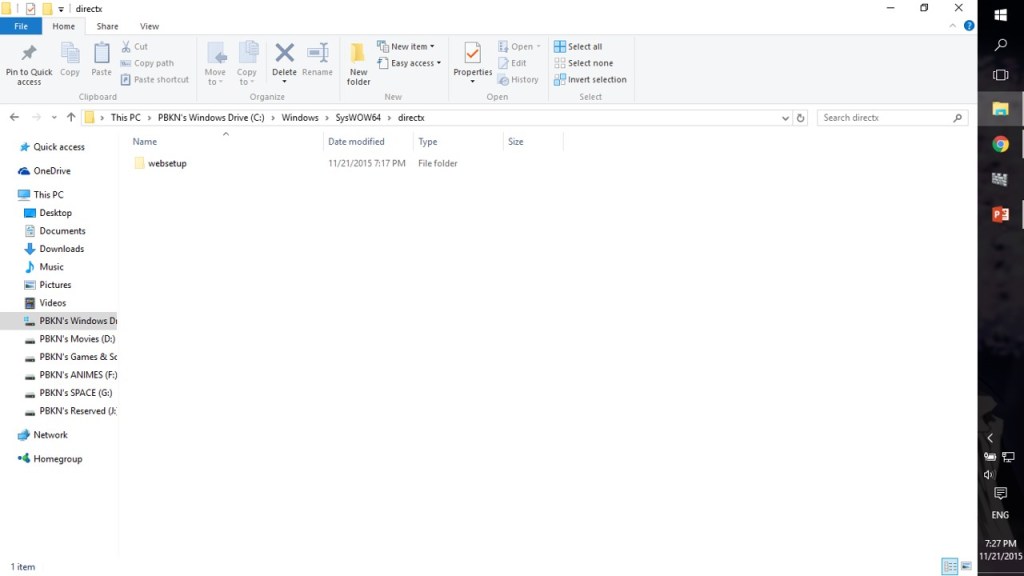
Step 4: Now, delete all the contents in it… (approx. 98 MB)
Step 5: Now, download the directx websetup from the microsoft link given below
https://www.microsoft.com/en-us/download/details.aspx?displaylang=en&id=35
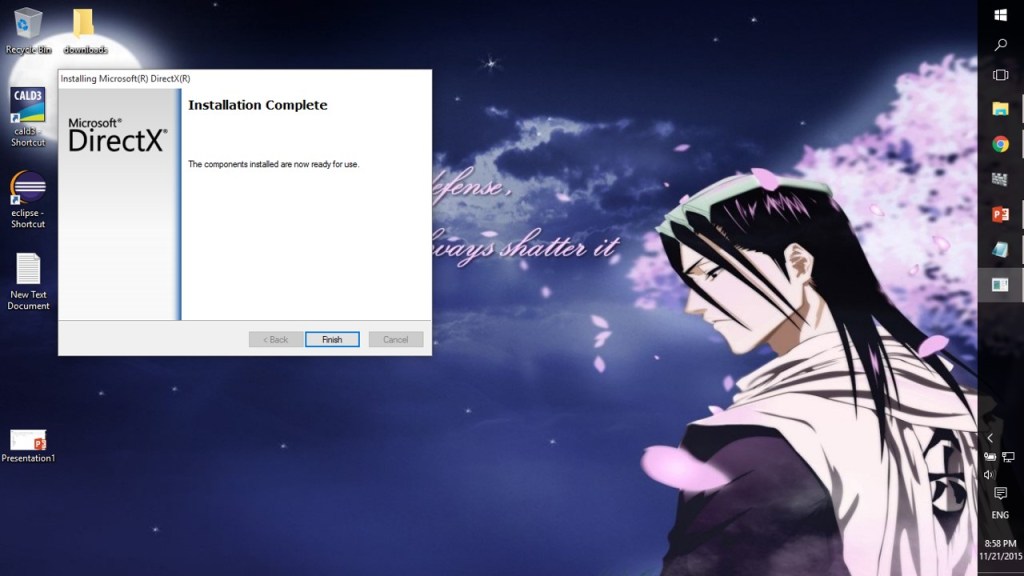
Step 6: Now, install the setup and download the directx again in your computer


Step 7: After, successful installation…. you could find games using directx 9/10 working in your system
NOTE:
THE ABOVE METHOD WORKED FOR ME,
SO… IT’S WORTH A TRY FOR YOU
 Why Surf Swim
Leave a comment