
Hello everyone,
This week… the important thing to do after installing windows 10 OS
By default, the SYSTEM RESTORE function is DISABLED in windows 10… which won’t be a problem, unless you face any serious DRIVER problems
When that happens, system restore option is the BEST solution to revert back your system to a older date…
So to activate SYSTEM RESTORE in WIN 10, here’s a step-by-step guide
Step 1: Click “WINDOWS KEY” and type “system res” and choose Recovery from the results

Step 2: Now click, “Open System Restore“

Step 3: You’ll see that, the system restore function is disabled… now click “system protection“

Step 4: In the new window, choose “C: Drive” and click “configure“

Step 5: Now, click “turn on system protection” and click “OK“

Step 6: Now, you click “create“

Step 7: Type any name and click “create“
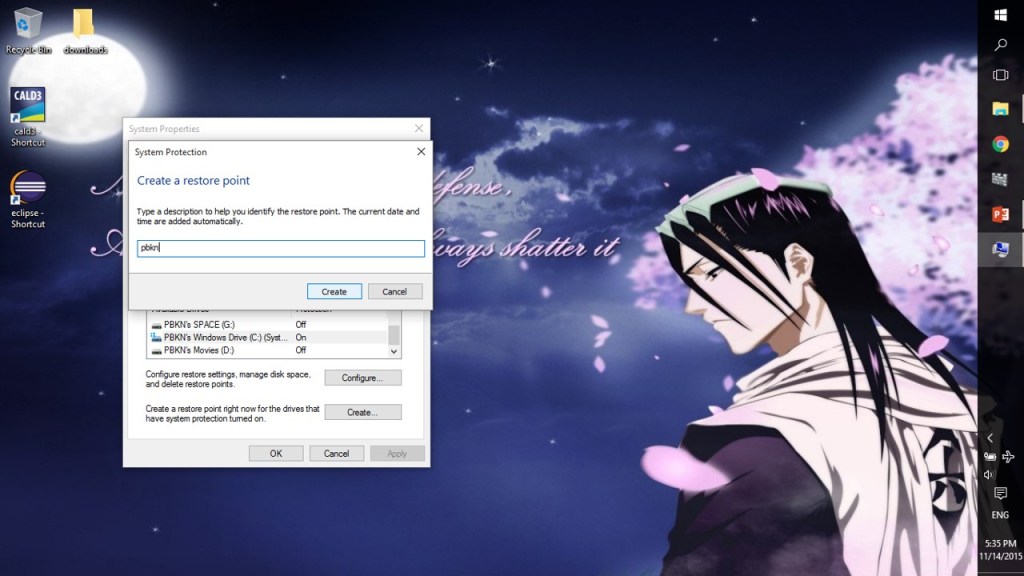
Step 8: Ta-da, now your computer has a RESTORE POINT

NOTE:
CREATING A SYSTEM RESTORE IS NO HARM TO ANYONE,
SO JUST DO IT!!!

 Why Surf Swim
Leave a comment