
Hi there everyone,
This week we are gonna see, HOW TO EMBED YOUR TWITTER POSTS IN YOUR BLOG
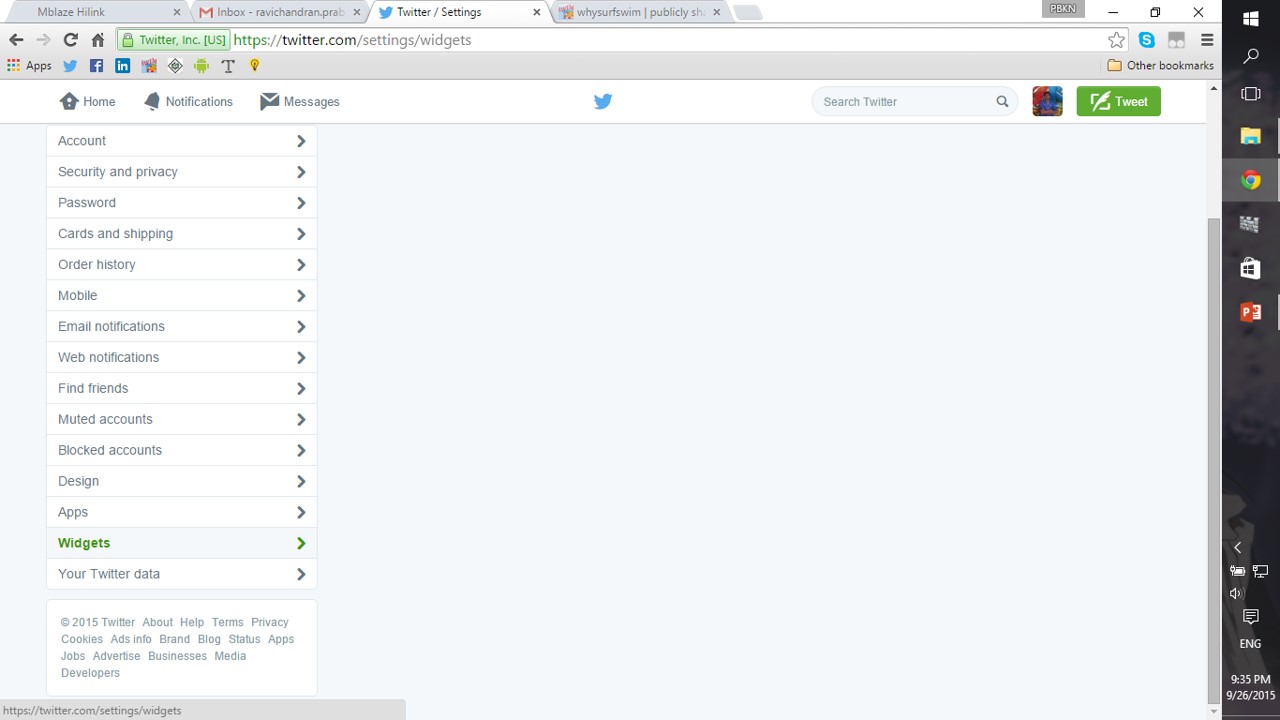
Step 1: Go to your “settings” tab in twitter

Step 2: Then, click “widgets” in the menu
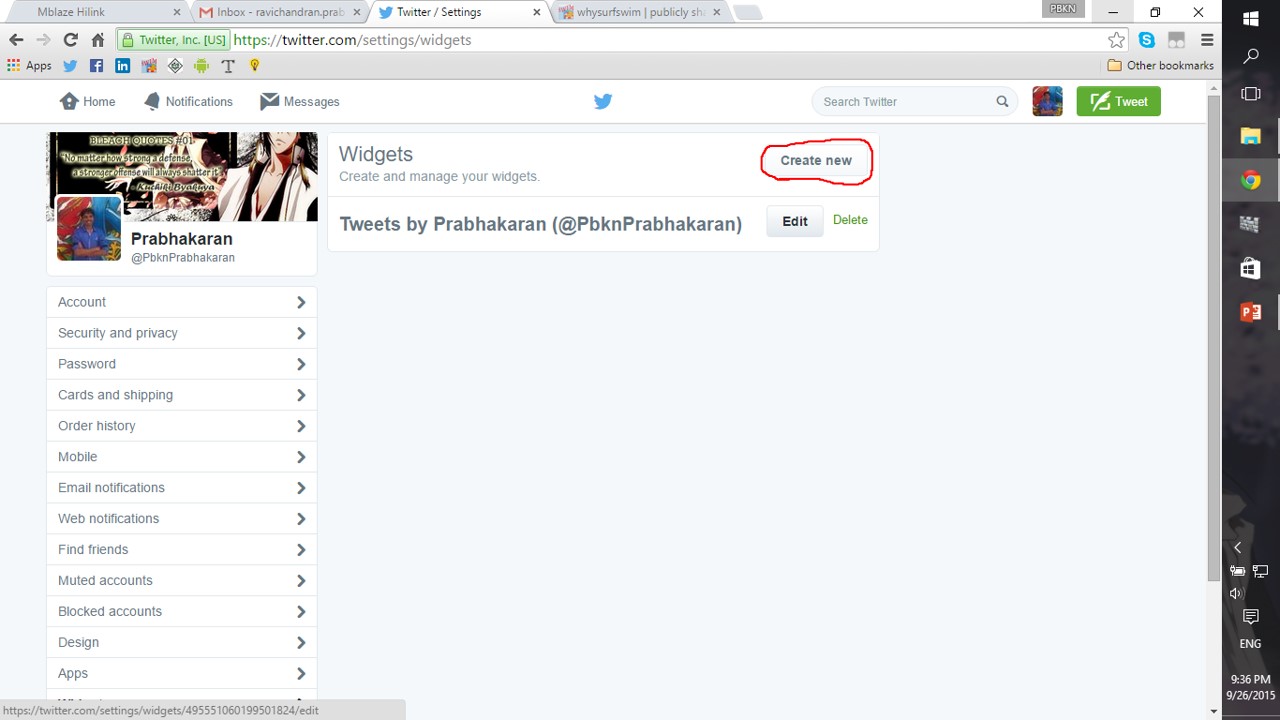
Step 3: Now, click “create new” and choose the specifications you wanted
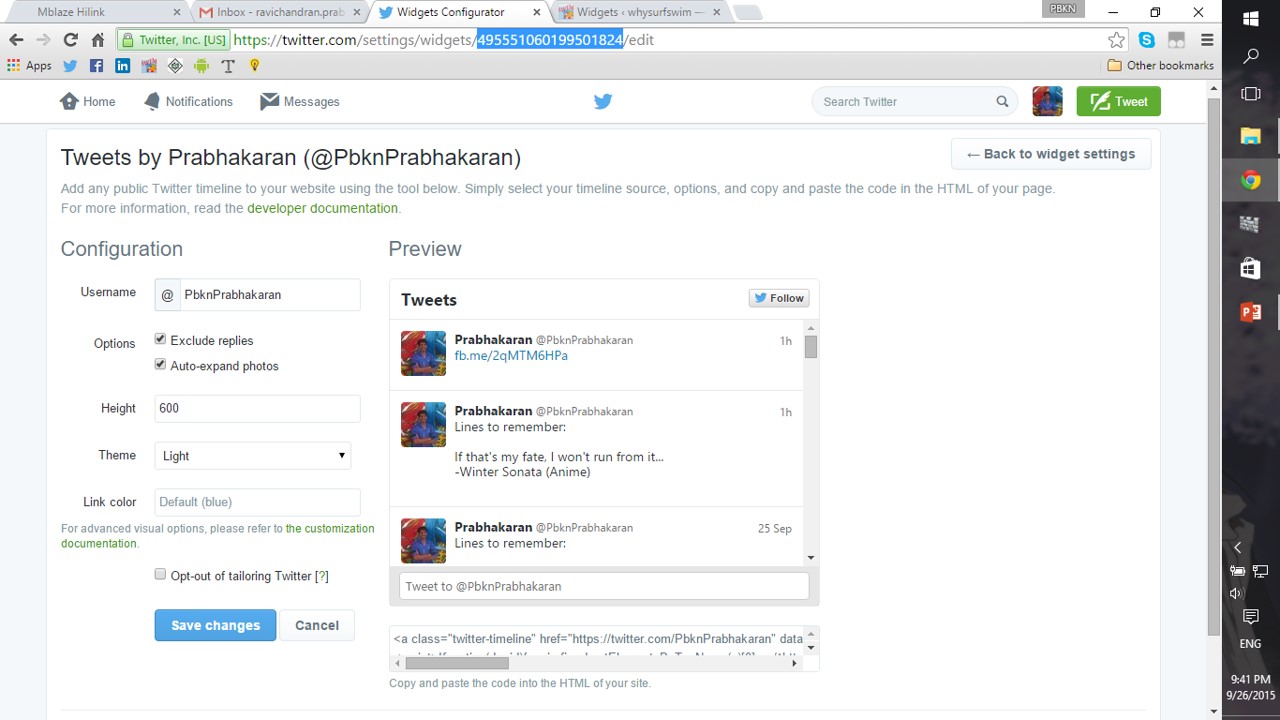
Step 4: If you are using “BLOGSPOT” then, just copy paste the link displayed at the bottom and embed it in your blog

Step 5: If you are using “WORDPRESS” then, it’s super easy… just copy the long digit number in the address bar(you’ll get that once you saved your widget)…
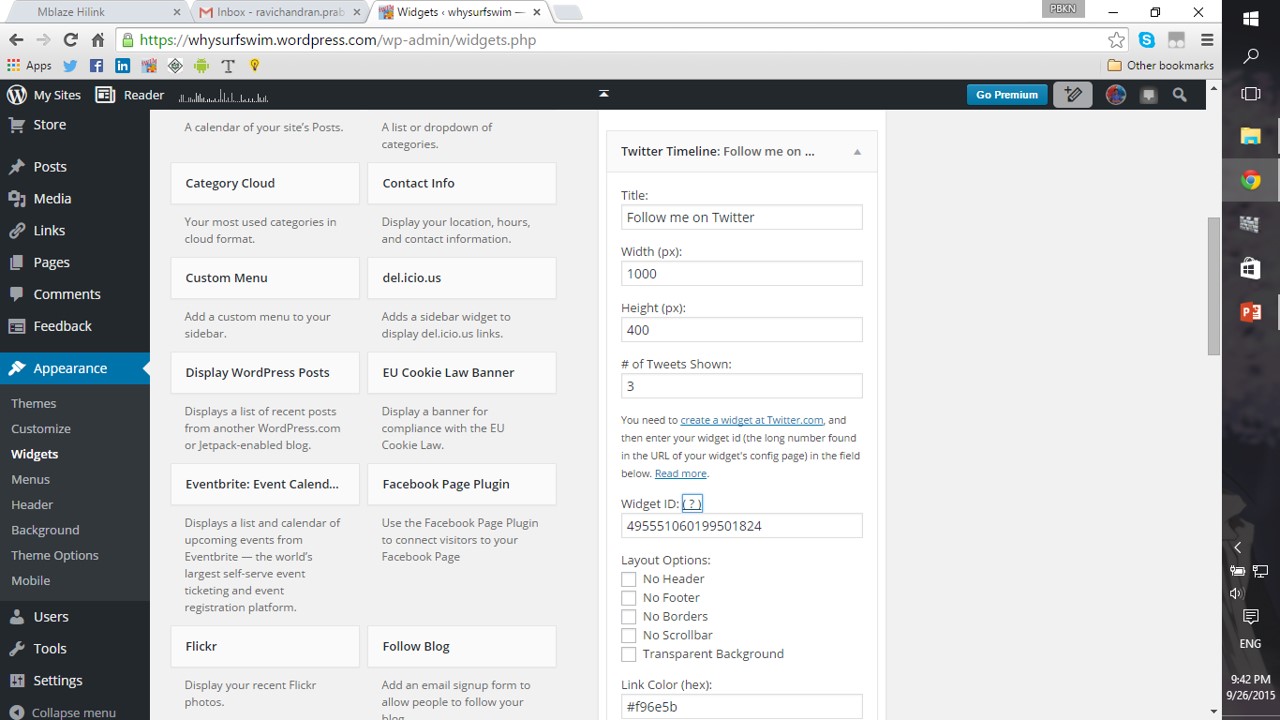
Step 6: Come to the “widgets” pane in the wordpress admin page of yours

Step 7: Now choose the “Twitter Timeline” widget and paste the long number and save it
Step 8: You can now see the LATEST posts of twitter in your BLOG

NOTE:
ATLEAST NOW, MANY WILL SEE MY TWITTER


 Why Surf Swim
Leave a comment