
Hi there everyone,
This week we are going to see, how to change the “recent places” to “My PC” when WINKEY+E is pressed…
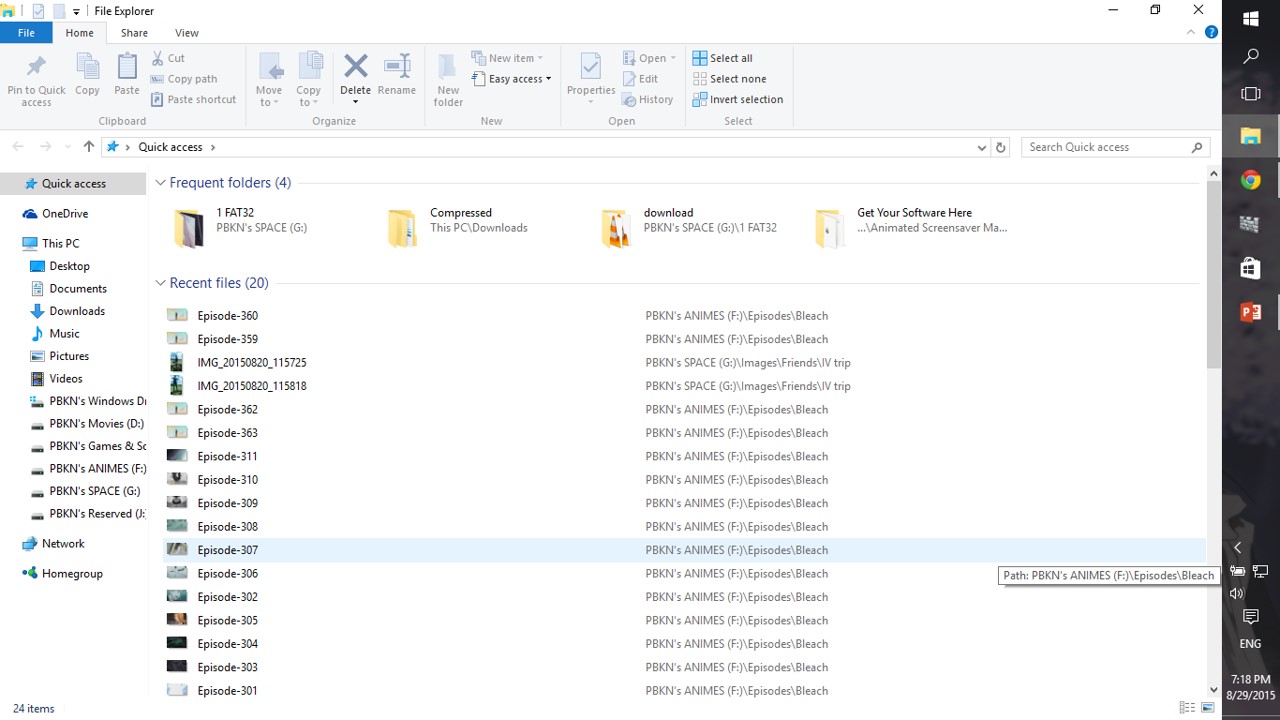
Step1: When pressed WINKEY + E, you’ll get something like this
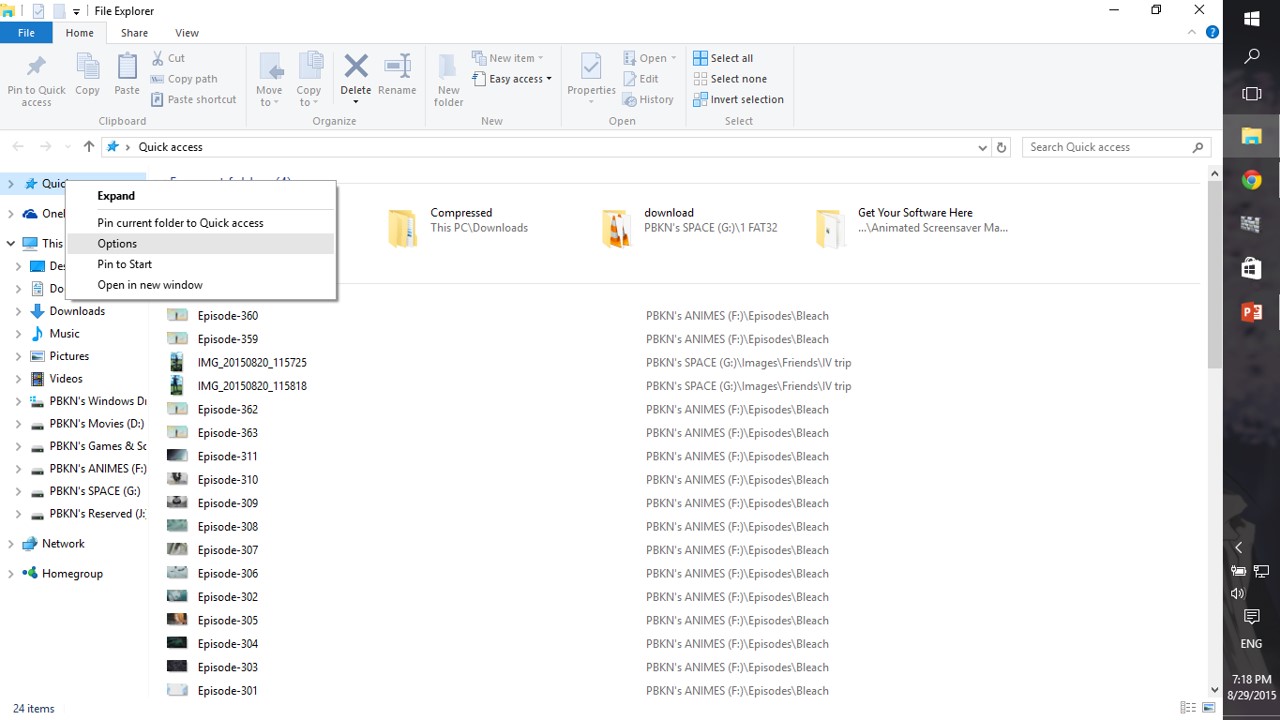
Step2: Then right click on the “recent places” as shown and click “options” from the list
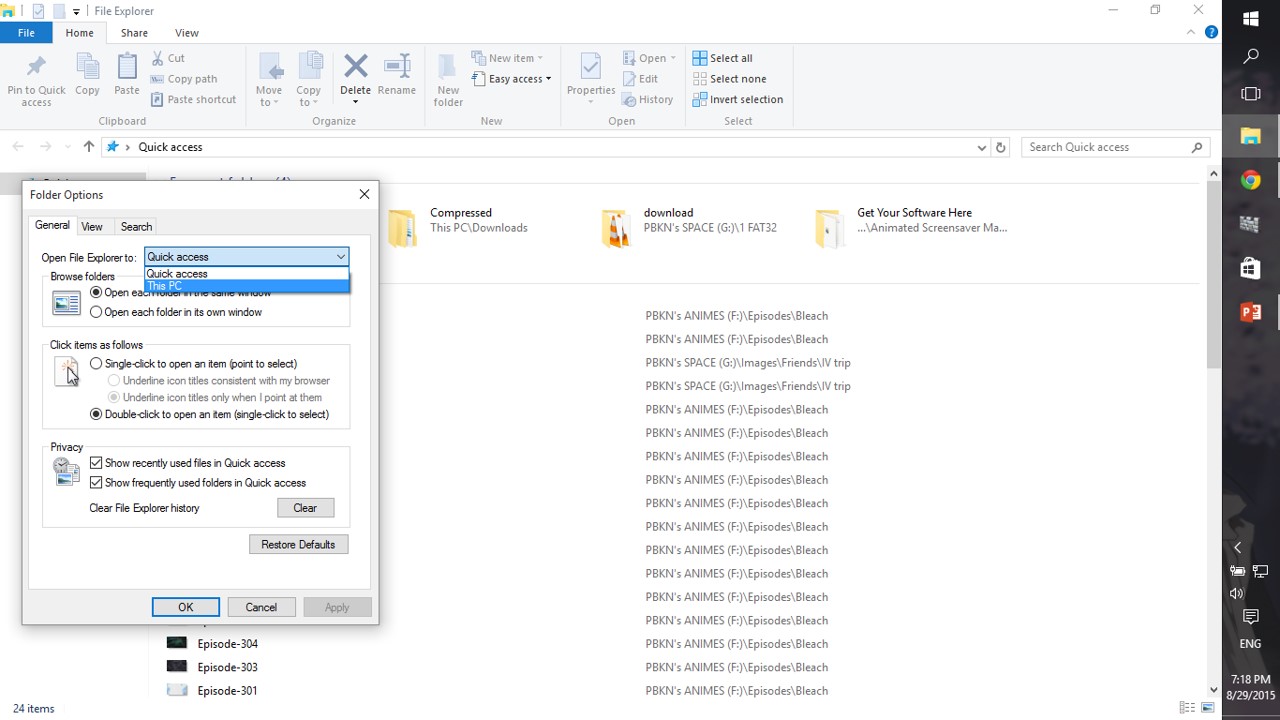
Step3: Then, select “My PC” from the dropdown as shown
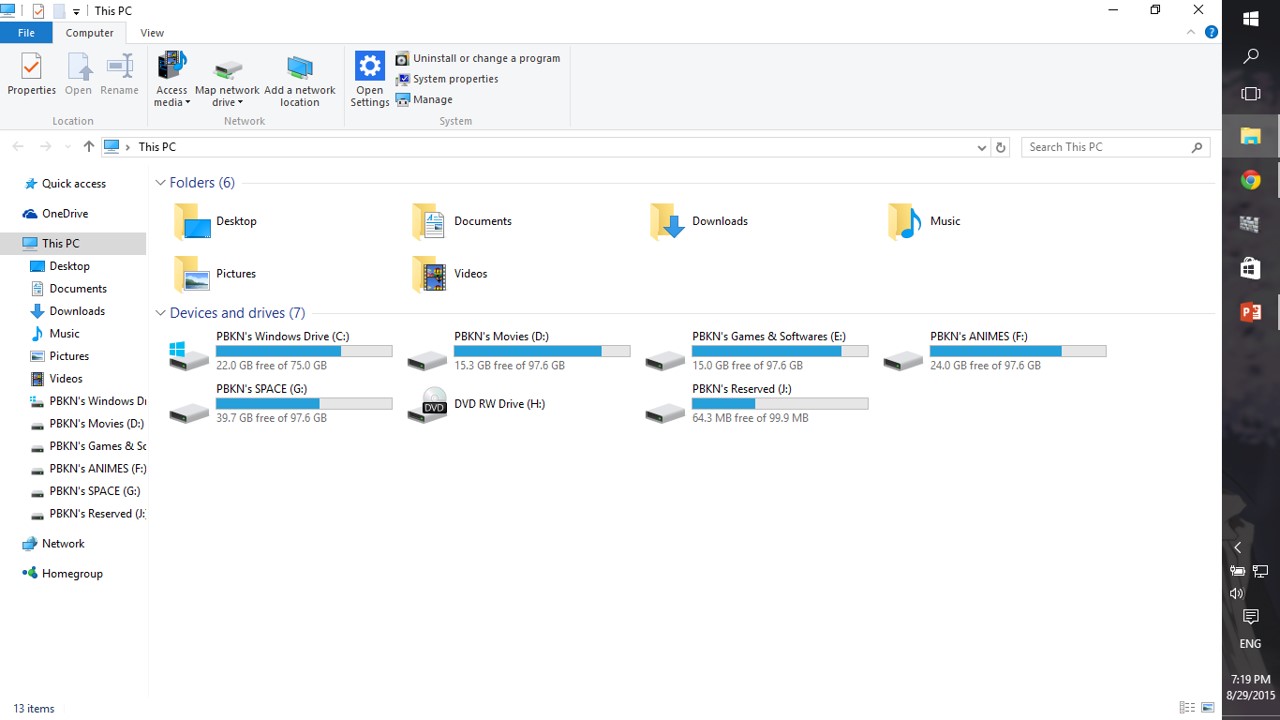
Step4:Now, click WINKEY+E, you’ll get your “MY PC” not the “recent places“
NOTE:
THIS CHANGE IS MANDATE IN WINDOWS 10,
IF YOU LOVED WINDOWS 7 WINKEY+E
 Why Surf Swim
Leave a comment