
Hi there everyone,
hope you guys having a great weekend, but i was stuck with a great deal of problem for this whole week,
Eventually i got the solution to it, the problem is…
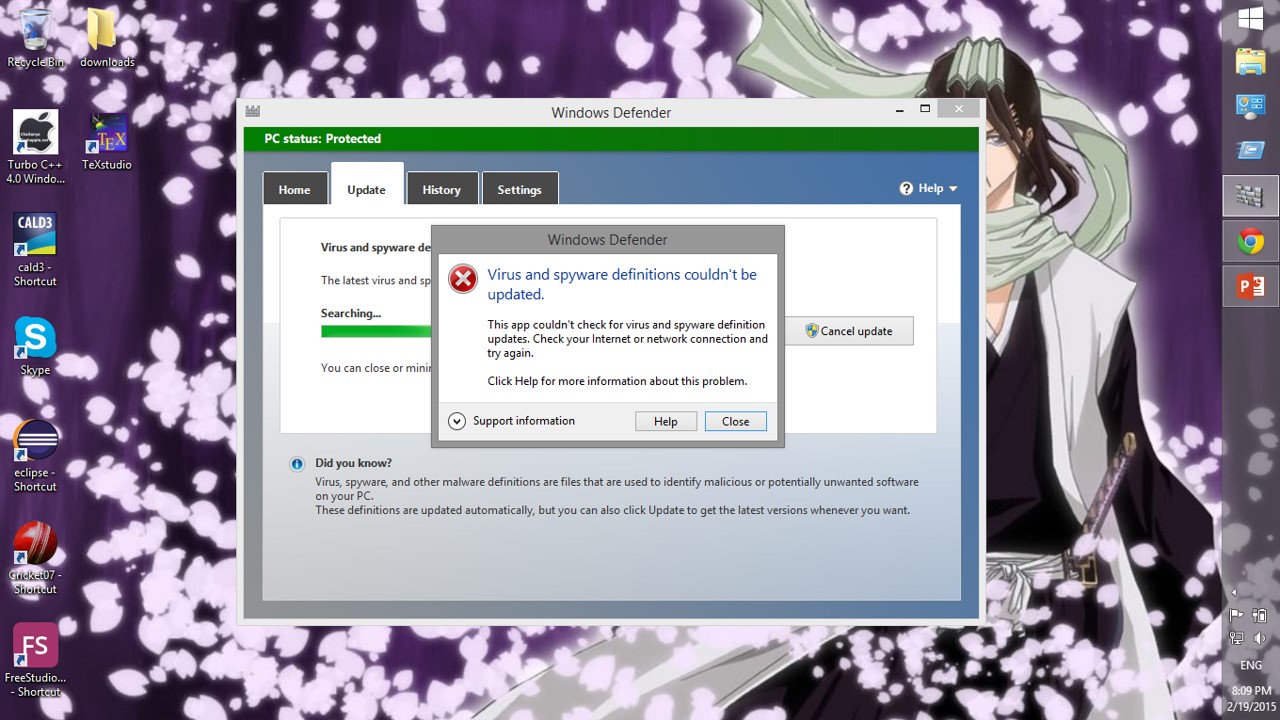
INTERNET IS NOT CONNECTING TO SYSTEM APPLICATIONS (say windows defender is not updating,etc..,)
So, here’s the step by step guide (2 methods) to solve it
Step 1: Here’s what the problem looks like
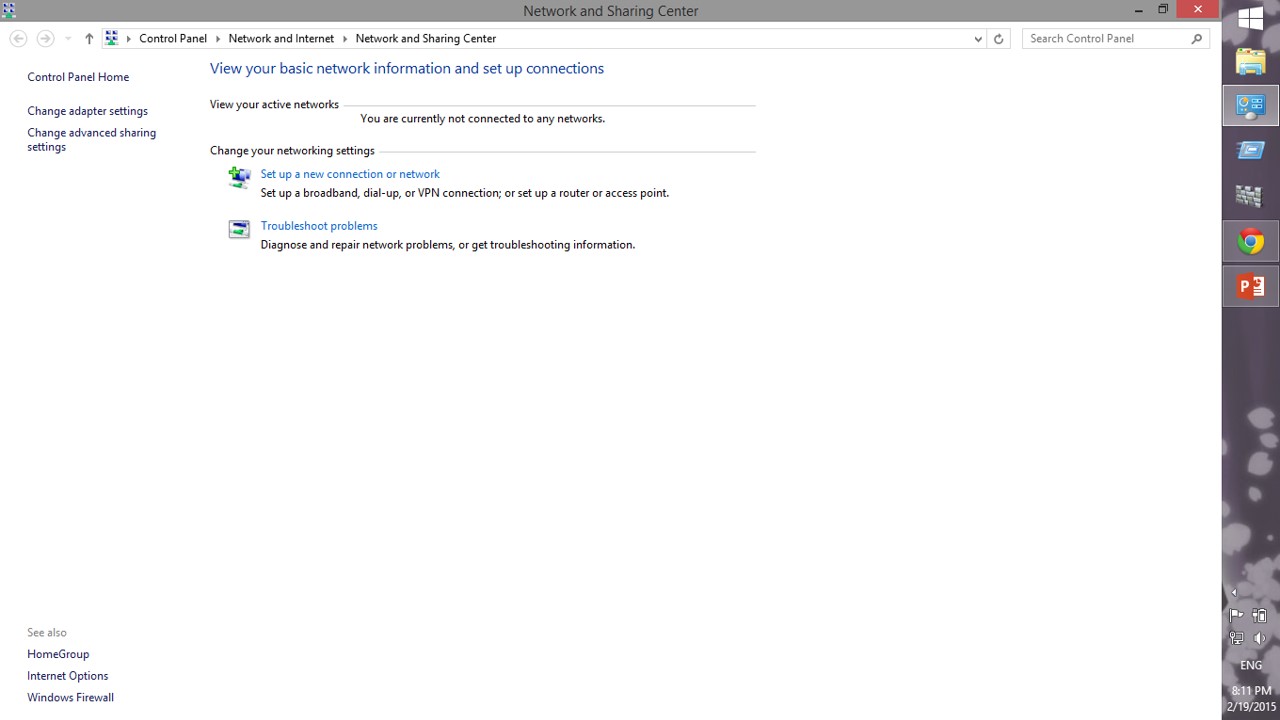
Step 2: Go to “Network and Sharing centre” as shown

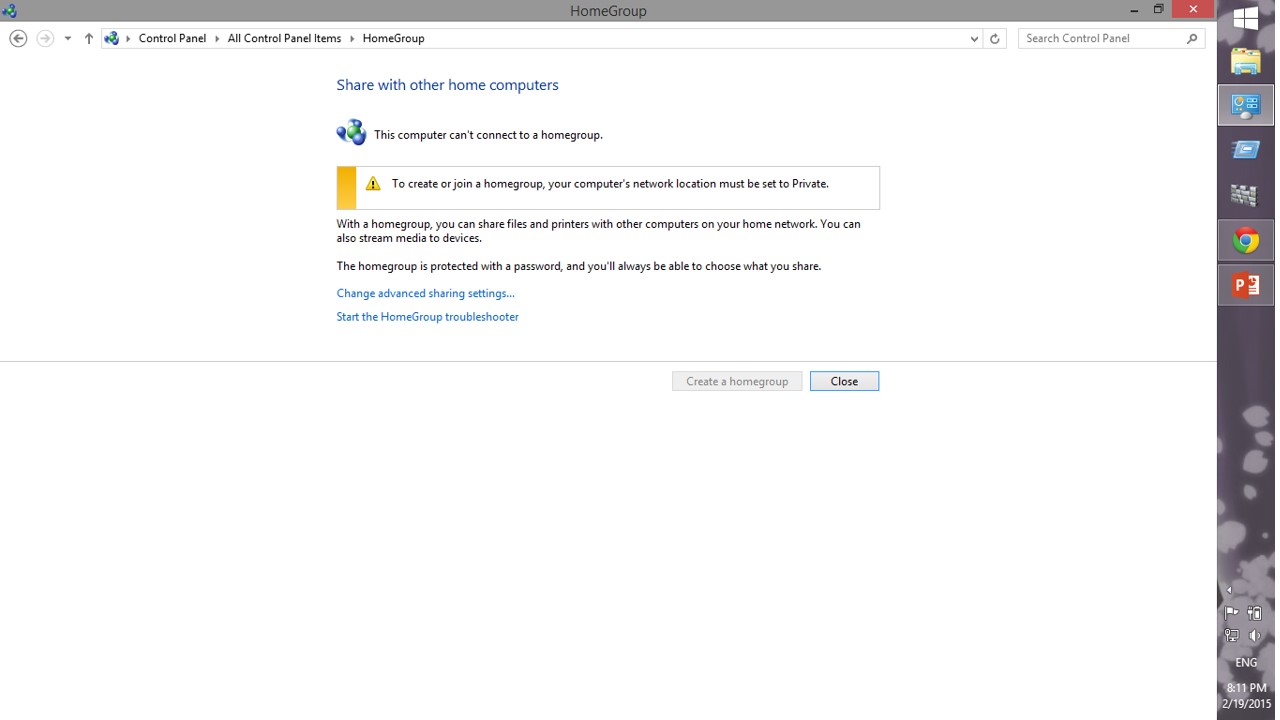
Step 3: Go to “HOMEGROUP” in the new window displayed
Step 4: Click “advanced options” as shown (before doing that connect your internet dongle)
Step 5: Now click, “choose media streaming options” as shown

Step 6: Now it’ll identify your network and the problem is solved ( if not solved, continue reading)

Step 7: Then, go to “RECOVERY” in control panel as shown
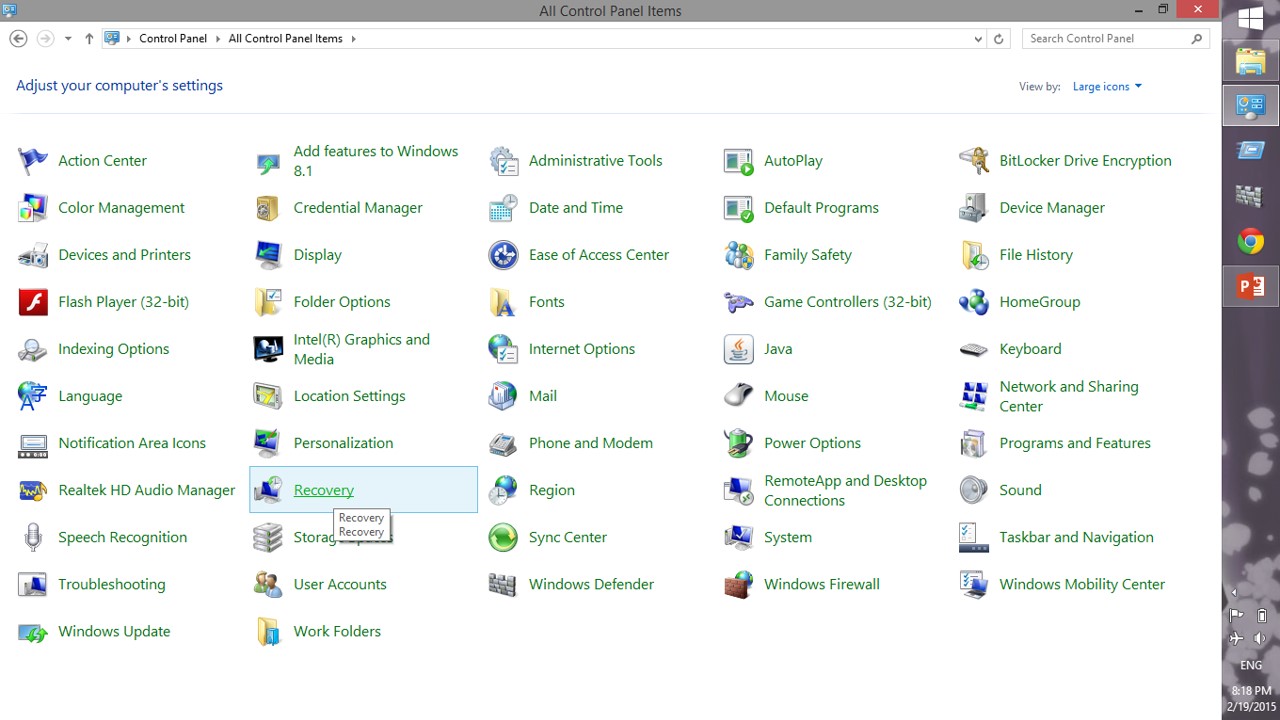
Step 8: Choose a restore point, and restore it

Step 9: Now, see the problem is solved and system apps are connected again 🙂

NOTE:
IT’S ALWAYS RECOMMENDED TO TAKE FULL CONTROL OF YOUR COMPUTER,
NO MATTER WHAT IT TAKES, TO DO IT
 Why Surf Swim
Leave a comment