
The most common bug in windows 8 and later versions is the speech recognition error
Now, i’ll tell you step by step procedure to fix it
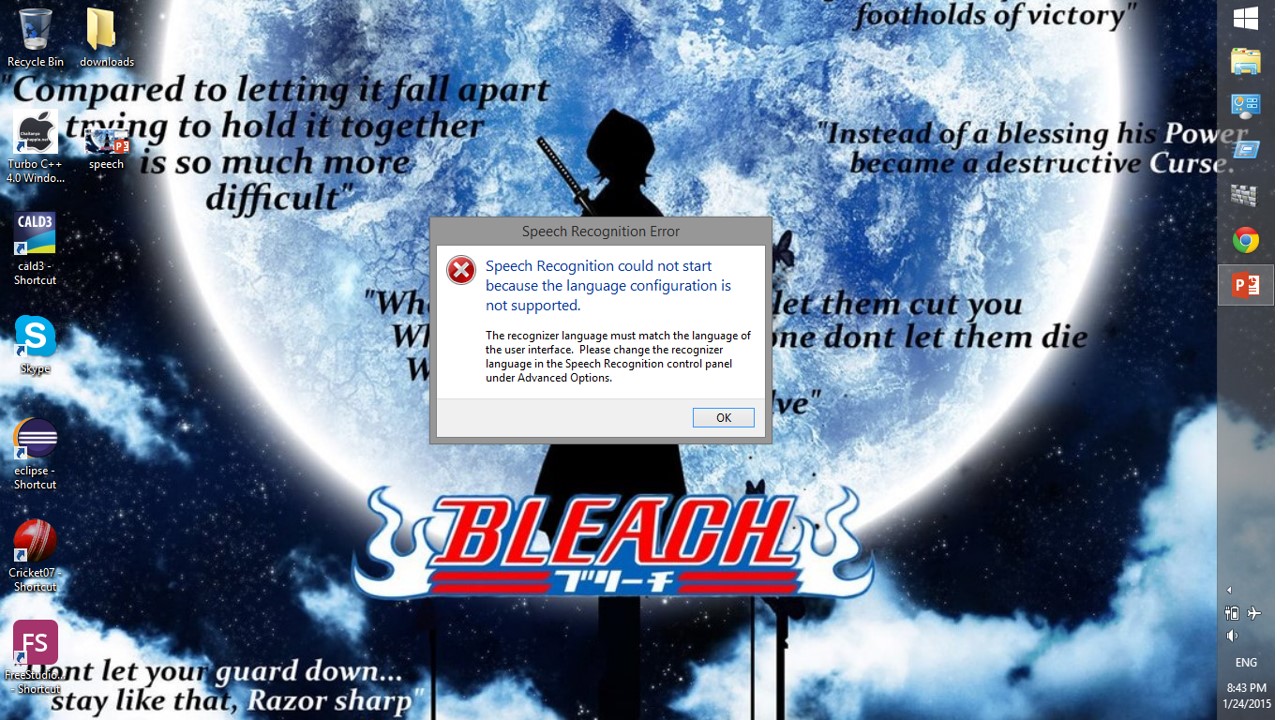
Step 1: You’ll get a error screen like this
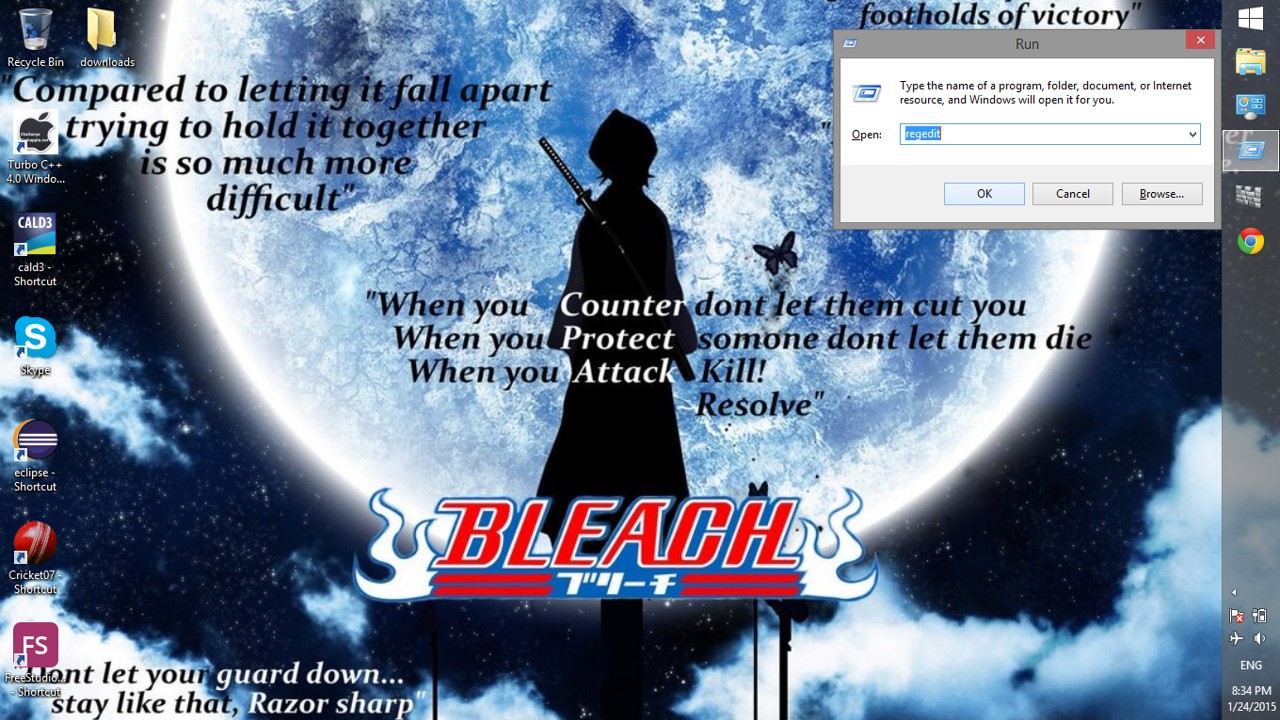
Step 2: Now, press WIN+R keys and type “regedit“
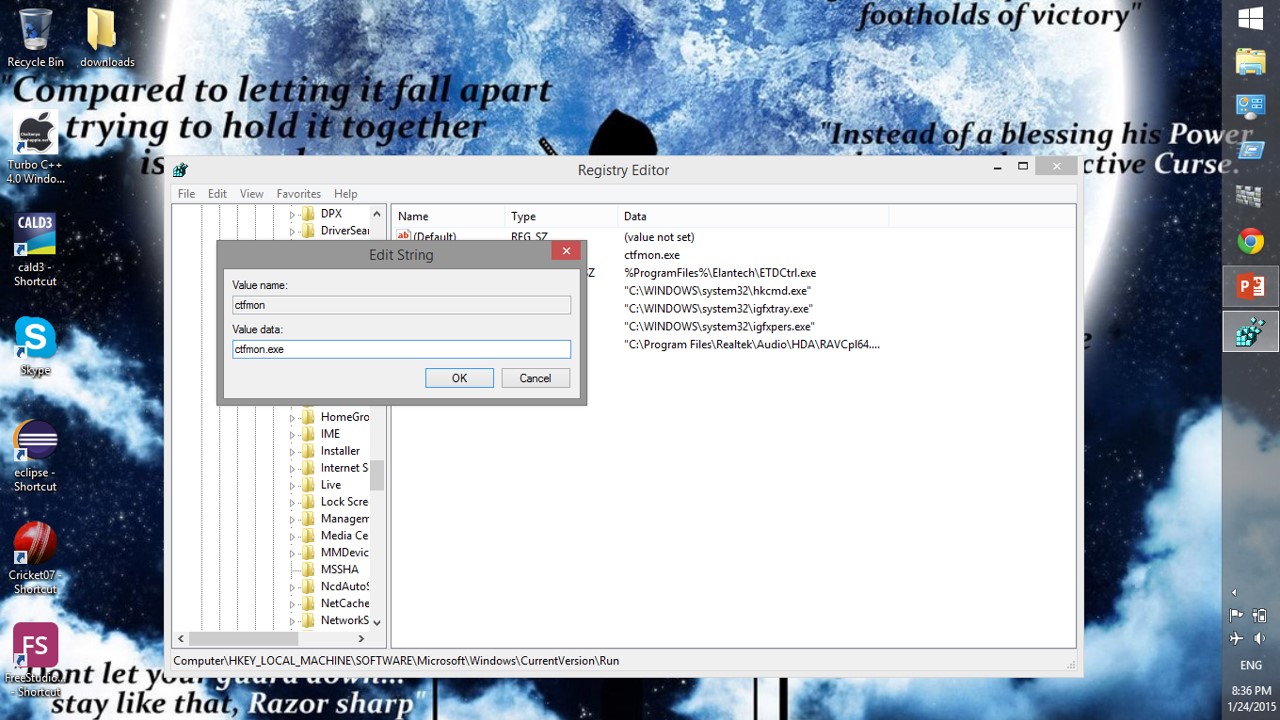
Step 3: go to this location
“HKEY_LOCAL_MACHINE\SOFTWARE
\Microsoft\Windows\CurrentVersion\Run”
and right click->new->string value, as shown in the picture

Step 4: Now enter name as “ctfmon” and value as “ctfmon.exe” and then close regedit and restart your system
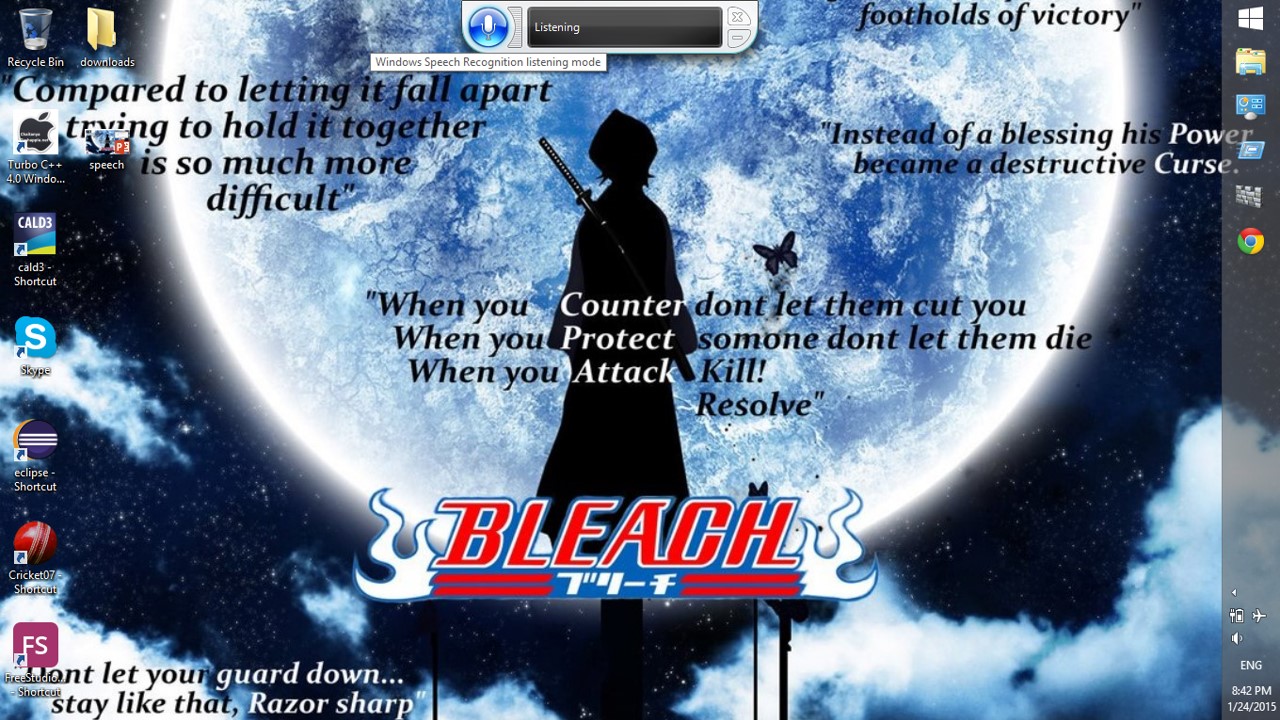
Step 5: Now, you’ll not get any error and speech recognition starts normally
NOTE:
IF YOU GET THE SAME ERROR AGAIN,
RESTART YOUR SYSTEM TO FIX IT
 Why Surf Swim
Leave a comment