
Well, if you are using computer for more than a year,
you should know this, ‘coz you are C Drive is at risk
The steps to be taken are:
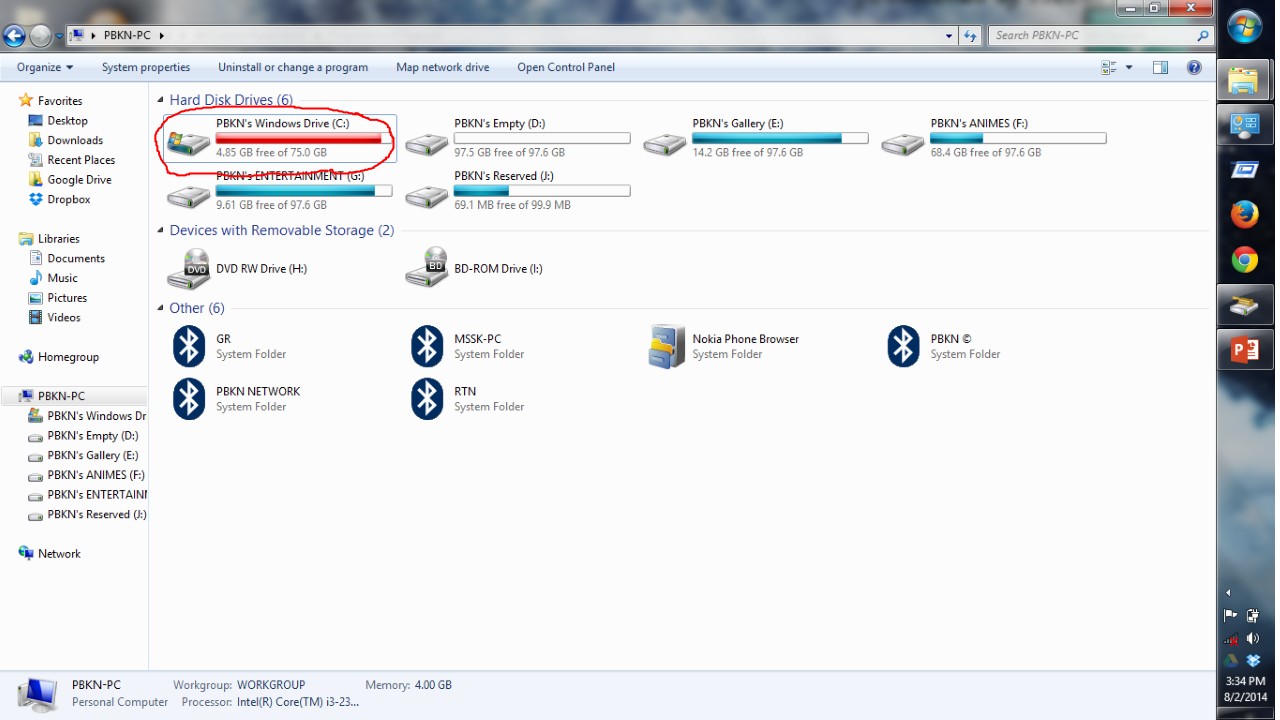
Step 1: Right click on the C Drive
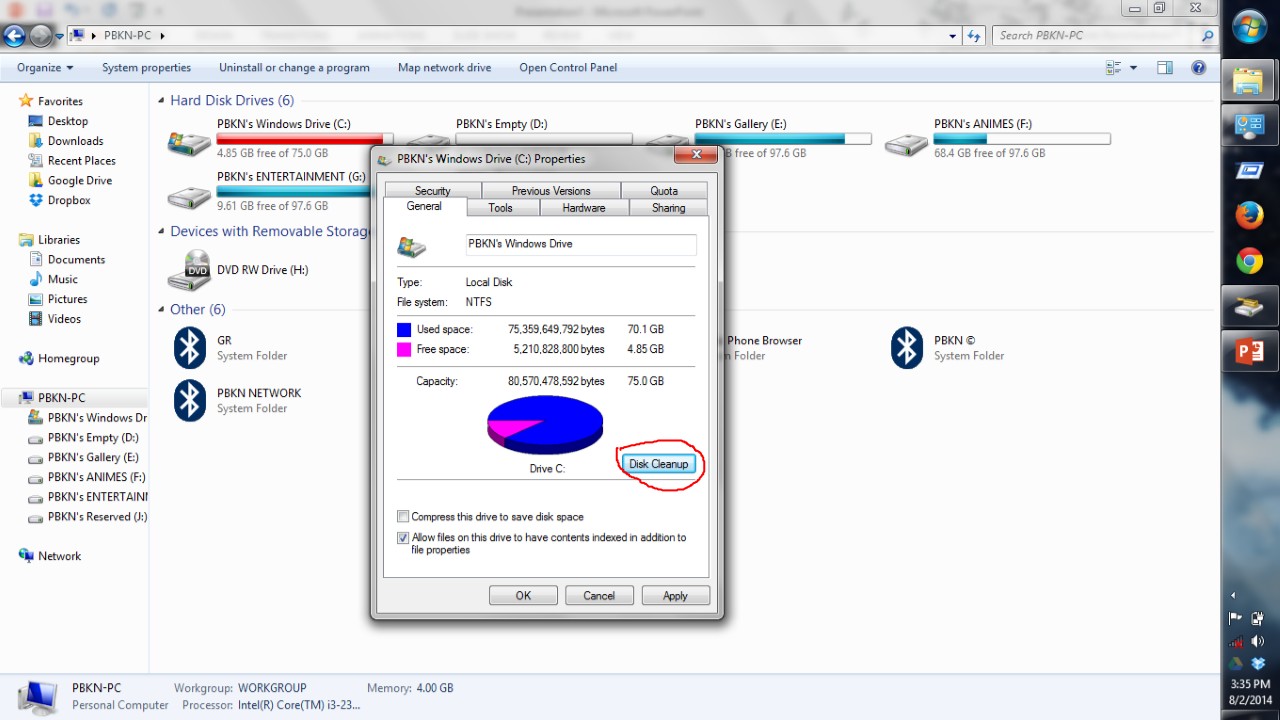
Step 2: Click DISK CLEANUP
Step 3: Check the corresponding boxes as shown
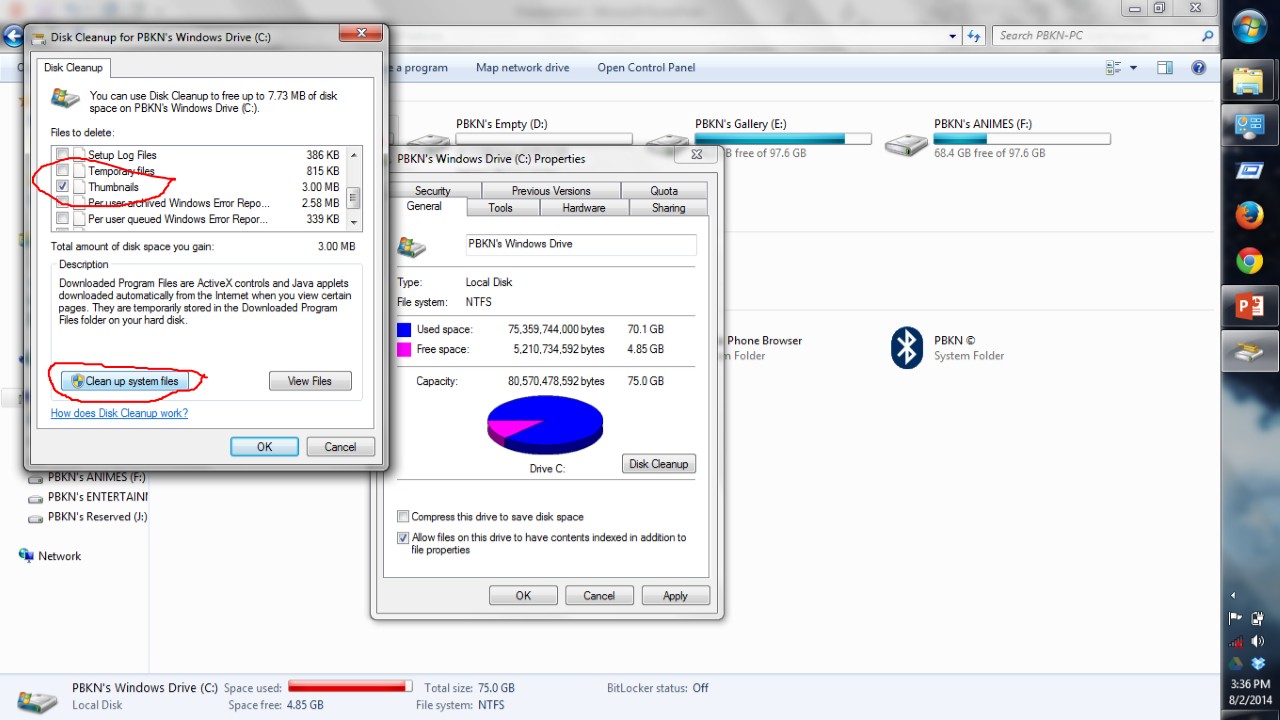
Step 4: Now in the new window, click as shown

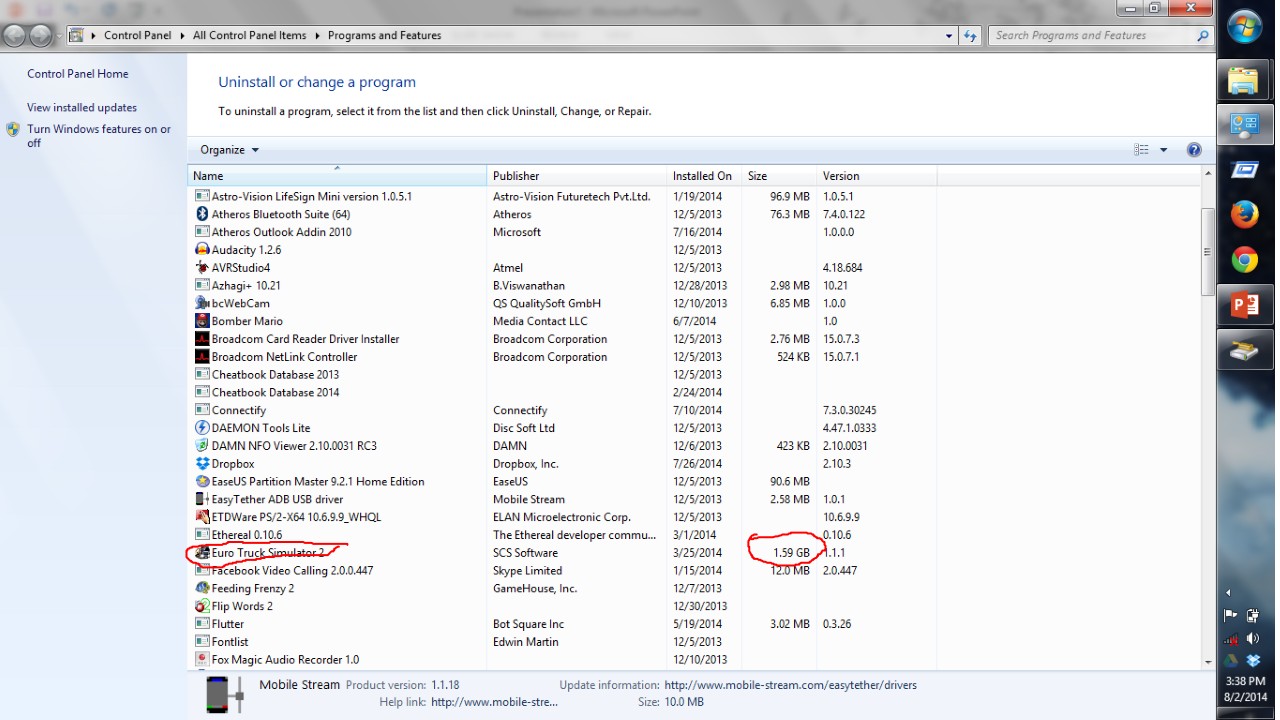
Step 5: Uninstall LARGER SIZE game files & programs that you don’t use
Step 6: After that click the second option(as in step 4) & click OK when prompted
NOTE:
THERE IS NO RISK TAKEN HERE, SO BE CALM & REDUCE YOUR DISK SPACE

 Why Surf Swim
Leave a comment