why surf the web ? swim it !!!


QUESTION:

How to boot OS by using PEN-DRIVE?

ANSWER:

Well you can, if you have ONE SOFTWARE & the required BOOT FILES,
The boot files for example is WINDOWS 7 ULTIMATE OS files,
step 1: Download the OS file you wanted ( Eg: Win 8,Win 7,etc..,)
step 2: Now download the WIN TO FLASH software here
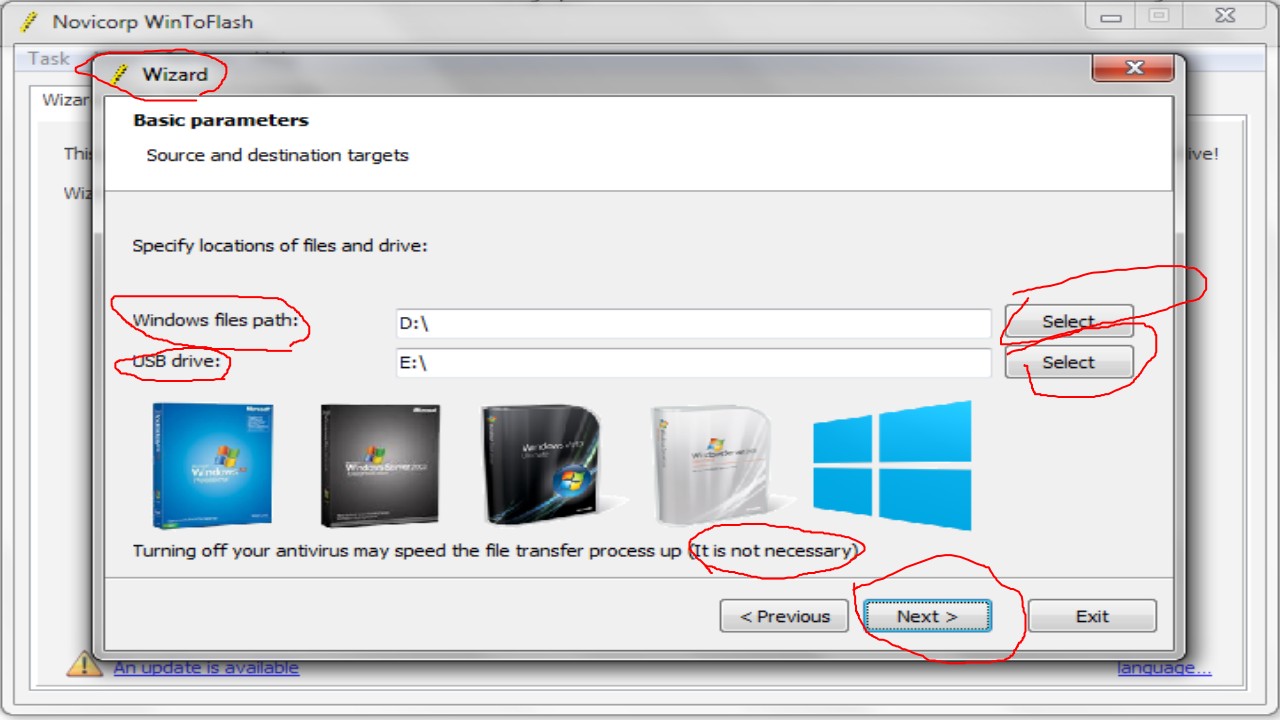
Slide1
step 3: Now take the pen-drive & insert in the laptop you wanted, and then RESTART ( do not unplug the pendrive)
NOTE: 

The tricky part is to have TRUSTED BOOT FILES, make sure of it

5 responses

  1. Jake K Avatar

    Lovely blog you hhave here

    Like

  2. Boot folder missing WIN 10 – RESOLVED – Why Surf Swim Avatar

    […] Click here to go to Re-post to view how to make pen-drive bootable […]

    Like

  3. [SOLVED]-GRUB RESCUE from UBUNTU in WINDOWS – whysurfswim Avatar

    […] [How to make a pen-drive bootable] […]

    Like

  4. Shani Deshwal Avatar
    Shani Deshwal

    can we install windows with this pendrive in other laptop?
    or how?

    Like

    1. PBKN Avatar

      Yes, with any pendrive on any laptop, just download the software, and make your pendrive go through the process, then do as stated in the post

      Like

Leave a comment

This site uses Akismet to reduce spam. Learn how your comment data is processed.

Discover more from Why Surf Swim

Subscribe now to keep reading and get access to the full archive.

Continue reading