Yeah, Don’t memorize any Commands,just follow the simple trick:
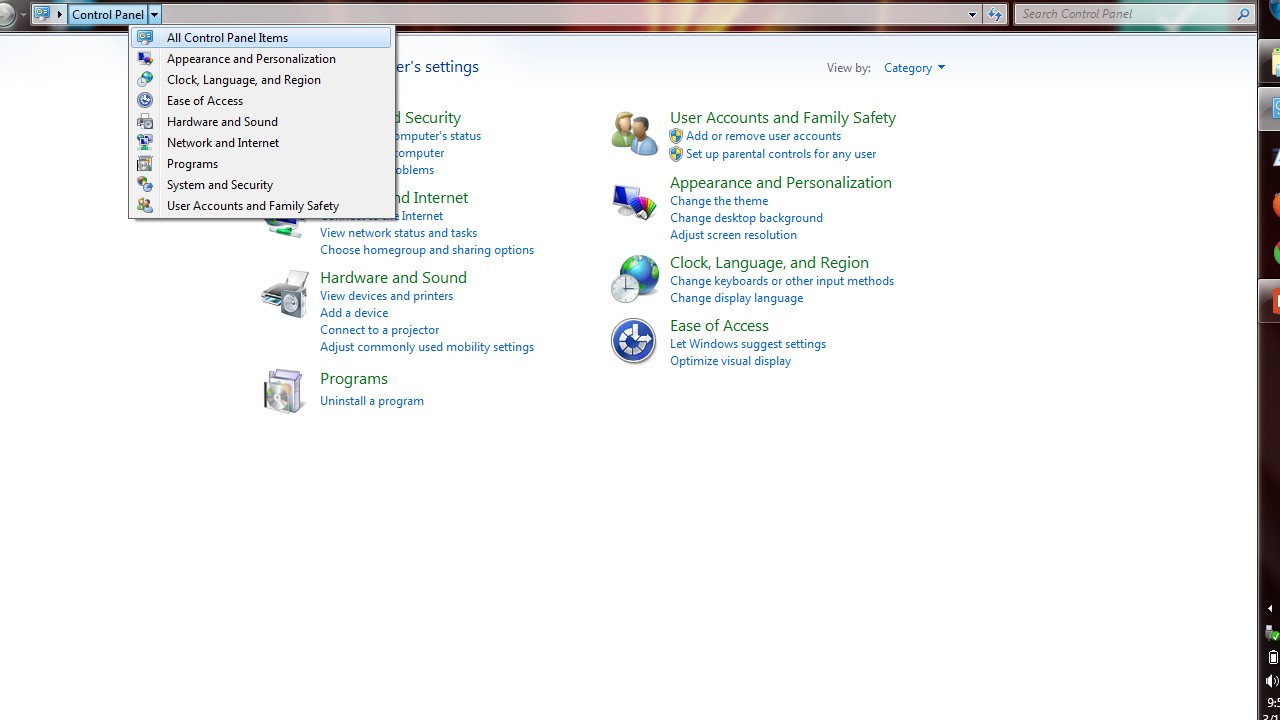
Step 1: Go to control panel & select ALL CONTROL PANEL ITEMS from the list as shown
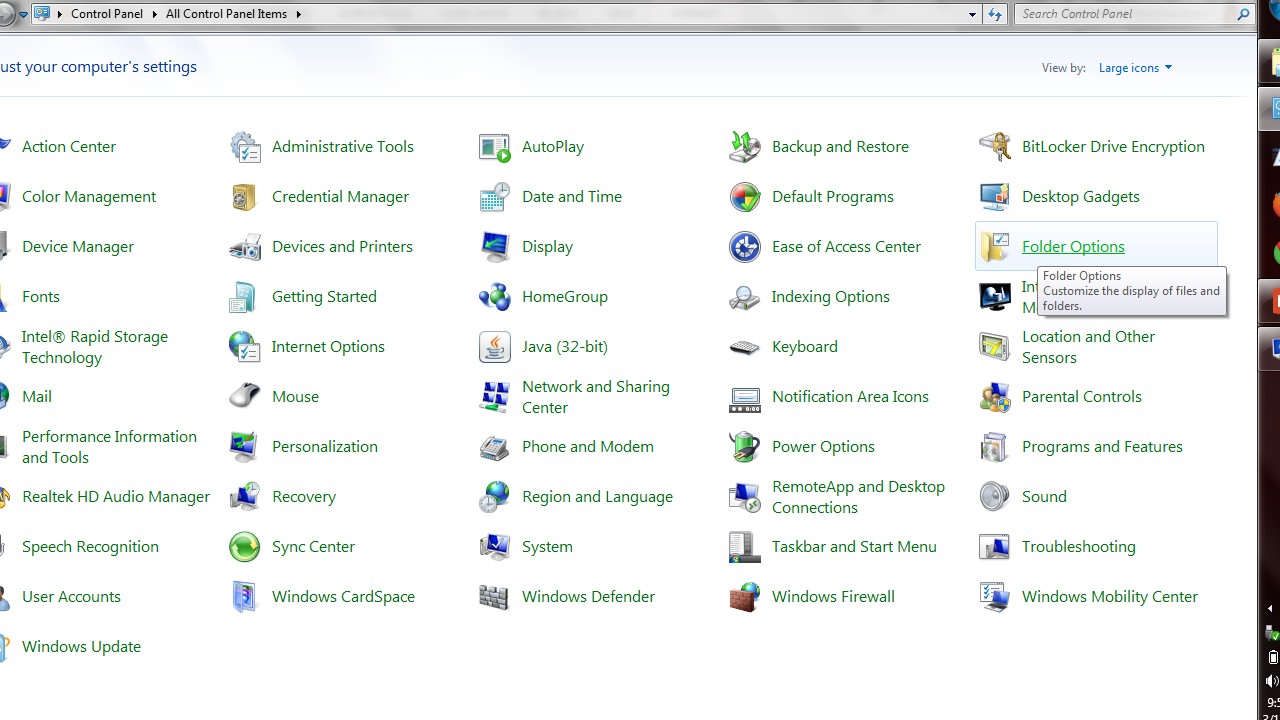
Step 2: Now from the new screen, select FOLDER OPTIONS as shown
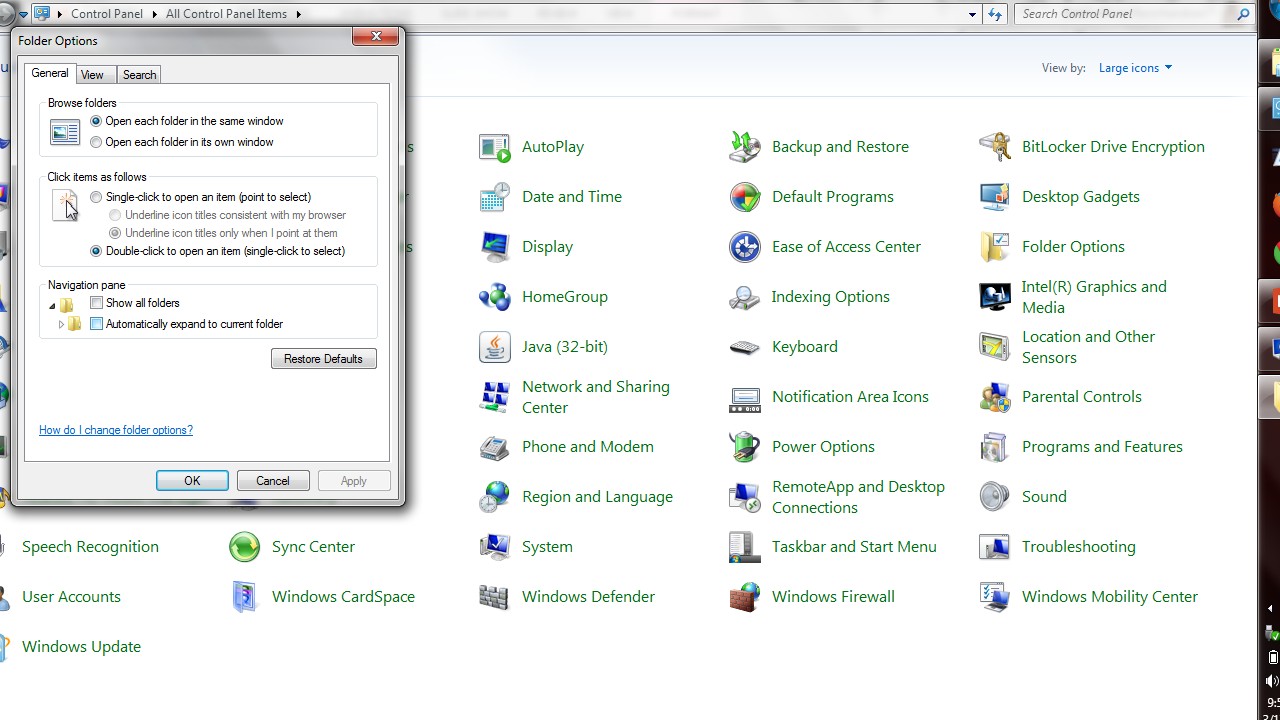
Step 3: Now you’ll get a POP-UP menu, as shown
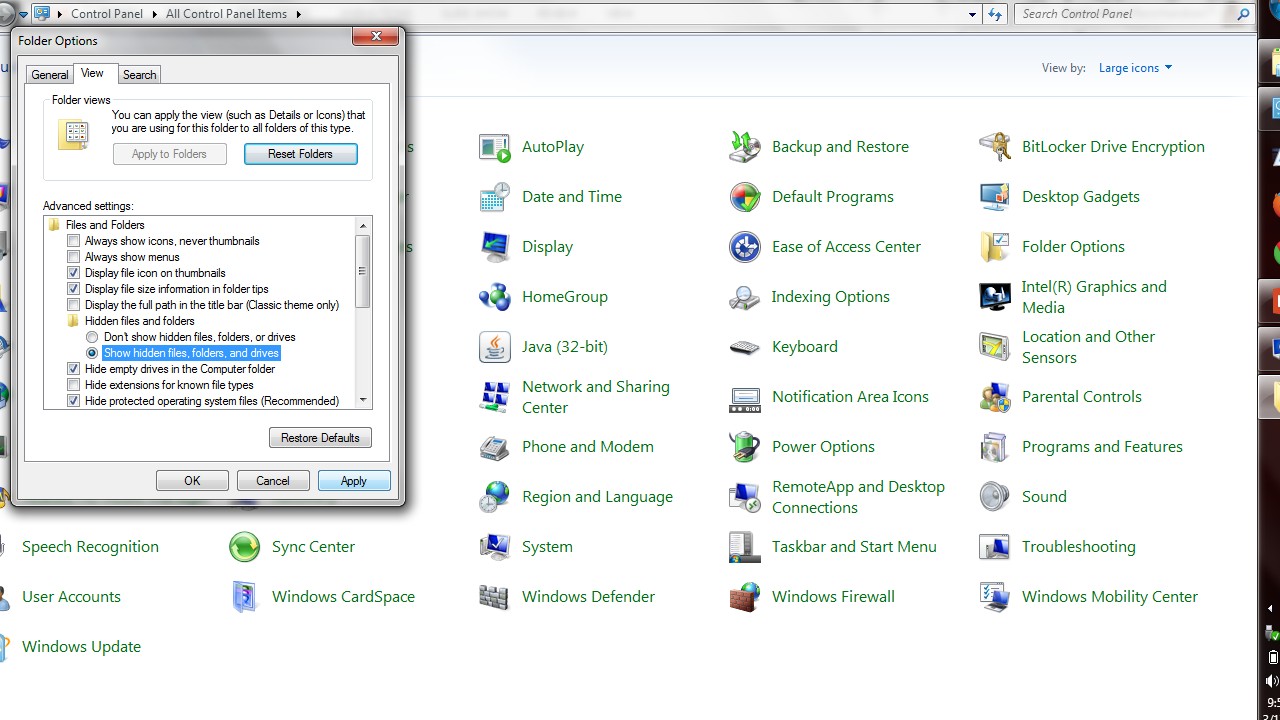
Step 4: Now select VIEW tab, and select “show hidden files” as shown and click APPLY
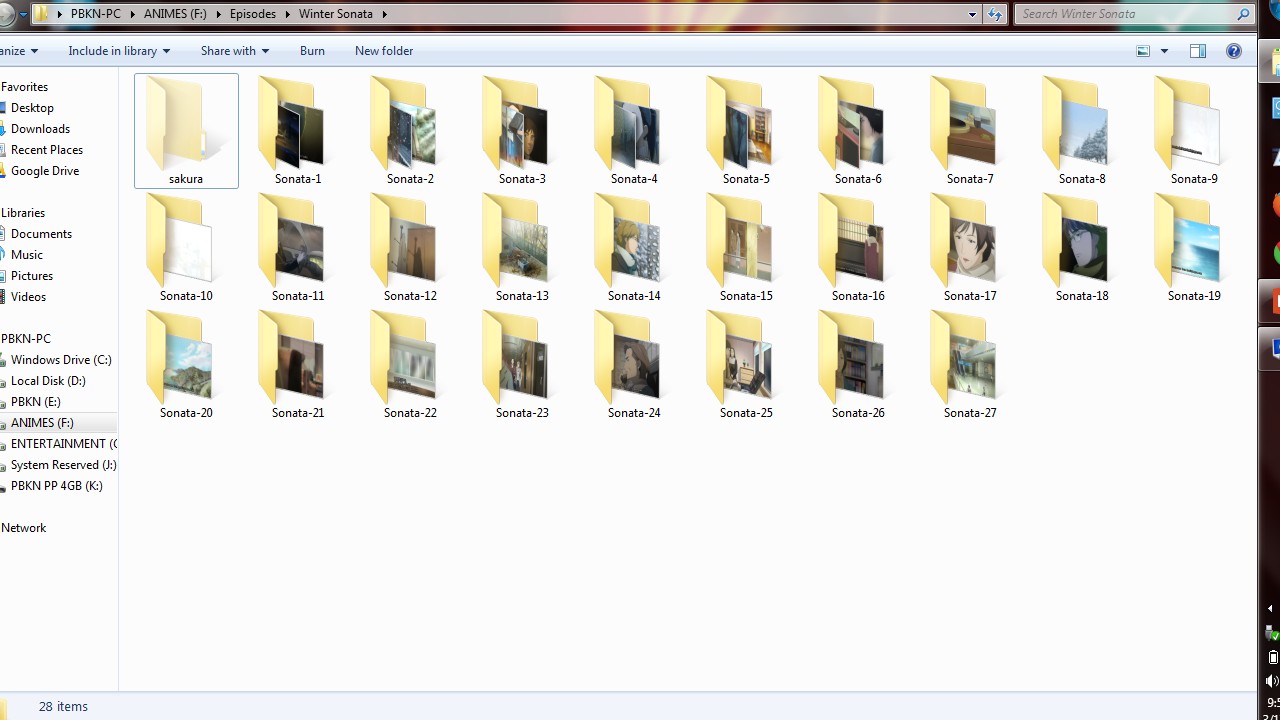
Step 5: Now, if a FOLDER contains HIDDEN files, it’ll show as a like a MIRAGE, as given in the below figure
NOTE:
Pls, DON’T USE THIS ON YOUR GIRLFRIEND’S OR BOYFRIEND’S COMPUTER

 Why Surf Swim
Leave a reply to DIRECT X issue solved in WINDOWS 10 | whysurfswim Cancel reply