
To do so,
Step 1: first open CONTROL PANEL,
Start->control panel
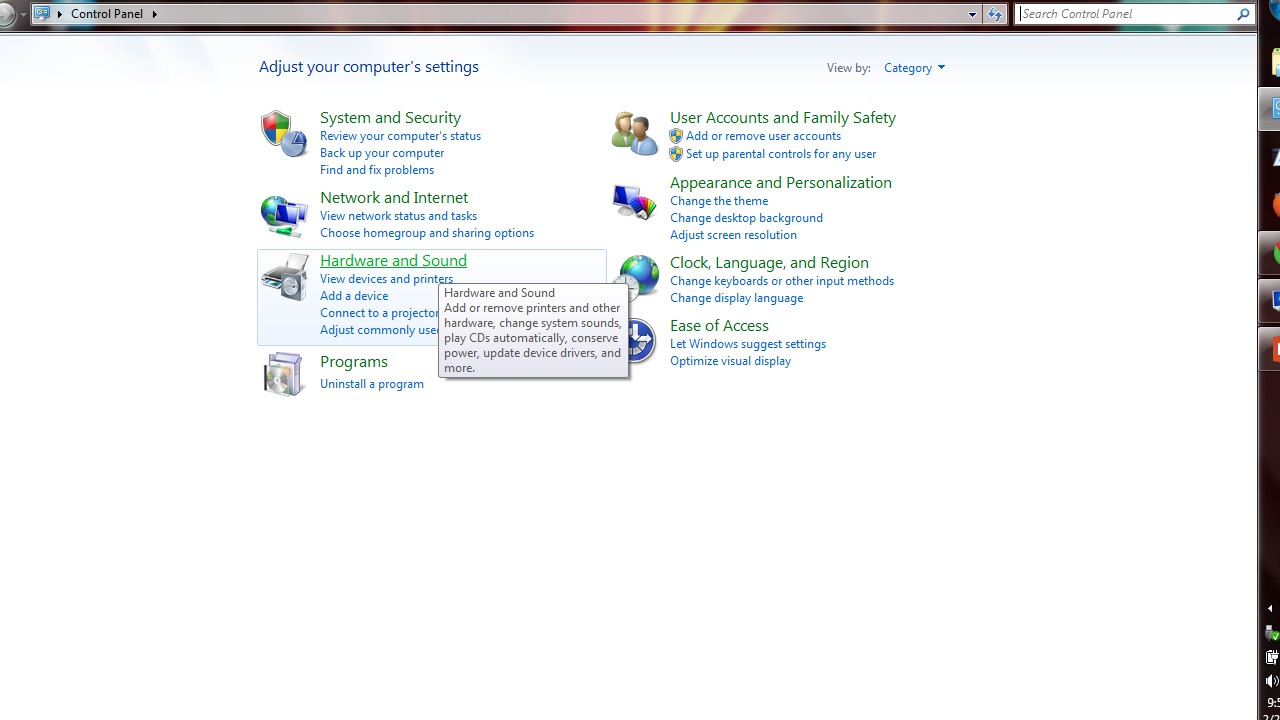
Step 2: Now select HARDWARE & SOUND
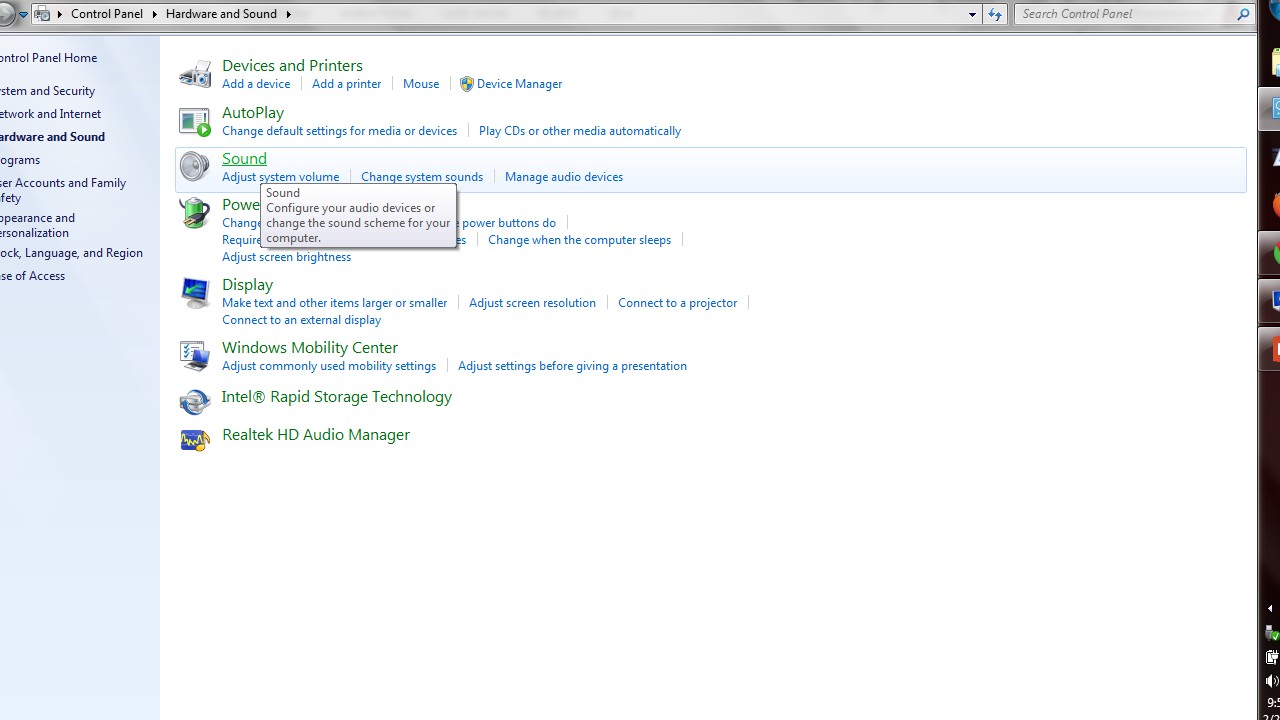
Step 3: Now CLICK sound, you’ll get this POP-UP

Step 4: Now double click the SPEAKER icon, you’ll get like this….

Step 5: Now select ENHANCEMENT tab, you’ll get like this….
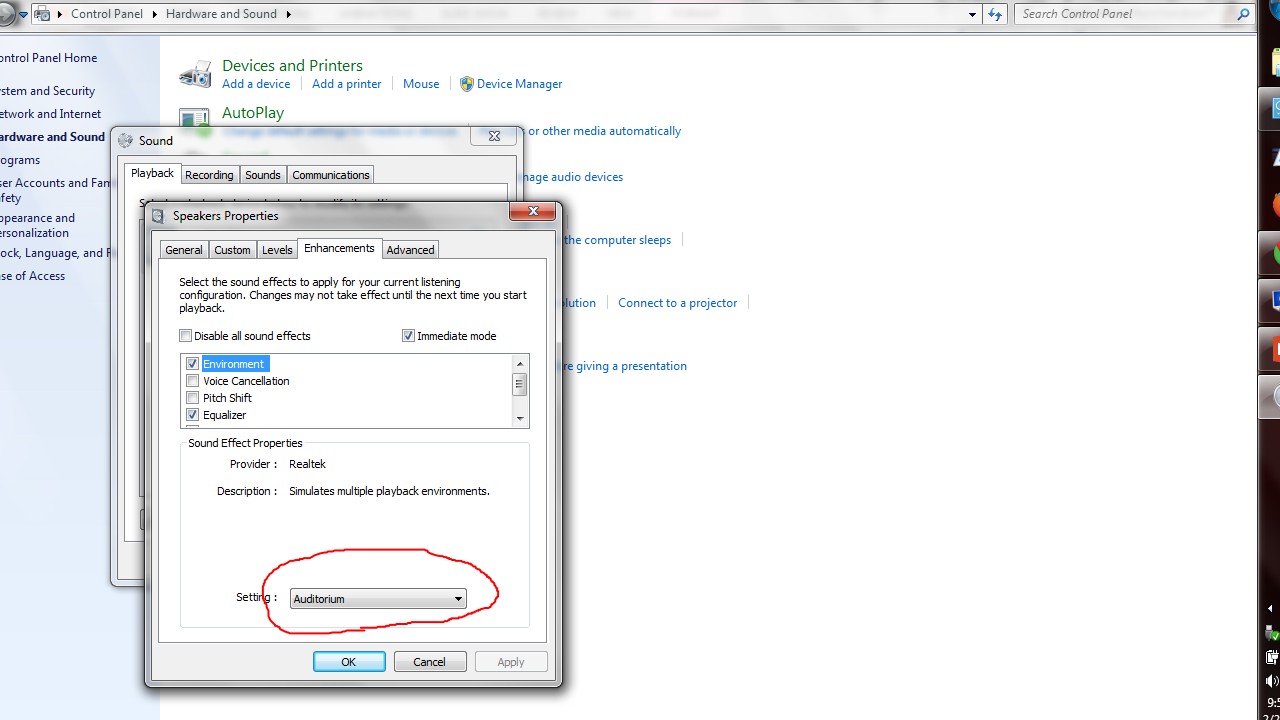
Step 6: Now select ENVIRONMENT and select as shown ABOVE, Then select EQUALISER and ADJUST the settings as shown BELOW!!

Step 7: Now select ADVANCED tab and select the specifics as shown BELOW….

Step 8: Now click TEST button, to HEAR the CHANGES!!!!!

NOTES:
When you don’t have speaker for your seminar, this TRICK will help
Because, i learned this on a occasion like that!!!
 Why Surf Swim
Leave a comment