
It’s a common problem for people to resume YOUTUBE videos in IDM,
because it throws an ERROR,
so we’ll see HOW TO RESUME the download,
Step 1: First download a VIDEO
Step 2: Now after the ERROR strikes, redownload the video normally,
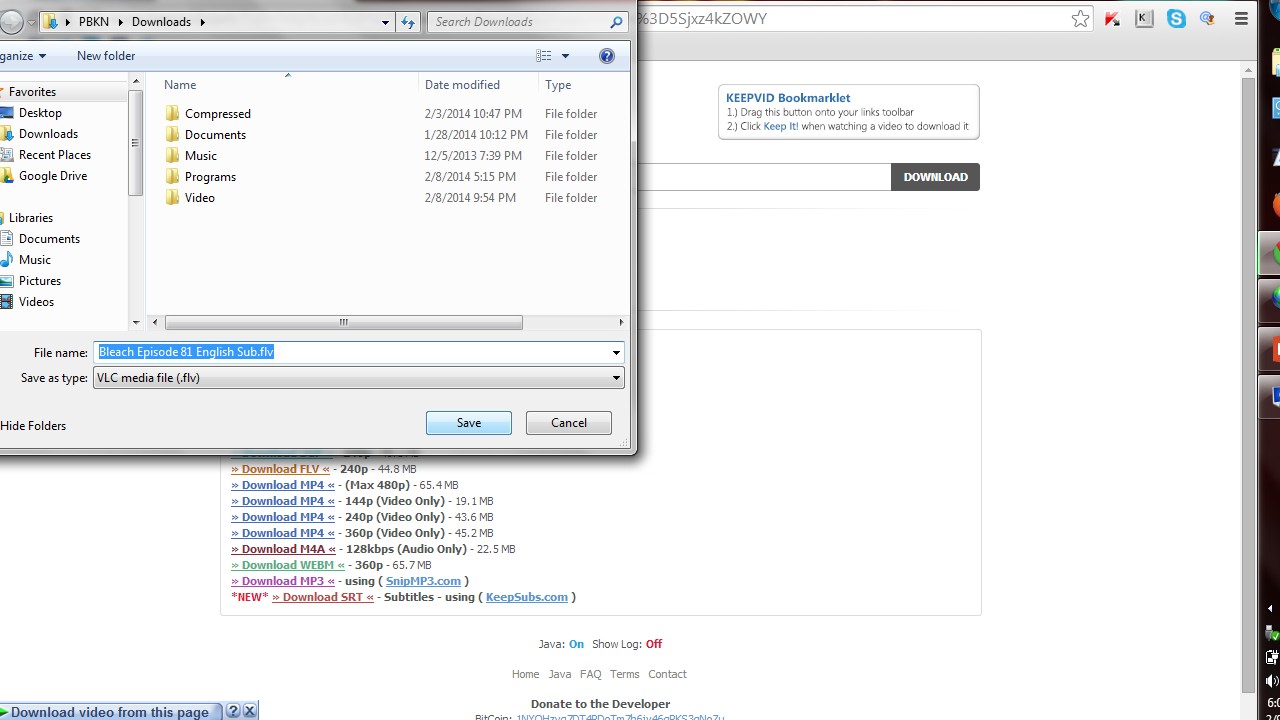
Step 3: Now copy the NEW link address
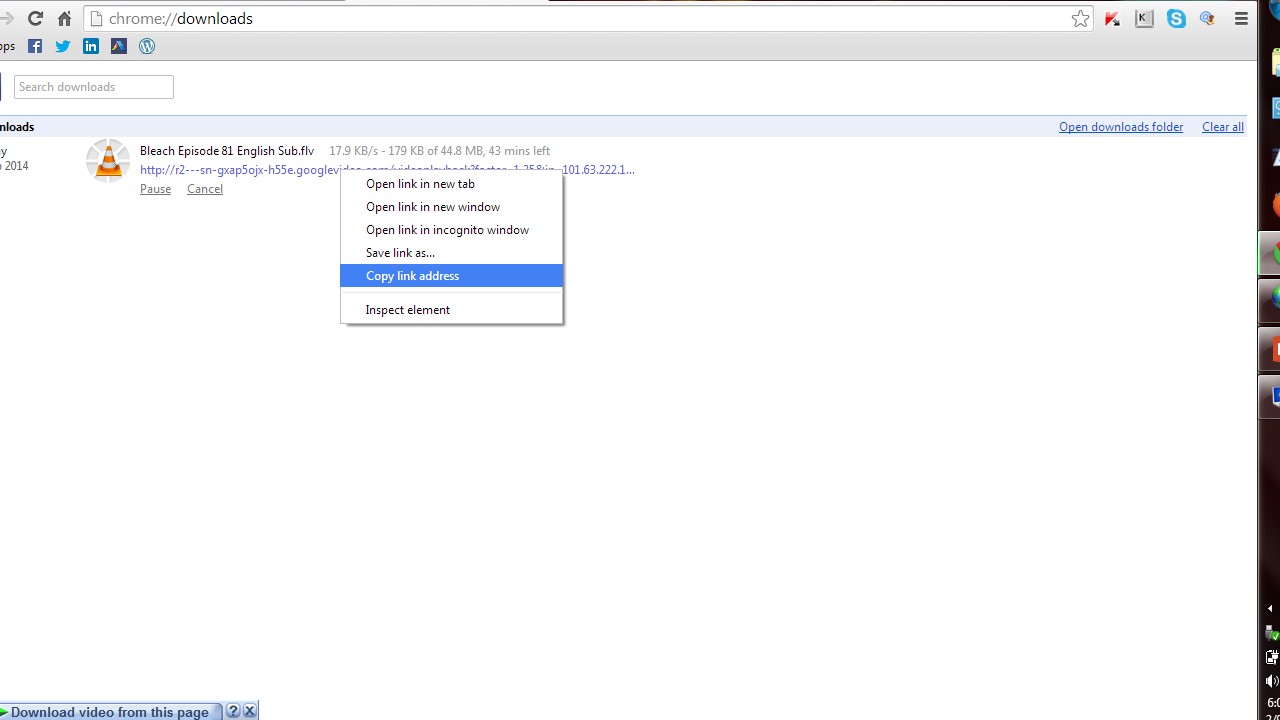
Step 4: Now open IDM downloading list and RIGHT CLICK the video and select PROPERTIES

Step 5: Now select the ADDRESS bar
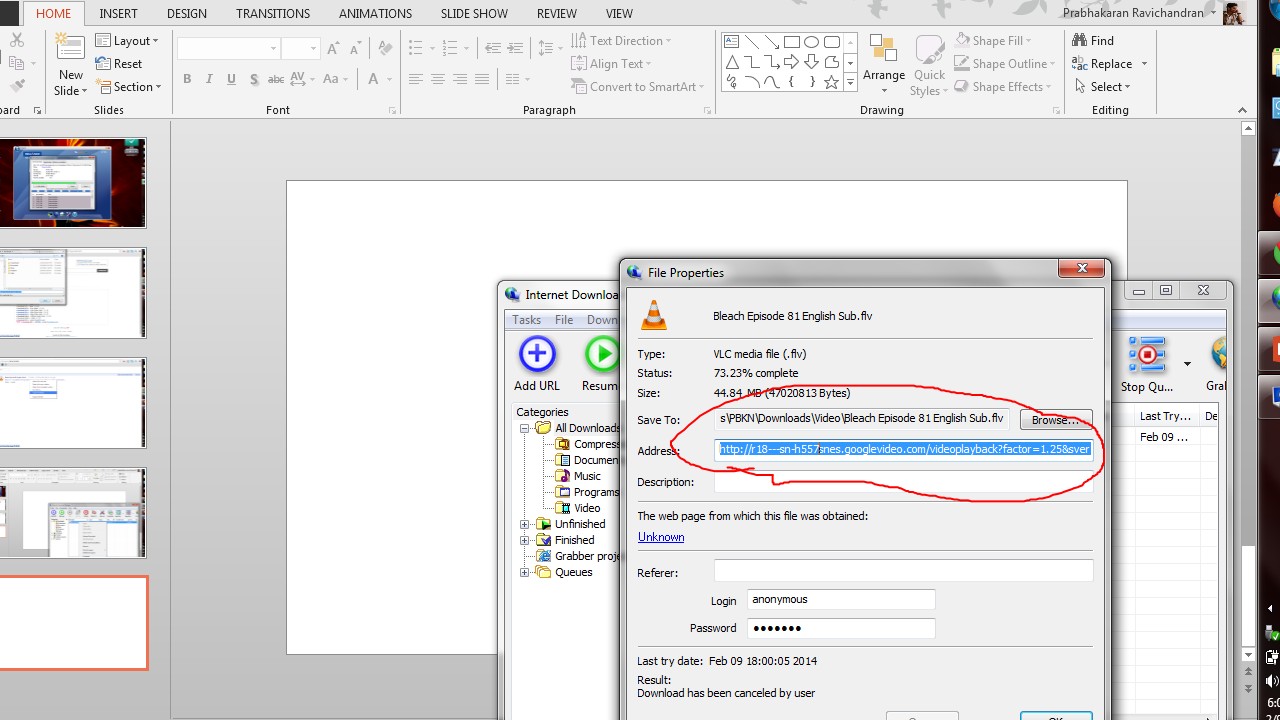
Step 6: Now paste the NEW address in that BAR
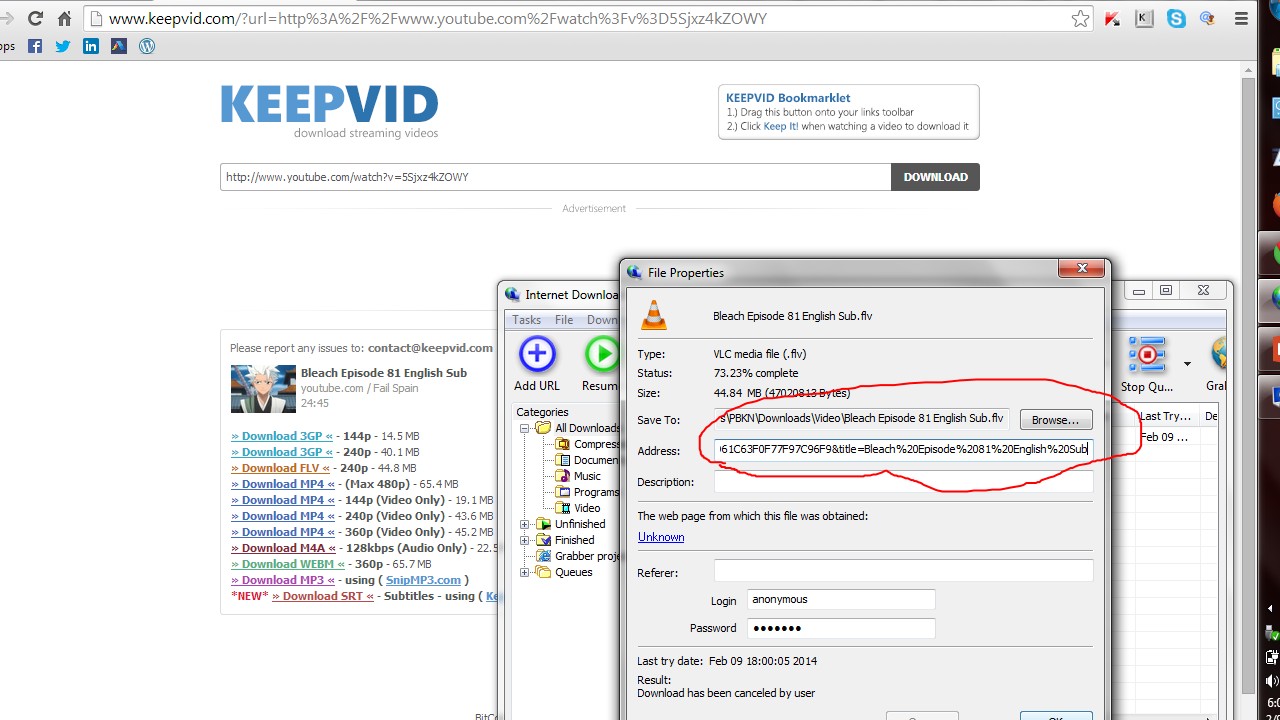
Step 7: Now click the RESUME button,

Now you can see the RESULTS, you can RESUME any video downloads NOW

NOTE:
By using this method,
you CAN download any videos EVEN after MANY MONTHS (probably after a VACATION)
NOW ENJOY DOWNLOADING VIDEOS
 Why Surf Swim
Leave a comment