
Well,
many of the STARTUP time delays are caused due to many UNWANTED startup PROGRAMS,
For example:
You don’t need to OPEN your SKYPE in the STARTUP itself, like etc..,
Follow the steps below to REDUCE your STARTup TIME,
Step 1: press WIN+R
Step 2: type “msconfig“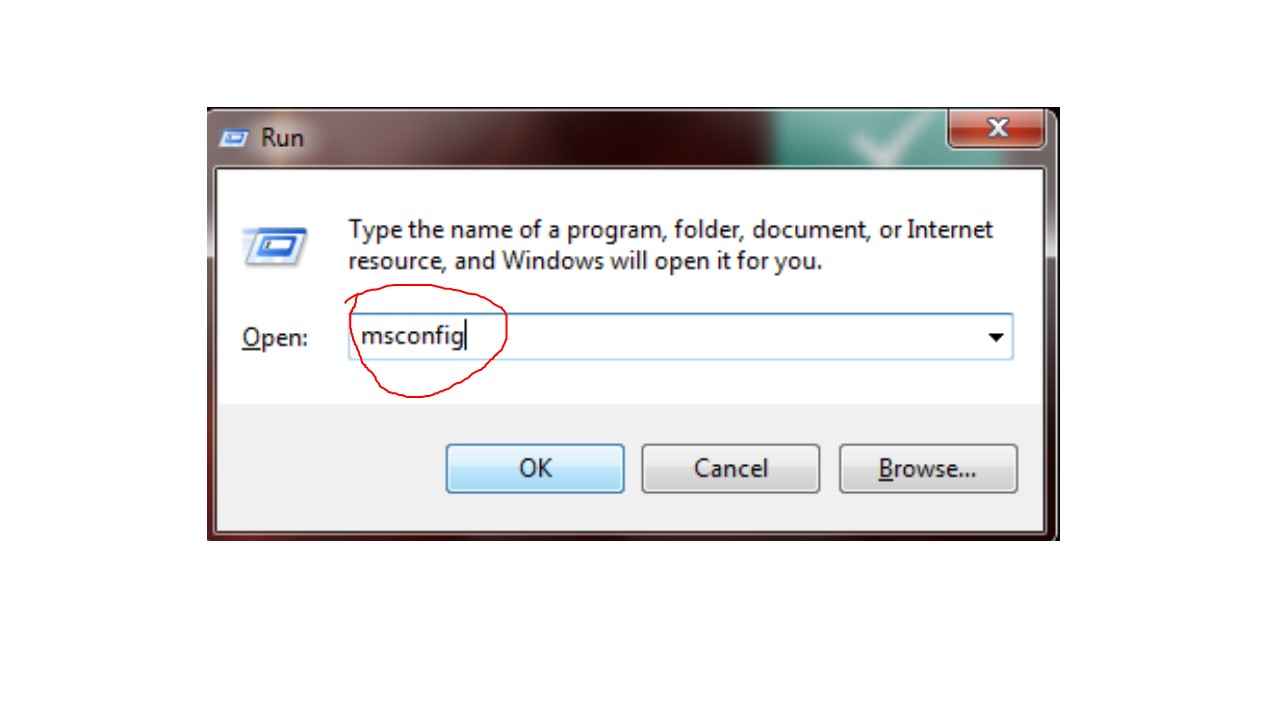
Step 3: Now choose the RADIO button as shown below
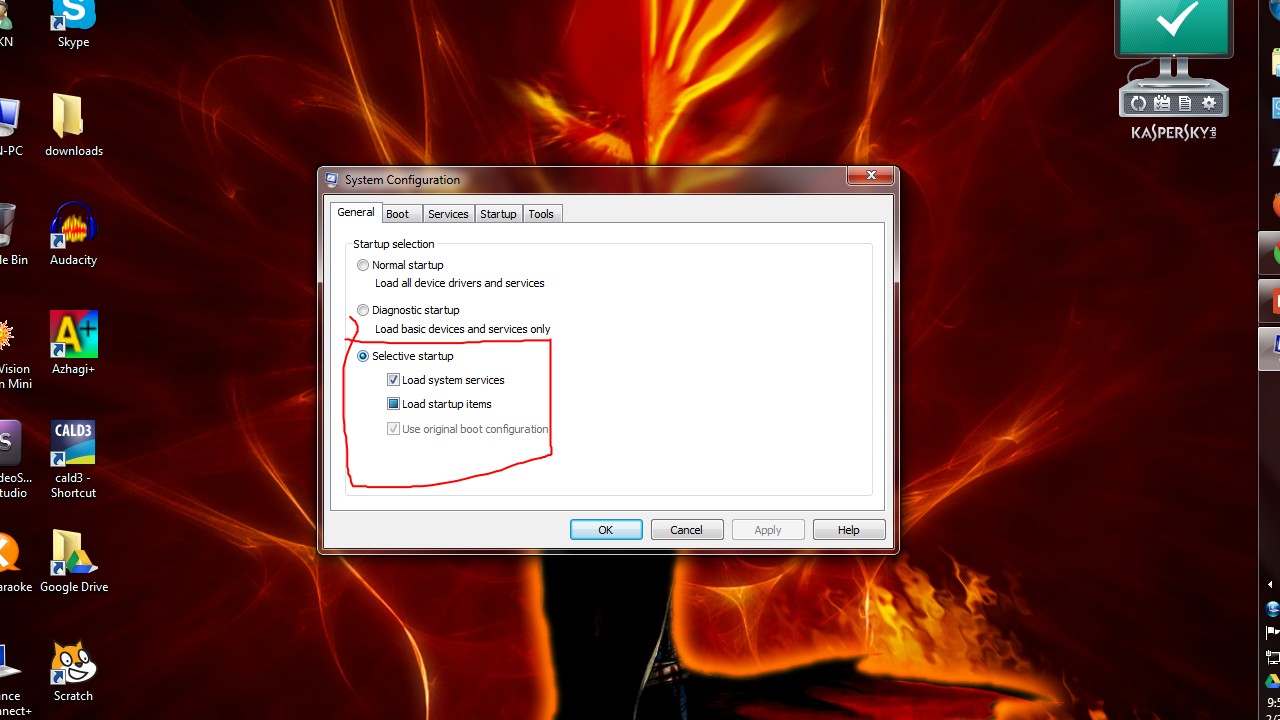
Step 4: Now UNCHECK the STARTUP applications as shown below

NOTE:
By UNCHECKING some APPLICATIONs, you are not UNINSTALLING them,
you are just preventing them loaded in computer START,
so when you RUN those APPS when you needed, they’ll WORK
SO REDUCE YOUR STARTUP TIME, SAVE YOUR VALUABLE TIME
 Why Surf Swim
Leave a comment